> For the complete documentation index, see [llms.txt](https://docs.jaka.app/shopify/llms.txt). Markdown versions of documentation pages are available by appending `.md` to page URLs; this page is available as [Markdown](https://docs.jaka.app/shopify/sales-and-tracking/manage-sales.md).
# Manage Sales
You can add sales, update statuses, filter results, export data, and remove invalid sales.
### ➕ Add a Sale Manually
Use this when a sale is not tracked automatically or when you want to reward an affiliate manually.
**Steps:**
1. open the app > go to **Sales**
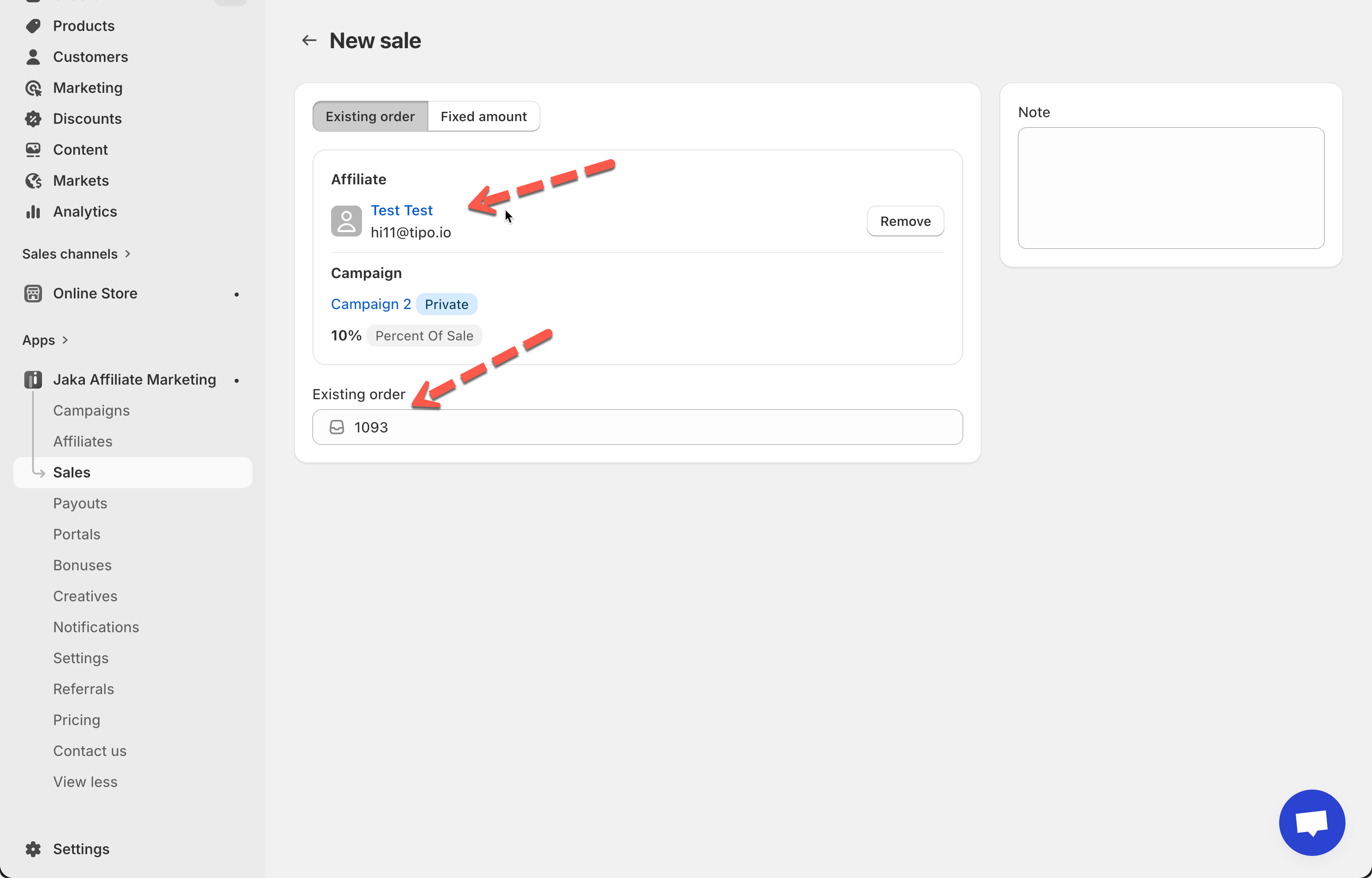
2. Click **Add sale**
3. Choose one option:
* **Existing order** – enter the Shopify order number
* **Fixed amount** – manually enter a commission value
4. Select an affiliate and campaign
5. Click **Save**
***
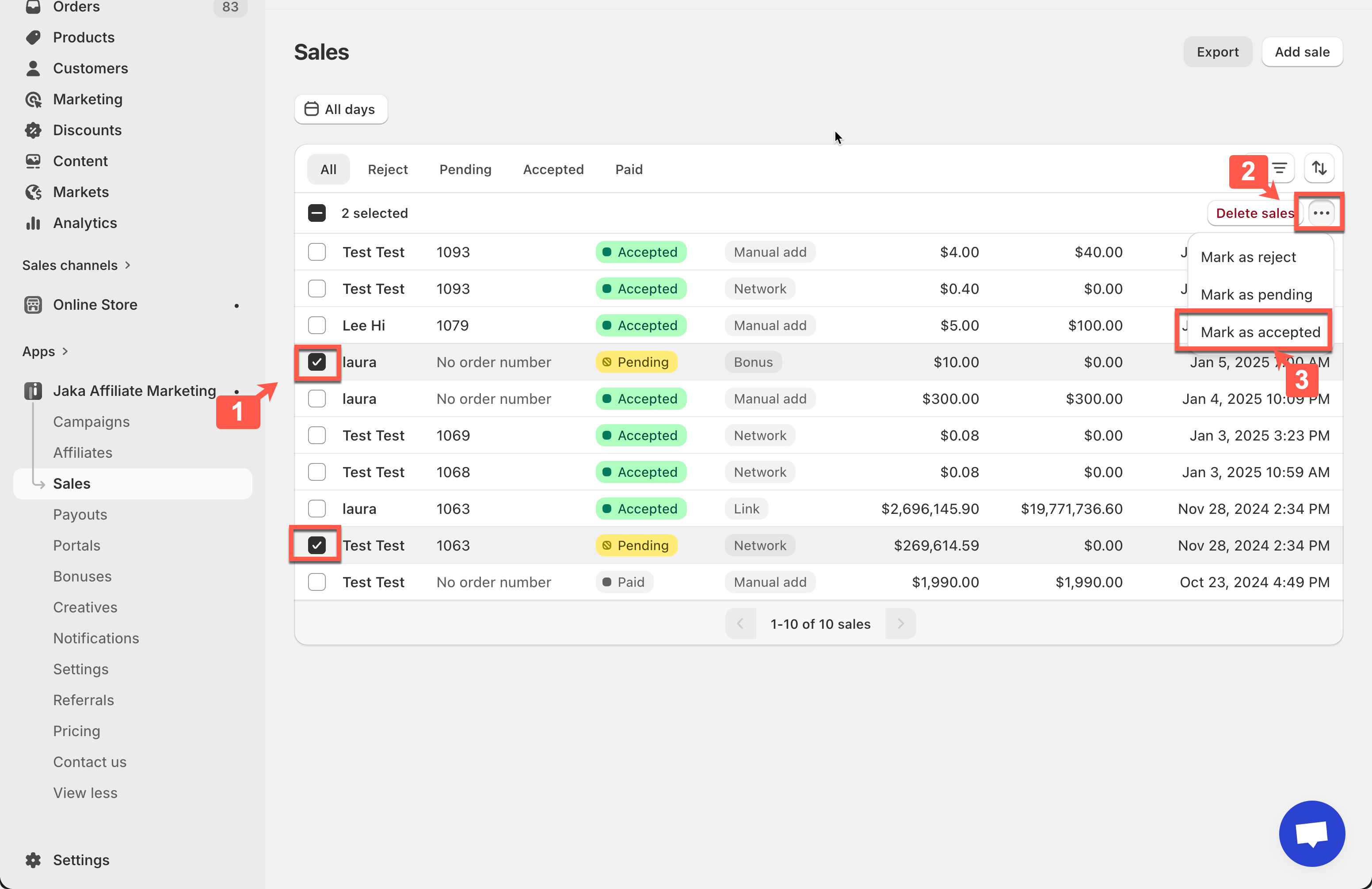
### 🔄 Change Sale Status
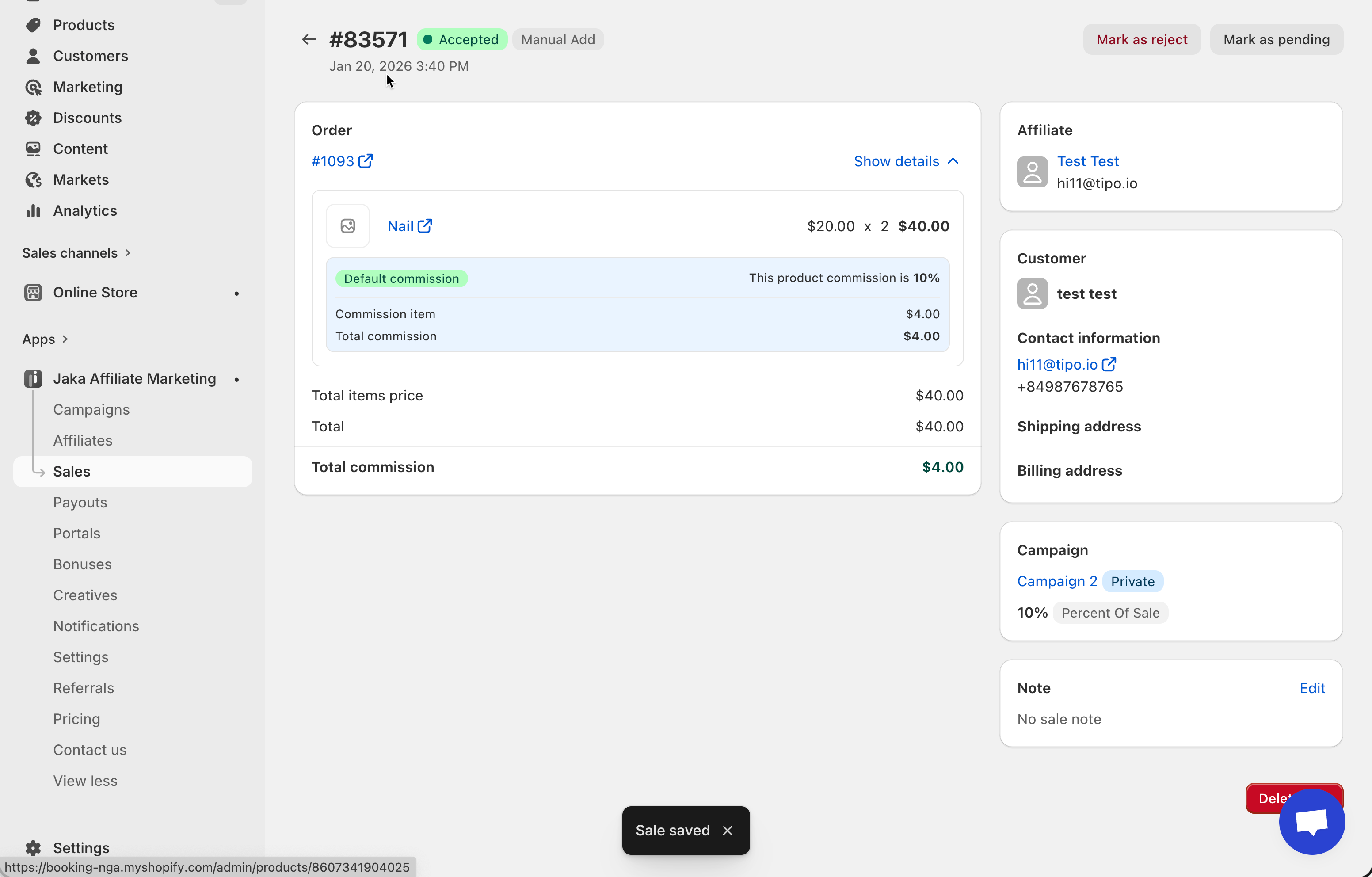
You can update the sale status at any time.
Available statuses:
* **Pending** – Waiting for review
* **Accepted** – Approved and commission is valid
* **Rejected** – Invalid sale, no commission
* **Paid** – Commission has been paid
**How to change status:**
* From the sales list (bulk update)
* From the sale detail page
***
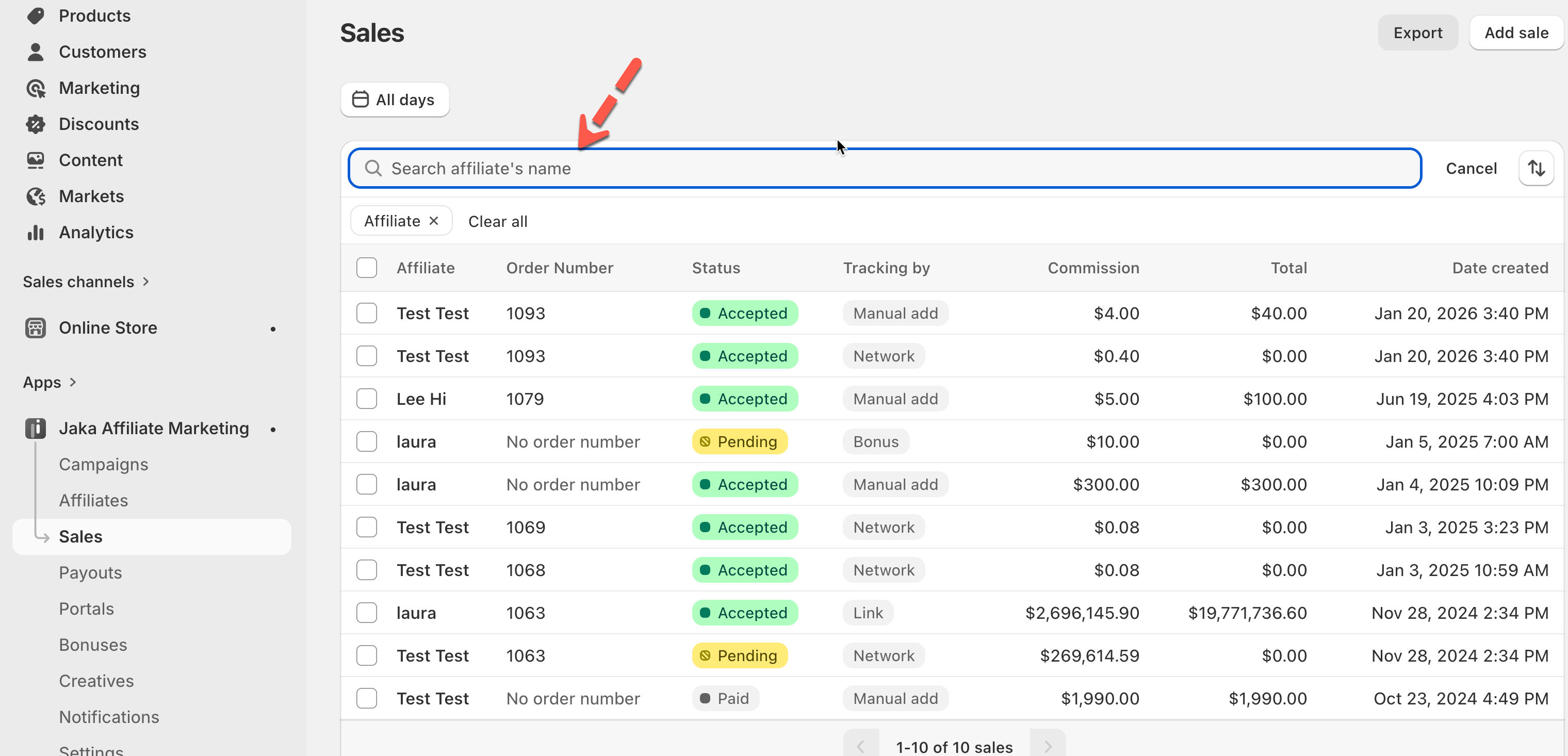
### 🔍 Filter & Search Sales
Filters help you quickly find specific sales.
You can filter by:
* Affiliate
* Sale status
* Date range
Use the search bar to find sales by **affiliate name**.
***
### ↕️ Sort Sales
Sort sales to review data more efficiently.
Sort by:
* Date
* Commission amount
Order options:
* Oldest to newest
* Newest to oldest
***
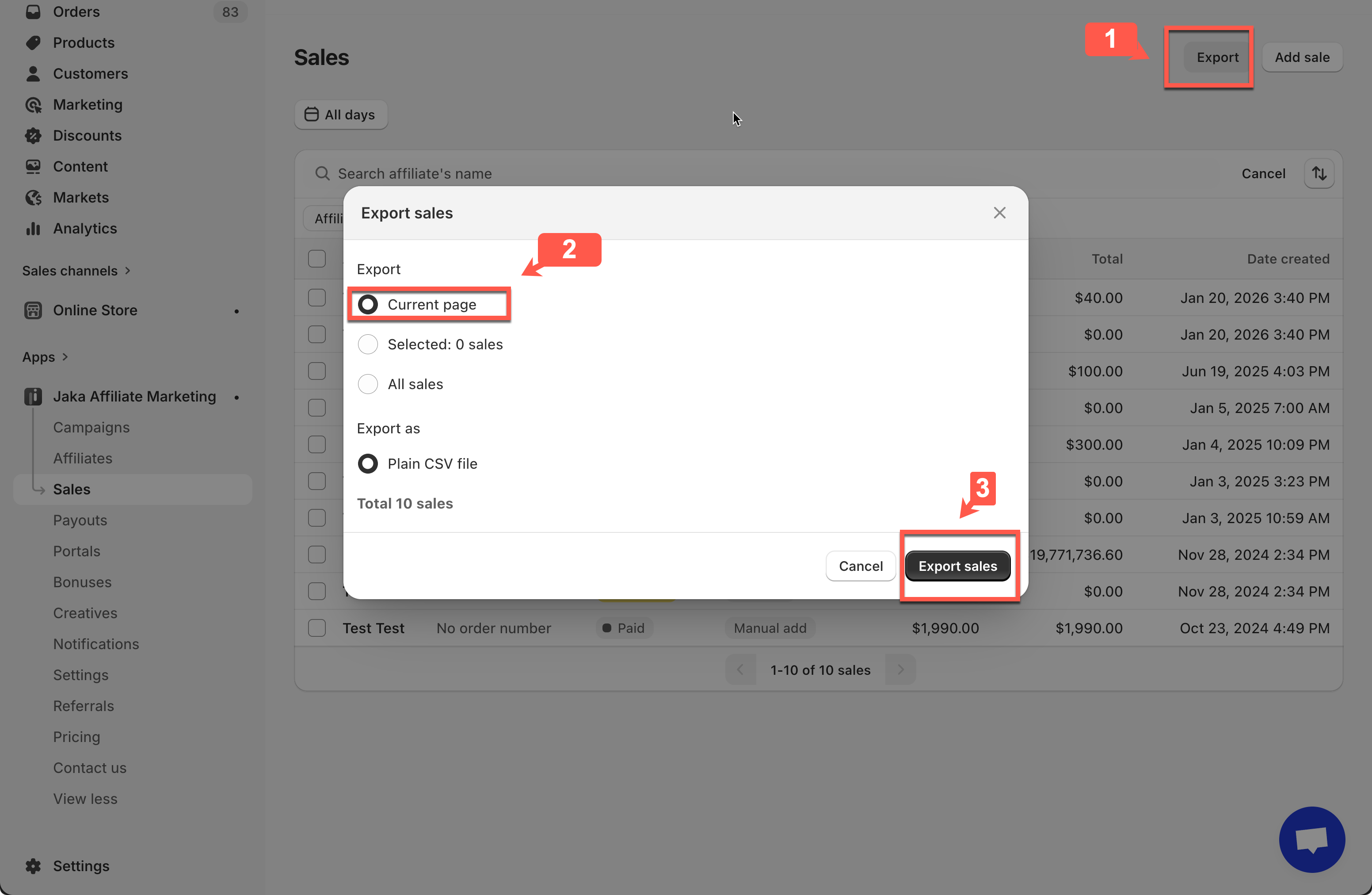
### 📤 Export Sales Data
Export sales data for reporting or payouts.
**Steps:**
1. Click **Export**
2. Choose what to export:
* Current page
* Selected sales
* All sales
3. Download as a **CSV file**
***
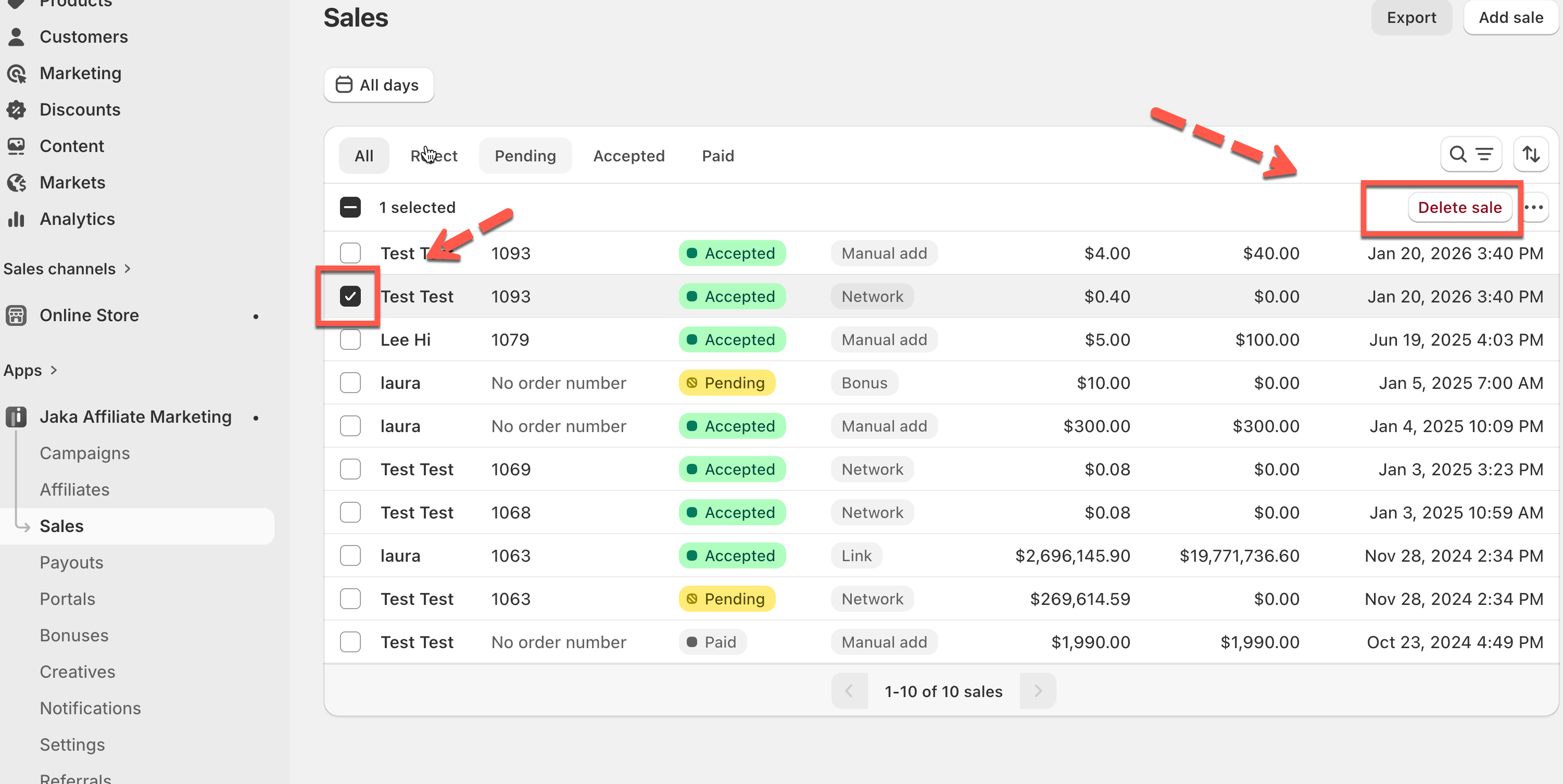
### 🗑 Delete Sales
Remove incorrect or invalid sales permanently.
**Steps:**
1. Select one or more sales
2. Click **Delete**
**⚠️ Warning:**\
Deleted sales cannot be restored, and their commissions will be removed permanently.