> For the complete documentation index, see [llms.txt](https://docs.jaka.app/shopify/llms.txt). Markdown versions of documentation pages are available by appending `.md` to page URLs; this page is available as [Markdown](https://docs.jaka.app/shopify/sales-and-tracking/create-a-sale-manually.md).
# Create a Sale manually
Step to manage
Creating a sale manually allows admins to add affiliate commissions by hand when a sale is not tracked automatically.
This is useful for special cases such as offline sales, missing tracking, or bonus rewards.
### ⚙️ Steps to Create a Sale Manually
1. Go to **Jaka Affiliate Marketing > Sales**
2. Click **Add sale**
3. Choose how to create the sale:
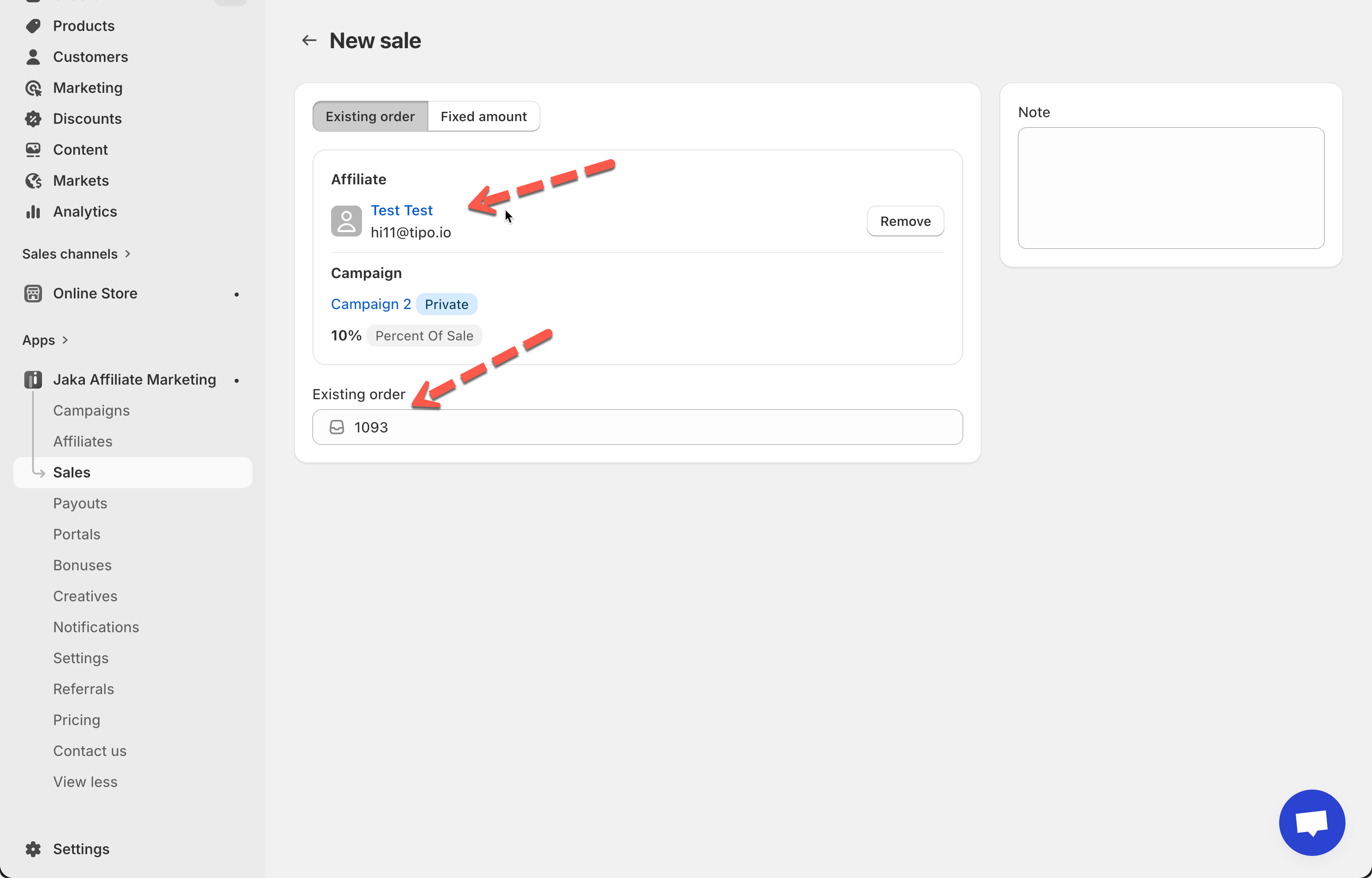
* **Existing order**
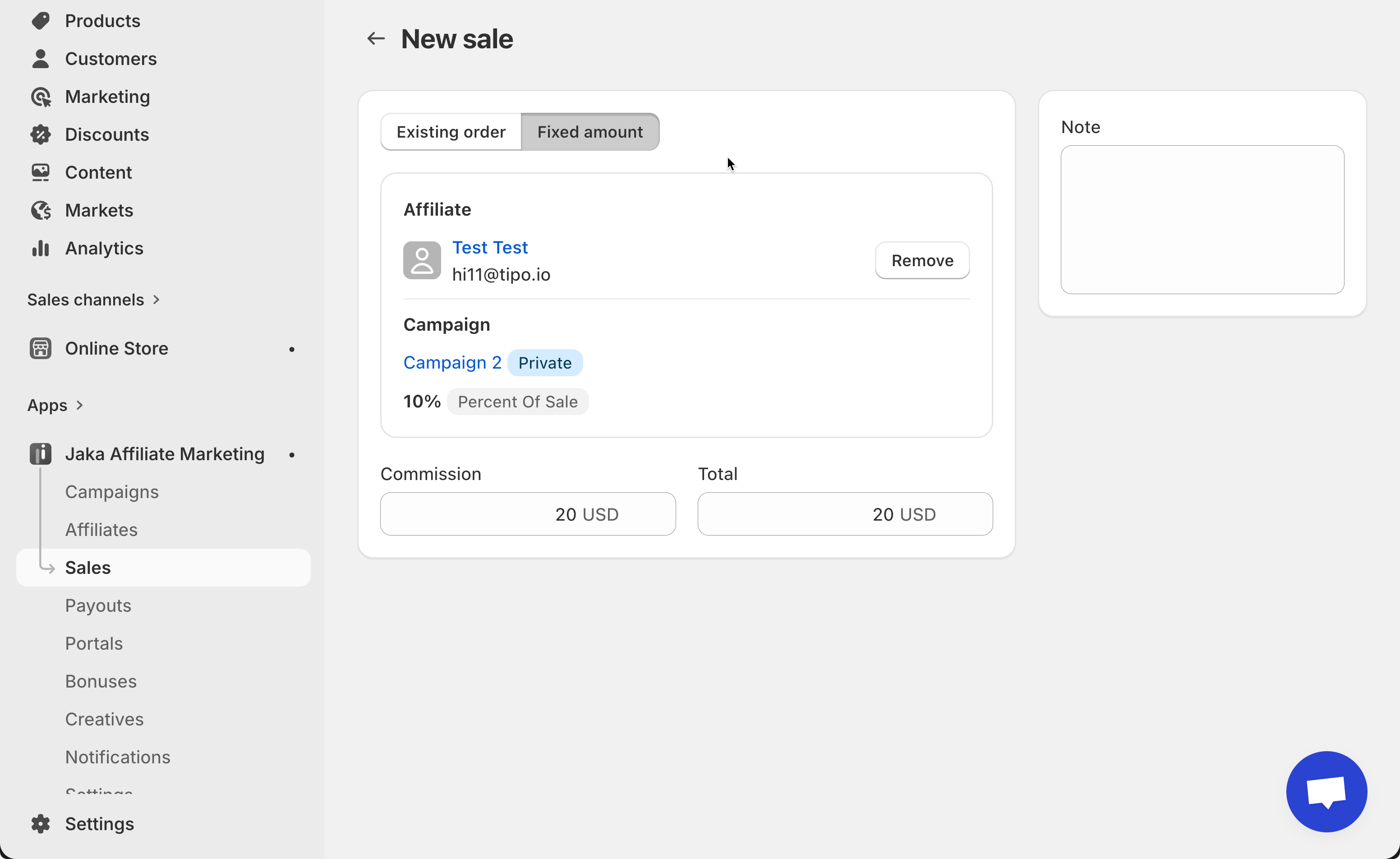
* **Fixed amount**
4. Complete the required fields
5. Click **Save**
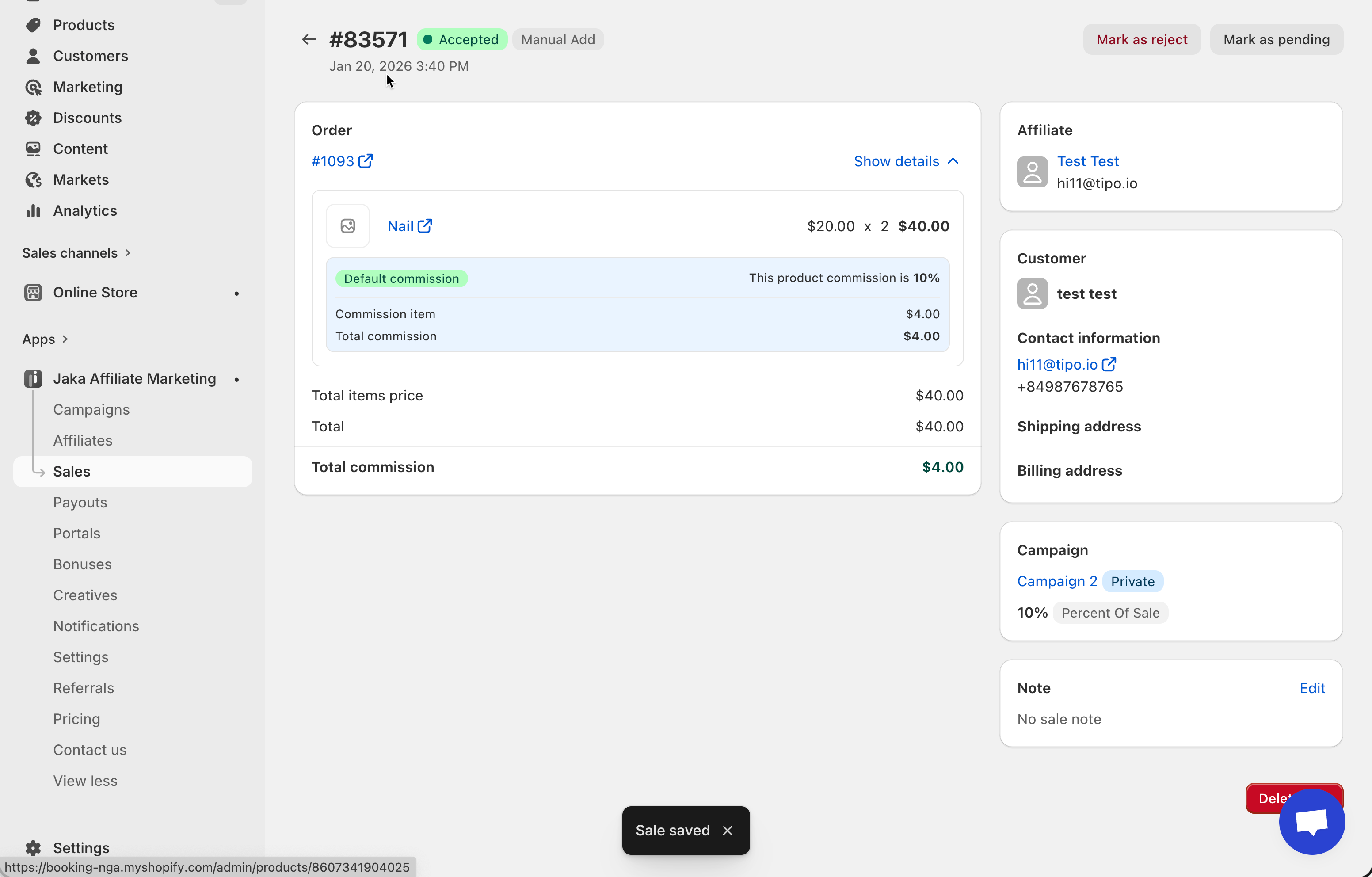
Result
***
### 🧾 Option 1: Existing Order
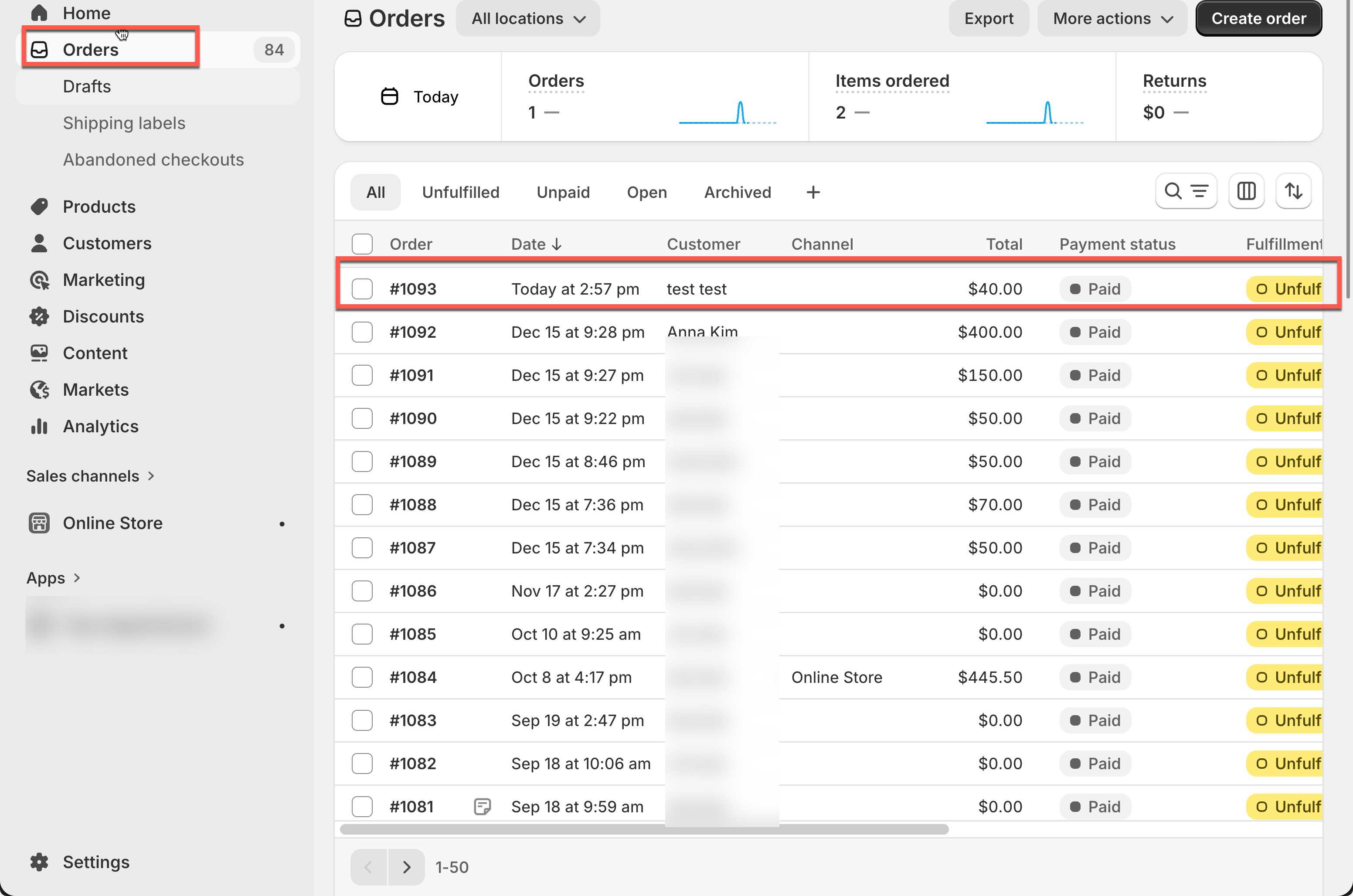
Use this option when the sale already exists in Shopify.
**What you need to enter:**
* Shopify **Order number**
* Affiliate
**How it works:**
* The app links the sale to an existing order
* Commission is calculated based on campaign rules
* Order details are pulled automatically
***
### 💰 Option 2: Fixed Amount
Use this option when there is no Shopify order, or when you want to add a custom commission.
**What you need to enter:**
* Affiliate
* Commission amount
**How it works:**
* The sale is created without an order
* The commission amount is fixed
* Useful for bonuses or special rewards
***
### 🔄 What Happens After Creating a Manual Sale?
* The sale appears in the **Sales list**
* Default status is **Pending** (based on your setting in the campaign)
* You can:
* Approve
* Reject
* Mark as Paid
* The affiliate will see the sale in their dashboard once approved