> For the complete documentation index, see [llms.txt](https://docs.jaka.app/shopify/llms.txt). Markdown versions of documentation pages are available by appending `.md` to page URLs; this page is available as [Markdown](https://docs.jaka.app/shopify/payouts/payout-overview.md).
# Payout overview
Pay your affiliates
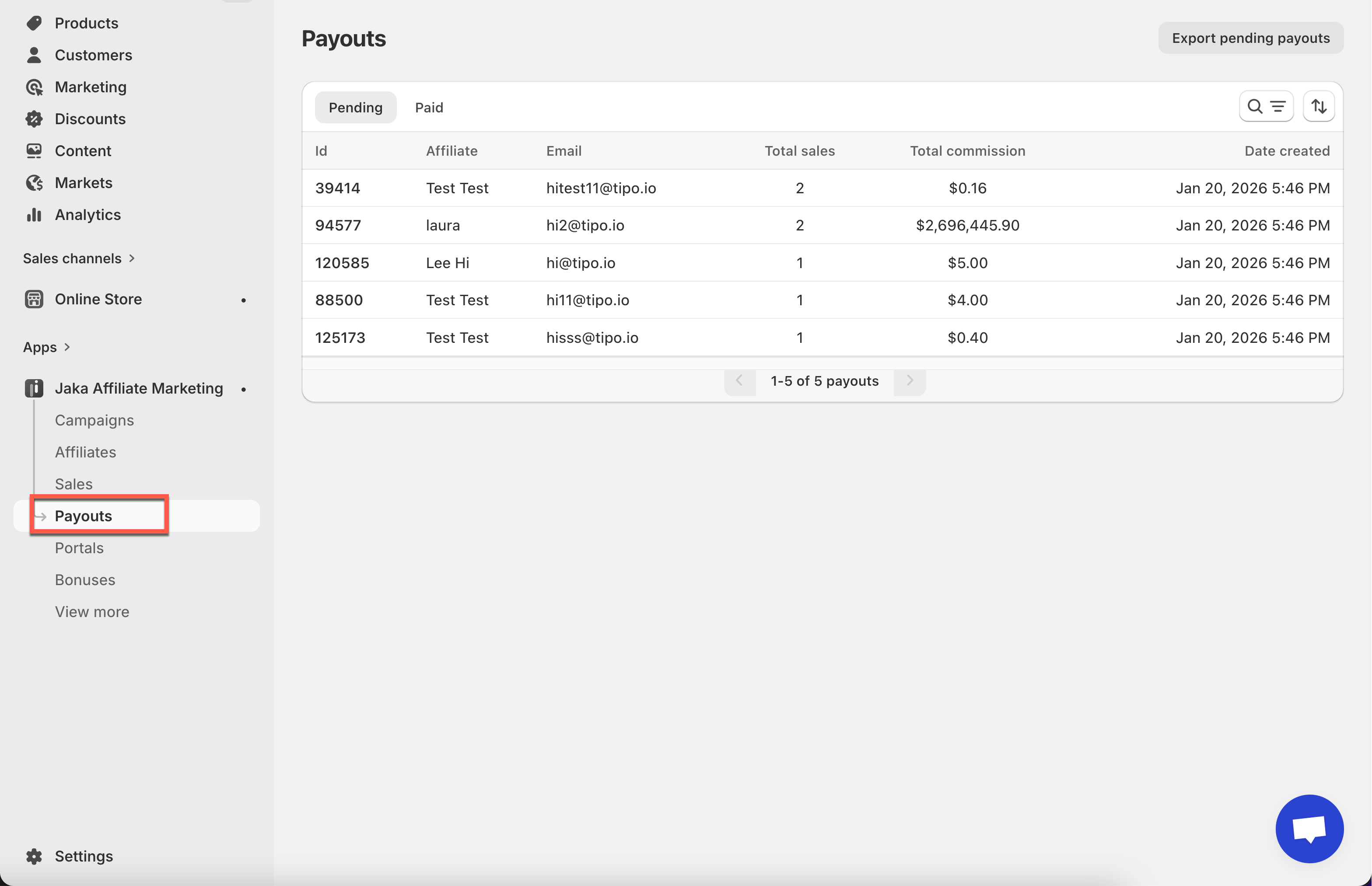
The **Payouts** section helps you track, manage, and complete commission payments to your affiliates.\
All payouts are created based on approved sales and can be paid outside the **Jaka** app.
***
### ℹ️ What Is a Payout?
A **payout** is a group of approved affiliate commissions that you are ready to pay.
Each payout includes:
* One affiliate
* One or more approved sales
* The total commission amount to be paid
Payouts make it easier to manage payments instead of paying each sale one by one.
***
### 🔄 How Payouts Work
The payout flow in Jaka is simple:
1. A sale is created
2. The sale is approved
3. The sale appears in **Pending Payouts**
4. You check the payout detail and pay the affiliate outside the app
5. You mark the payout as **Paid**
{% hint style="info" %}
**Important**: Jaka does **not** process payments automatically. You control when and how affiliates are paid.
{% endhint %}
***
### 📌 Payout Statuses
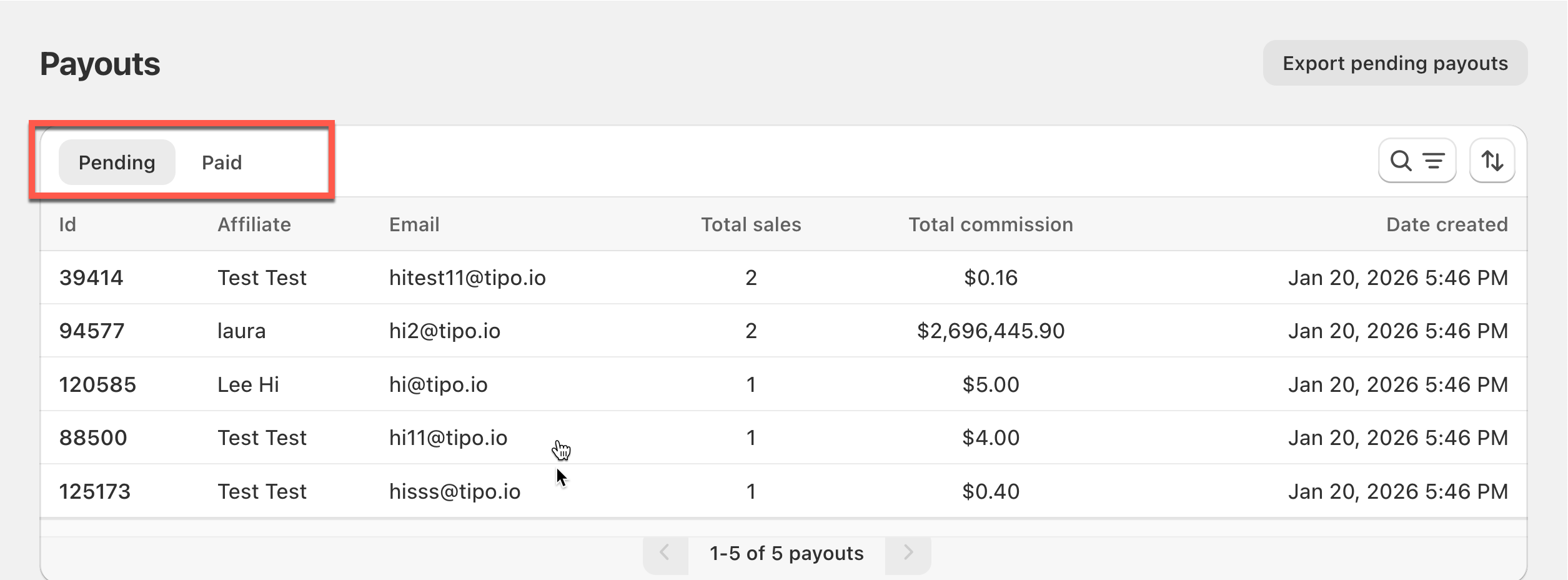
Payouts have two main statuses:
* **Pending**\
The payout is ready to be paid but hasn’t been completed yet.
* **Paid**\
The payout has been completed and marked as paid.
These statuses help you quickly see which affiliates still need to be paid.
***
### ✅ What You Can Do in the Payouts Section
From the **Payouts** page, you can:
* View all pending and paid payouts
* Search payouts by affiliate
* Sort payouts by date
* Export pending payouts for accounting
* Create and mark payouts as paid
***
### ✅ When to Use Payouts
Use payouts when:
* You’re ready to pay affiliates
* You want clear records of commissions paid
* You need an easy way to track unpaid vs paid commissions