> For the complete documentation index, see [llms.txt](https://docs.jaka.app/shopify/llms.txt). Markdown versions of documentation pages are available by appending `.md` to page URLs; this page is available as [Markdown](https://docs.jaka.app/shopify/affiliate-dashboard-and-guides/quick-guide-for-affiliates.md).
# Quick Guide for Affiliates
This guide helps you set up your affiliate account and start earning commissions in just a few steps.
{% stepper %}
{% step %}
### Access Your Affiliate Portal
* Open the **affiliate portal link** provided by the merchant
* Log in using your email and password
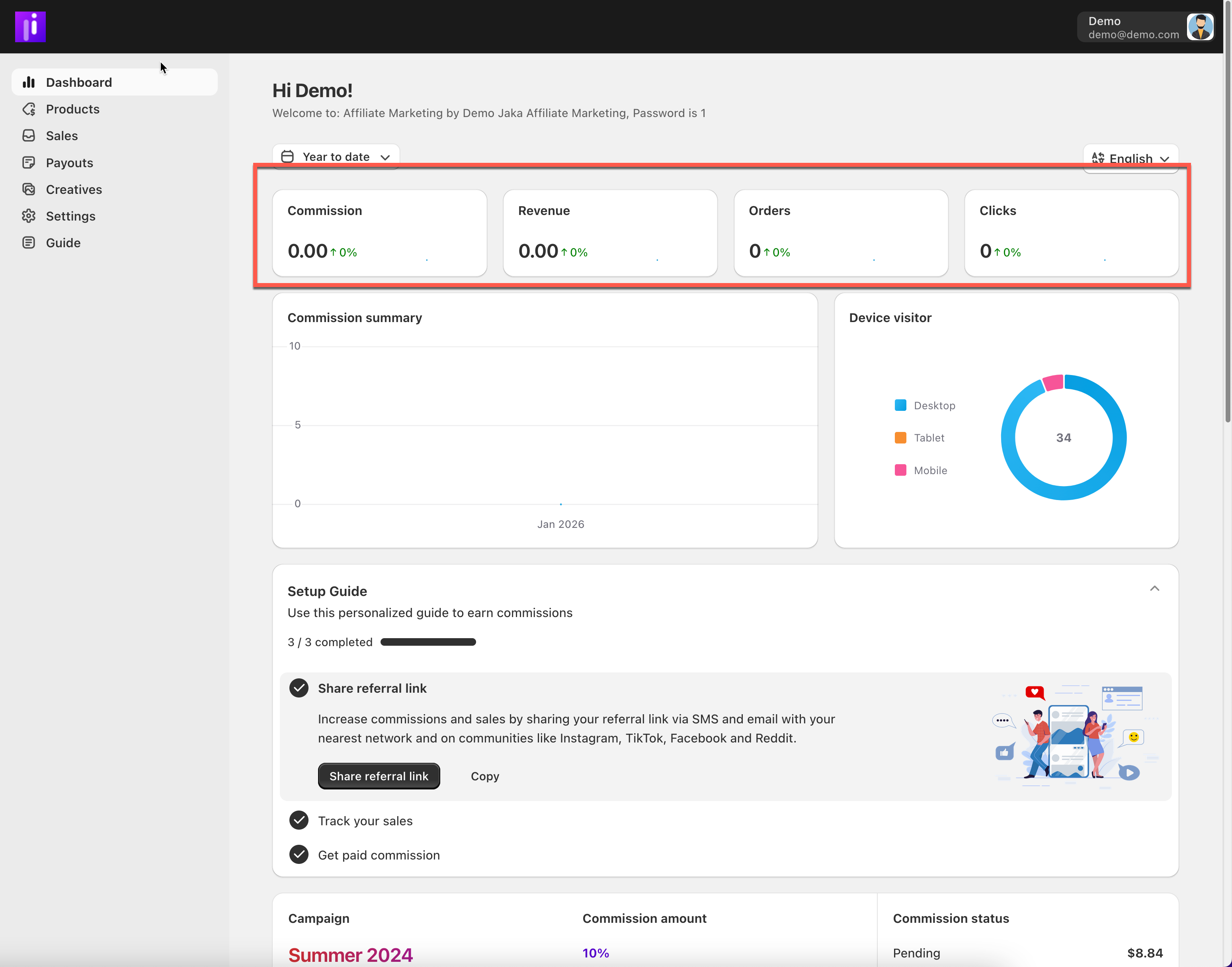
* You’ll land on the **Dashboard**, where you can see:
* Commission
* Revenue
* Orders
* Clicks
{% endstep %}
{% step %}
### Complete Your Settings
Before promoting, make sure your account is ready.
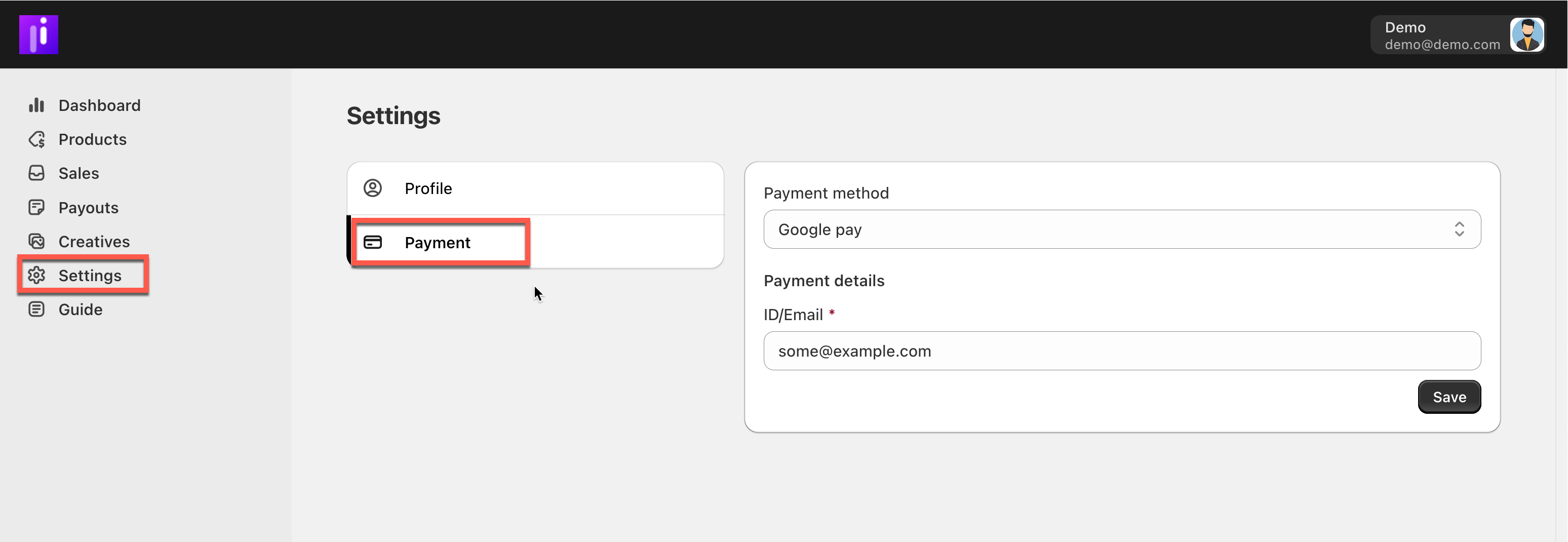
1. Go to **Settings**
2. Check your personal information
3. Add or update your **payment details**
4. Save your changes
💡 You won’t be paid until your payment information is completed.
{% endstep %}
{% step %}
### Get Your Referral Link
Your referral link is how sales and commissions are tracked.
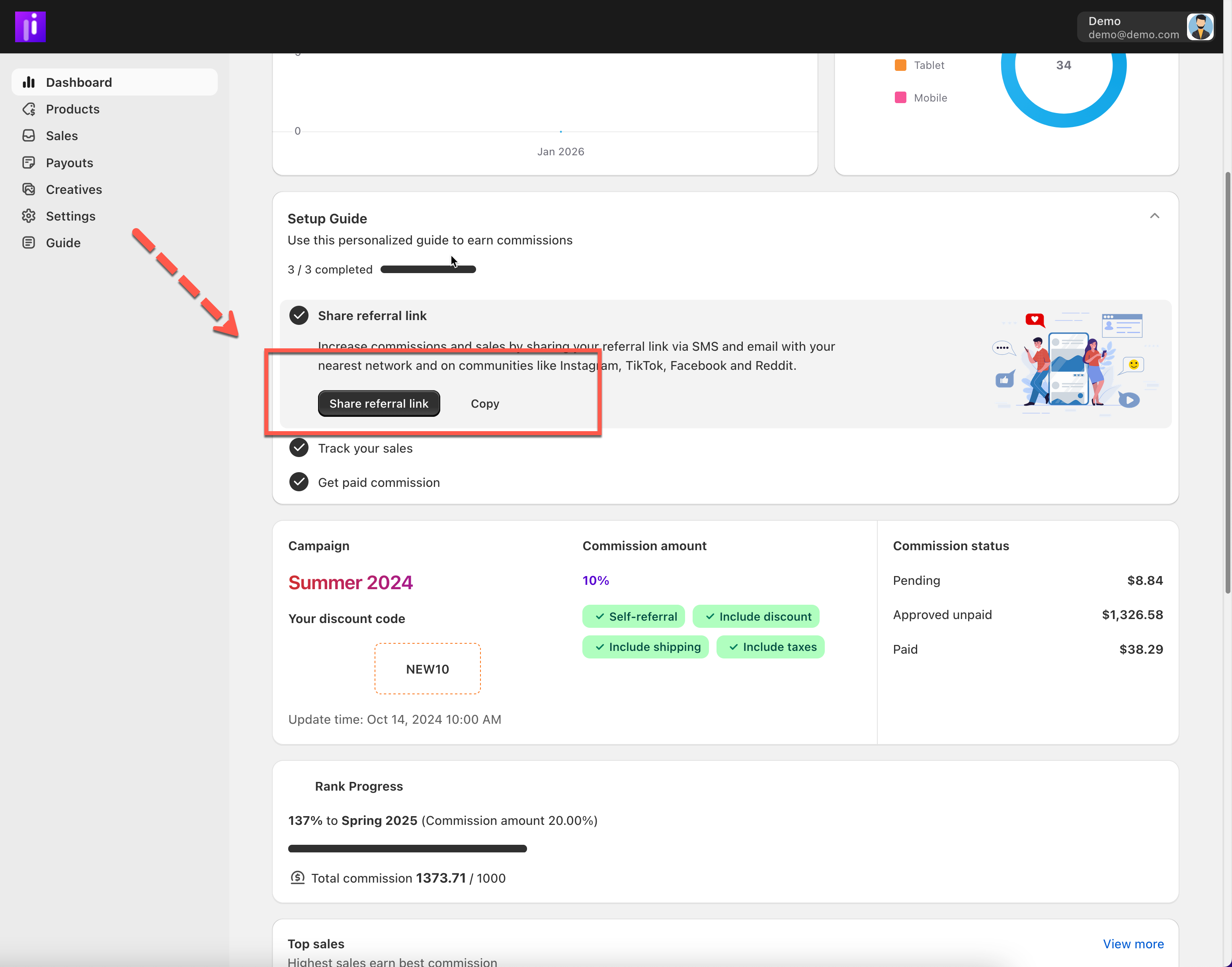
1. Go to **Dashboard** or **Products**
2. Copy your **unique referral link**
3. Use this link whenever you promote
{% endstep %}
{% step %}
### Choose Products to Promote
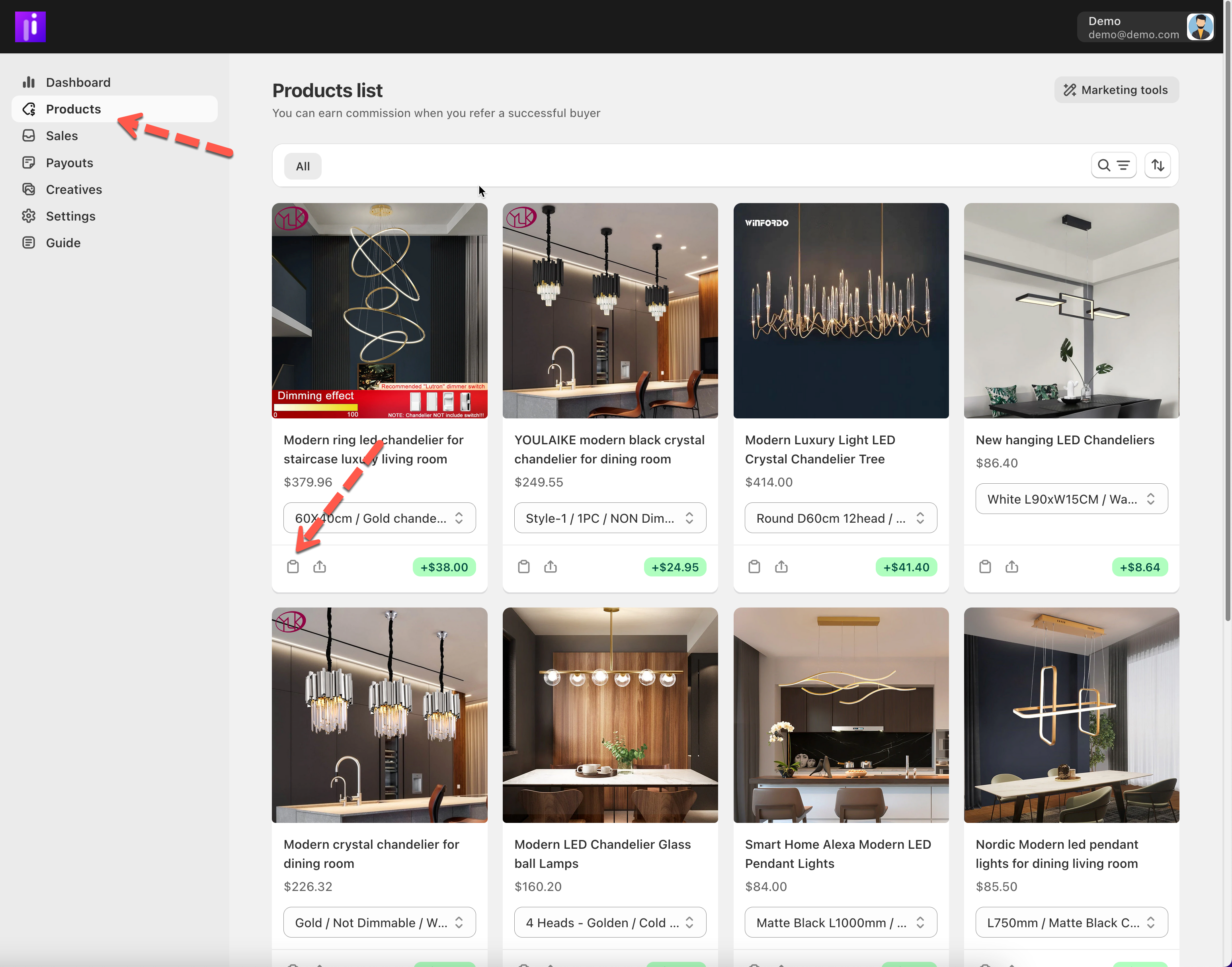
* Open **Products**
* Browse available products or campaigns
* Copy the referral link for any product you want to promote
{% endstep %}
{% step %}
### Start Promoting
You can share your referral link on:
* Social media (Instagram, TikTok, Facebook, X)
* Websites or blogs
* Email or messaging apps
* Online communities
💡 Focus on sharing value, not just links.
{% endstep %}
{% step %}
### Track Your Performance
Once you start promoting:
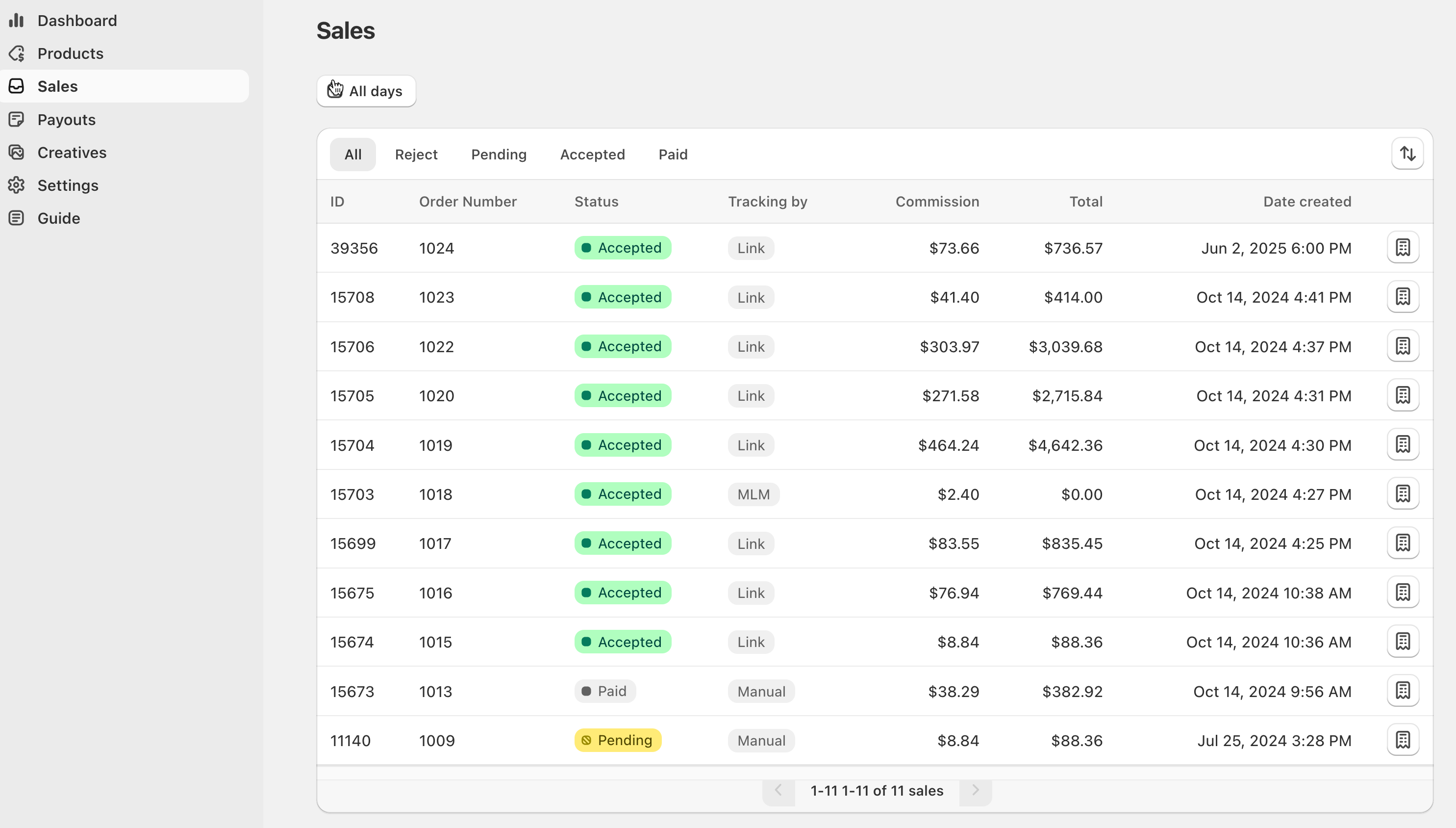
* View clicks and sales in **Sales**
* Check commission status (pending, approved, paid)
* Track payouts in **Payouts**
{% endstep %}
{% endstepper %}