> For the complete documentation index, see [llms.txt](https://docs.jaka.app/shopify/llms.txt). Markdown versions of documentation pages are available by appending `.md` to page URLs; this page is available as [Markdown](https://docs.jaka.app/shopify/2-referral-program/referral-popup-design.md).
# Referral popup design
1\. Open the app > click **Referrals** on the left side menu
The app allows you customize 3 referral popups
2\. Click **Customize** button of the widget you want to edit
This opens the popup editor with live preview.
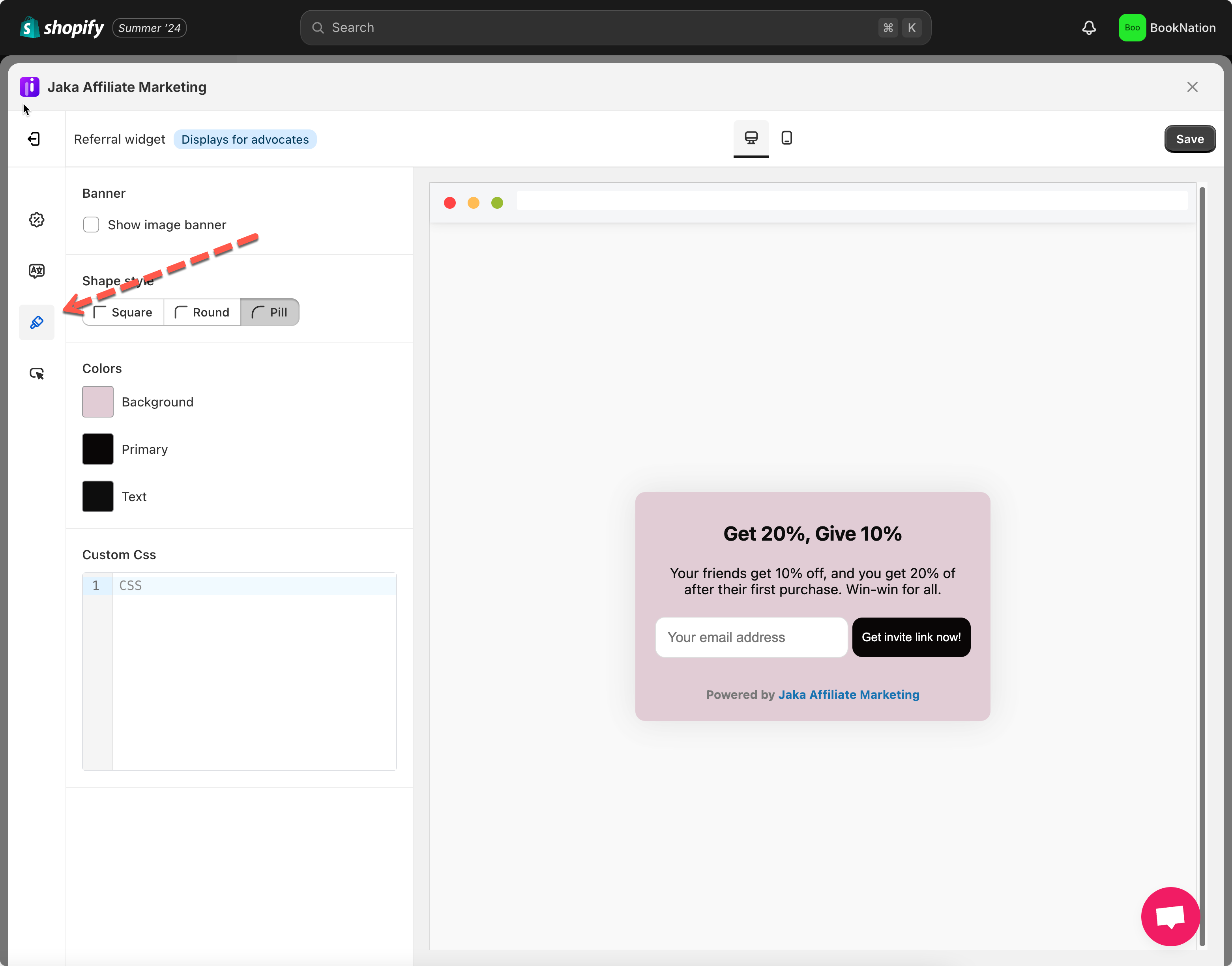
3\. Click **appearance** icon on the left side menu
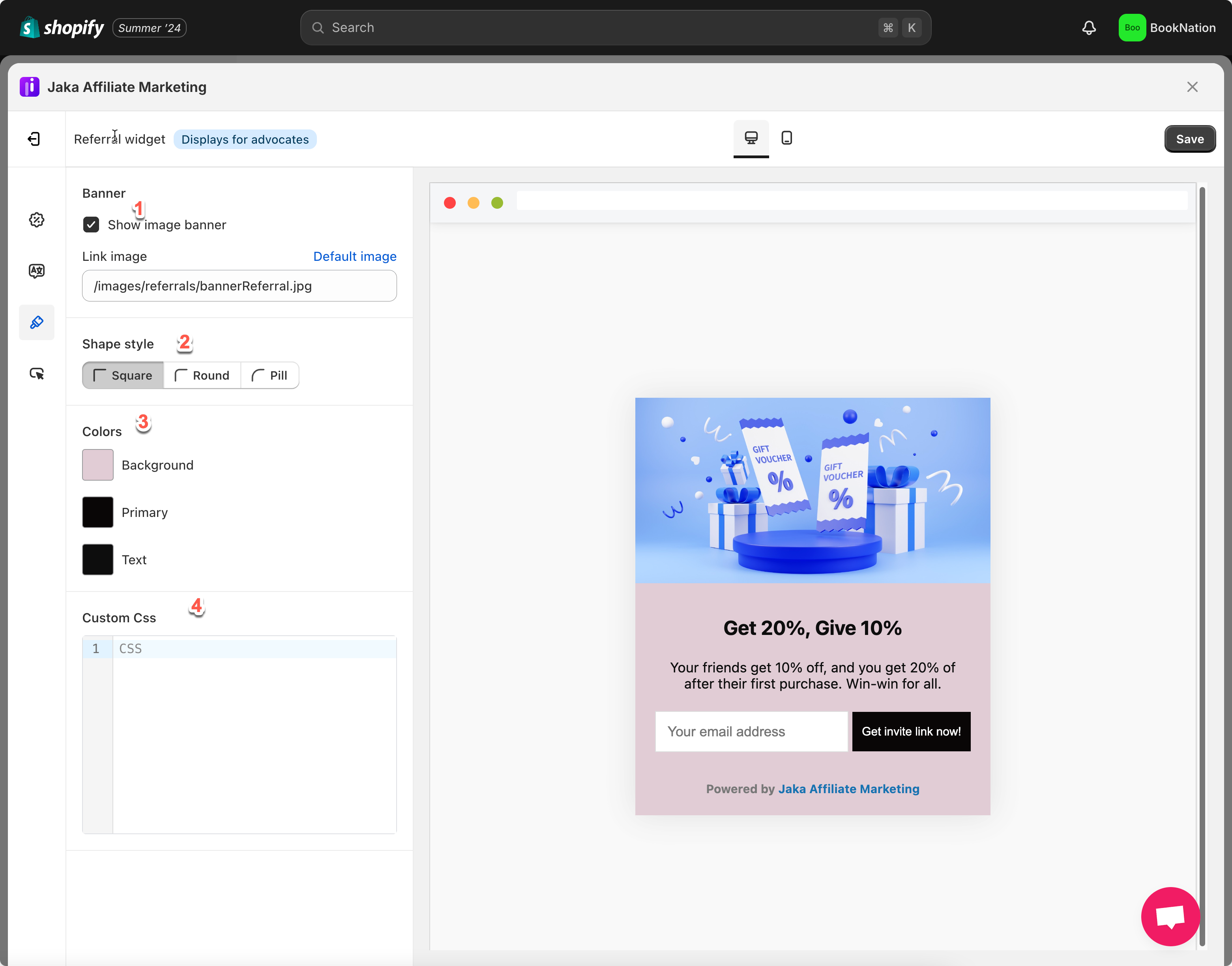
The app allows change the below parts
(1) Tick on checkbox **Show image banner** and add the image link below (optional)
(2) Select **Shape style** of the field on the widget
(3) Change the color of the field, text, background of the popup
(4) Add custom CSS if you want advanced styling
4. Click **Save**
Check the result on the onlines store