# Paying Affiliates

Paying affiliates is the process of sending earnings (commissions) to your affiliates after their **sales** are approved. In Jaka, **payouts** are not paid automatically — you (the admin) review payout amounts and complete payment manually.

### ⚙️ How Paying Works

{% stepper %}
{% step %}

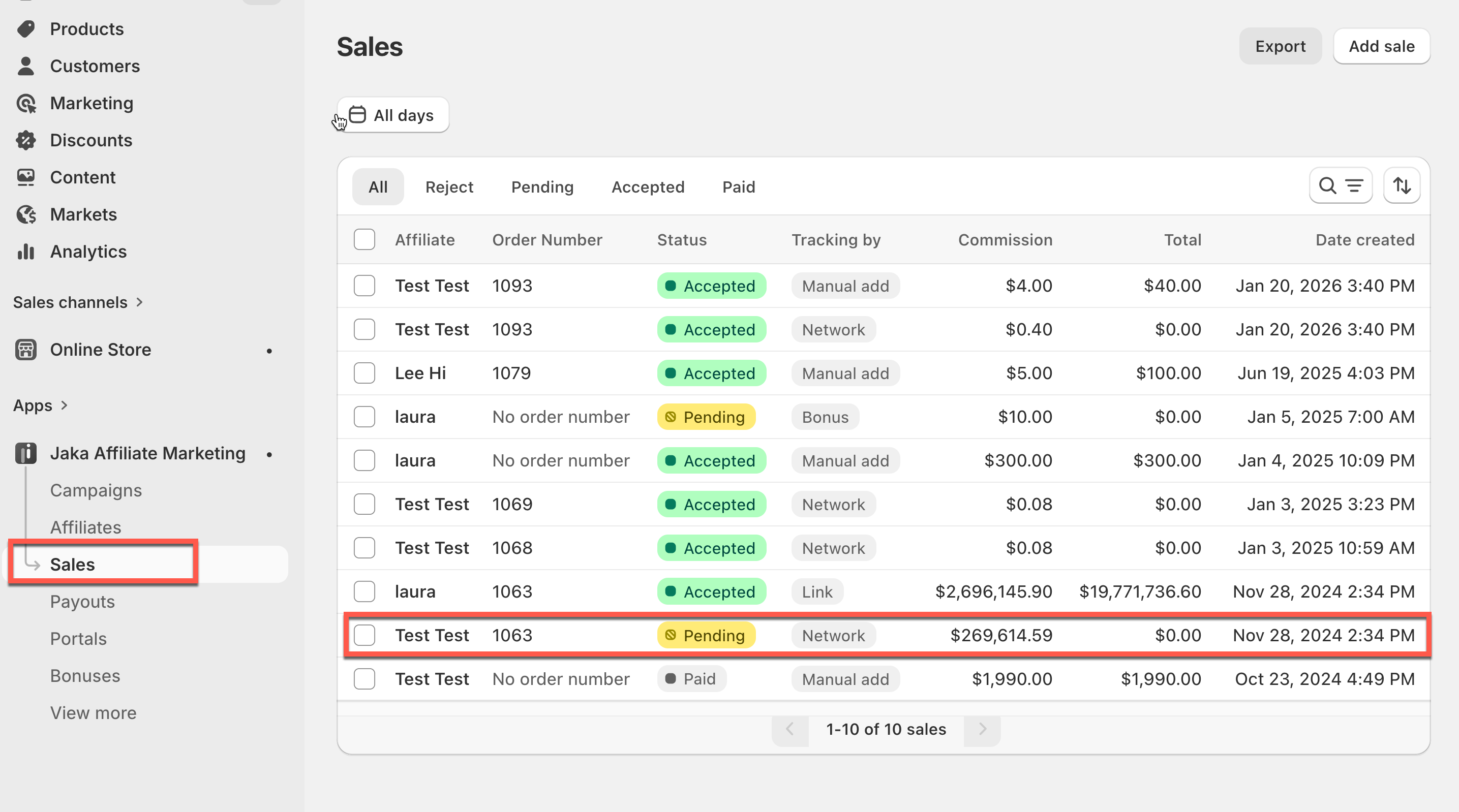
#### Sales are created (from tracked orders or manual sales).

<figure><img src="/files/EqQE3UuRB644dOmlS4Sg" alt=""><figcaption></figcaption></figure>
{% endstep %}

{% step %}

#### Sales move through statuses (for example: Pending → Accepted).

<figure><img src="/files/gFfB1DyuqQxmkKNFYu3R" alt=""><figcaption></figcaption></figure>
{% endstep %}

{% step %}

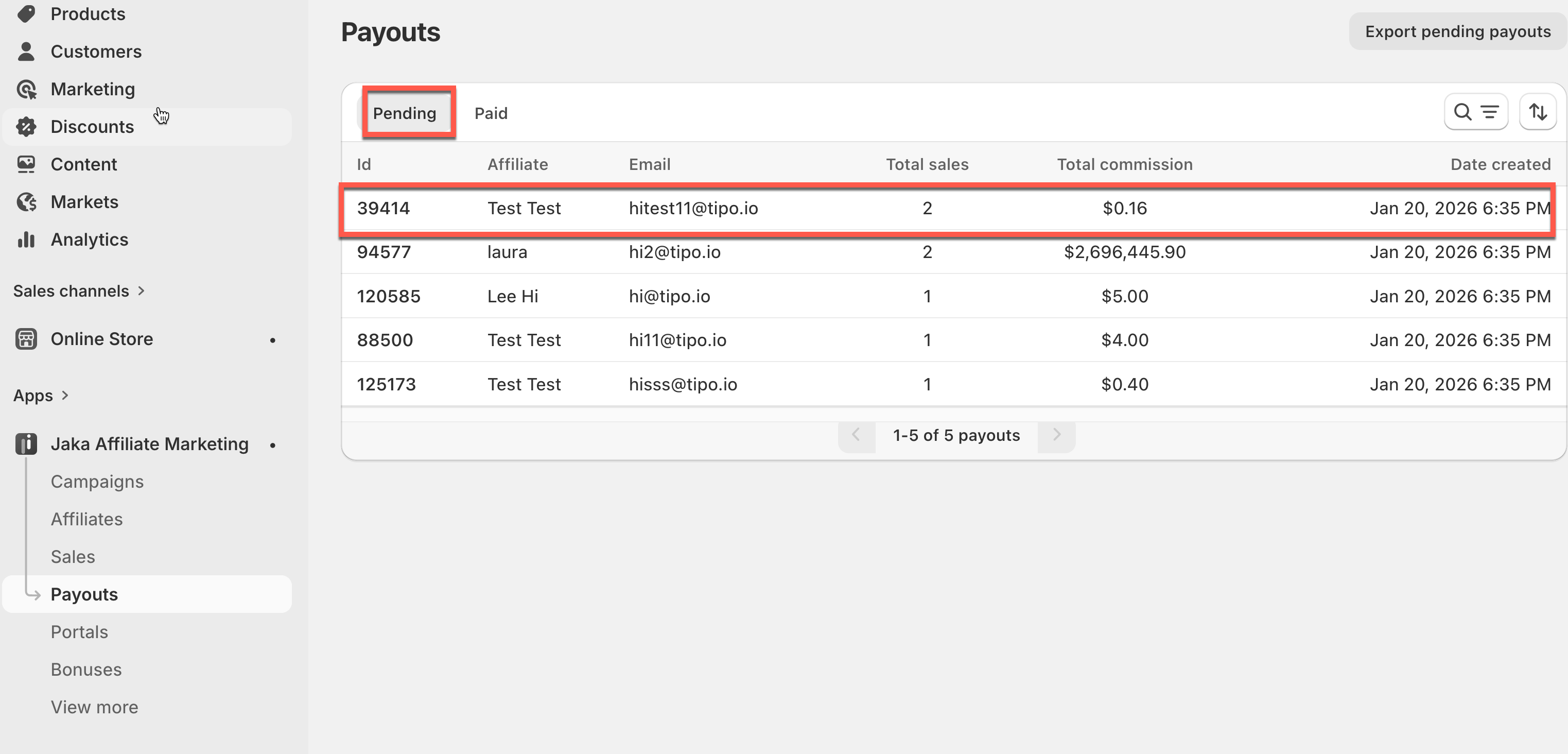
#### When sales are ready to pay, they appear in Payouts as Pending.

<figure><img src="/files/OR7Zcmi7yS2Wo4XJEw1l" alt=""><figcaption></figcaption></figure>
{% endstep %}

{% step %}

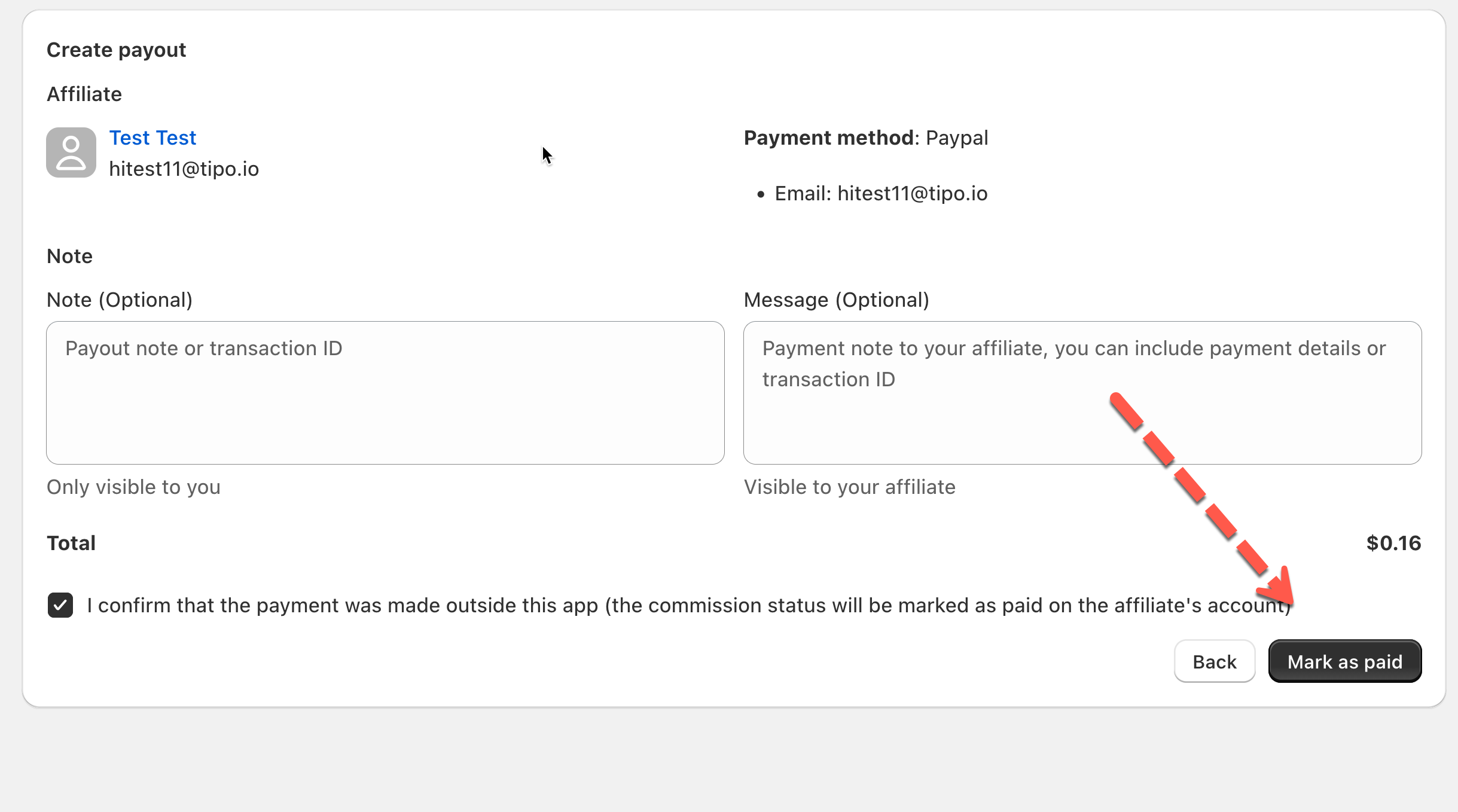
#### You review payouts and then pay affiliates manually

(outside the app or via PayPal in-app)
{% endstep %}

{% step %}

#### After you confirm payment, the payout is marked as Paid.

<figure><img src="/files/HpP9xU890t36THVNbyqc" alt=""><figcaption></figcaption></figure>
{% endstep %}
{% endstepper %}

***

### 🧭 Which Option Should I Use?

Jaka offers two ways to pay affiliates:

* Option 1 — Pay Outside the App
* Option 2 — Pay In-App (PayPal)

<table data-header-hidden><thead><tr><th width="233.5"></th><th></th><th></th></tr></thead><tbody><tr><td>Feature</td><td><strong>Pay Outside the App</strong></td><td><strong>Pay In-App (PayPal)</strong></td></tr><tr><td>Payment method</td><td>Any method (bank transfer, Wise, cash, etc.)</td><td>PayPal only</td></tr><tr><td>Payment happens where</td><td>Outside Jaka (external tools)</td><td>Inside Jaka</td></tr><tr><td>PayPal integration required</td><td>❌ No</td><td>✅ Yes</td></tr><tr><td>Affiliate payment info</td><td>Collected manually by admin</td><td>PayPal email used</td></tr><tr><td>Admin action required</td><td>Pay externally, then mark as paid</td><td>Review and confirm payment</td></tr><tr><td>Automatic payouts</td><td>❌ No</td><td>❌ No</td></tr><tr><td>Payout confirmation</td><td>Manual (admin marks as paid)</td><td>Automatic after PayPal confirmation</td></tr><tr><td>Best for</td><td>Flexible or local payment methods</td><td>Fast PayPal-based payouts</td></tr><tr><td>Control level</td><td>Full manual control</td><td>Guided but still manual</td></tr></tbody></table>

***

### 🔗 Related Guides

* [Pay outside the app (external methods)](https://docs.jaka.app/shopify/~/revisions/JxSemPISOdDpNt1p34uB/payouts/paying-affiliates/pay-affiates-outside-jaka-app)
* [Pay in-app with PayPal](https://docs.jaka.app/shopify/~/revisions/JxSemPISOdDpNt1p34uB/payouts/paying-affiliates/pay-affiliates-in-app-with-paypal)


---

# Agent Instructions: Querying This Documentation

If you need additional information that is not directly available in this page, you can query the documentation dynamically by asking a question.

Perform an HTTP GET request on the current page URL with the `ask` query parameter:

```
GET https://docs.jaka.app/shopify/payouts/paying-affiliates.md?ask=<question>
```

The question should be specific, self-contained, and written in natural language.
The response will contain a direct answer to the question and relevant excerpts and sources from the documentation.

Use this mechanism when the answer is not explicitly present in the current page, you need clarification or additional context, or you want to retrieve related documentation sections.