> For the complete documentation index, see [llms.txt](https://docs.jaka.app/shopify/llms.txt). Markdown versions of documentation pages are available by appending `.md` to page URLs; this page is available as [Markdown](https://docs.jaka.app/shopify/sales-and-tracking/accept-sales.md).
# Accept sales
This guide explains how sales are accepted automatically or manually, and how to choose the best option for your affiliate campaign.
**Sales** must be accepted before commissions are finalized and payouts can be processed.
### ⚙️ Manually Accept a Sale
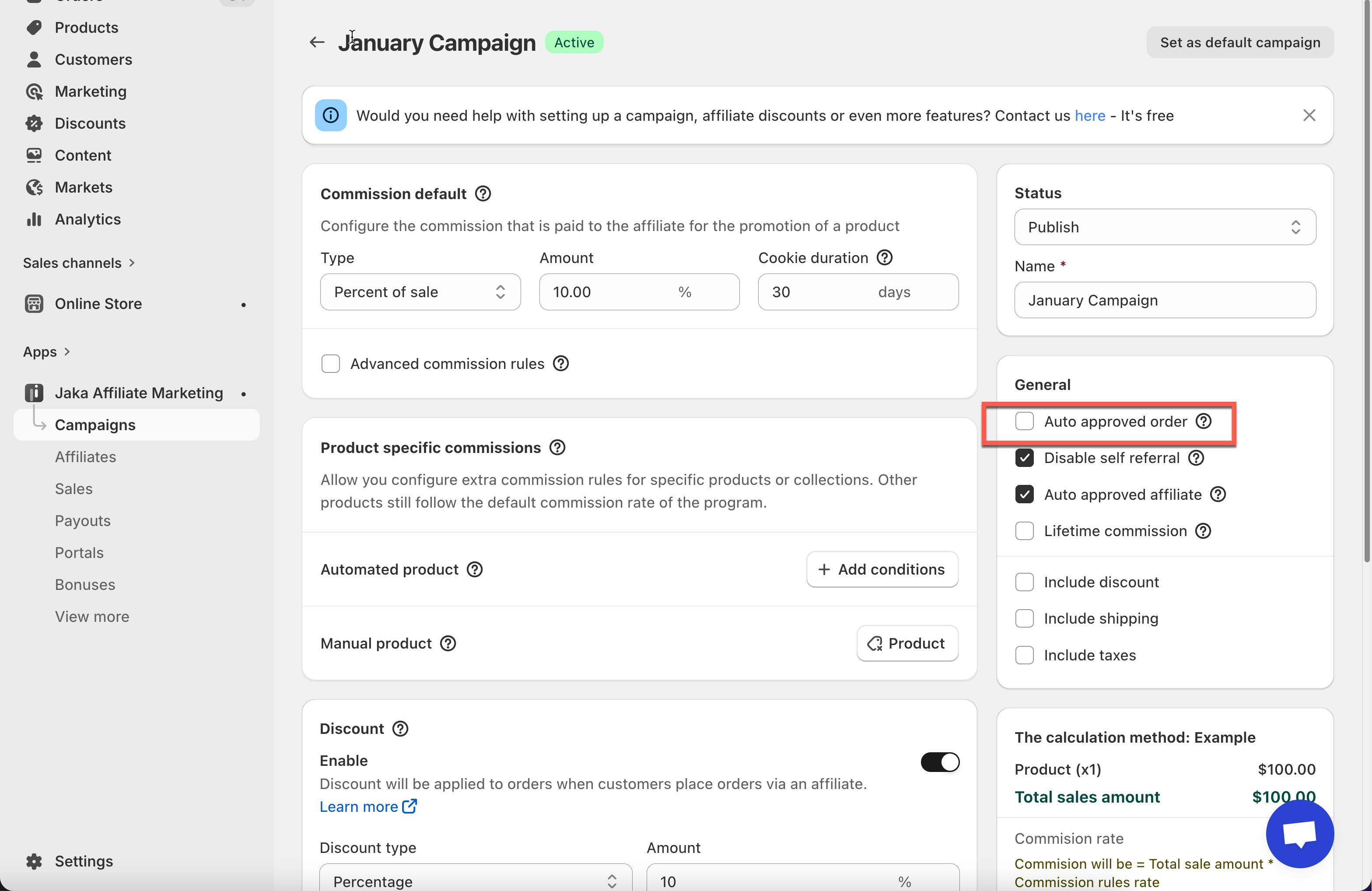
If **Auto approved order** is disabled, sales will be created with a **Pending** status and must be reviewed manually.
#### **Steps to manage**
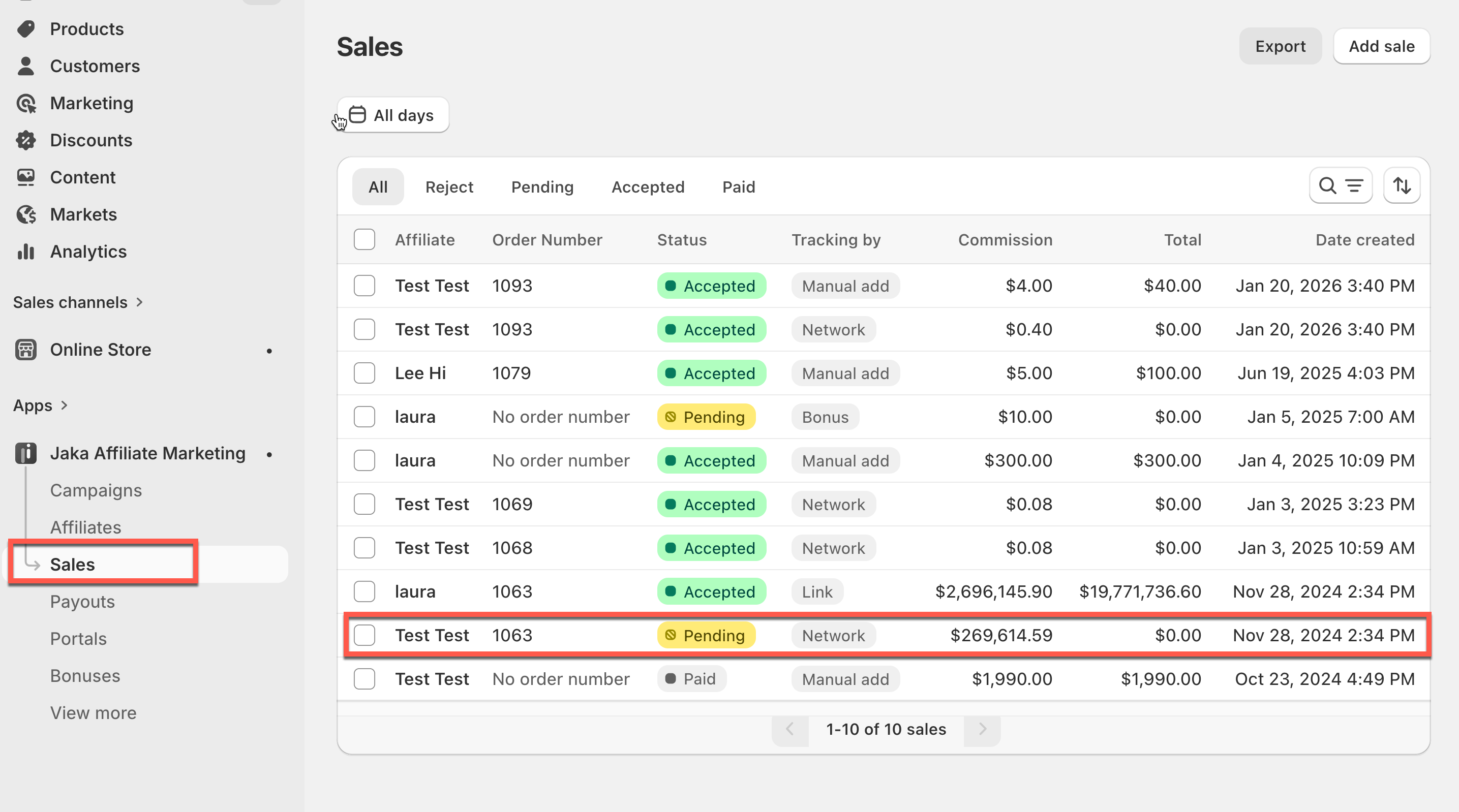
1\. Open the app > click **Sales**
2\. Click on a sale to open a **pending** sale
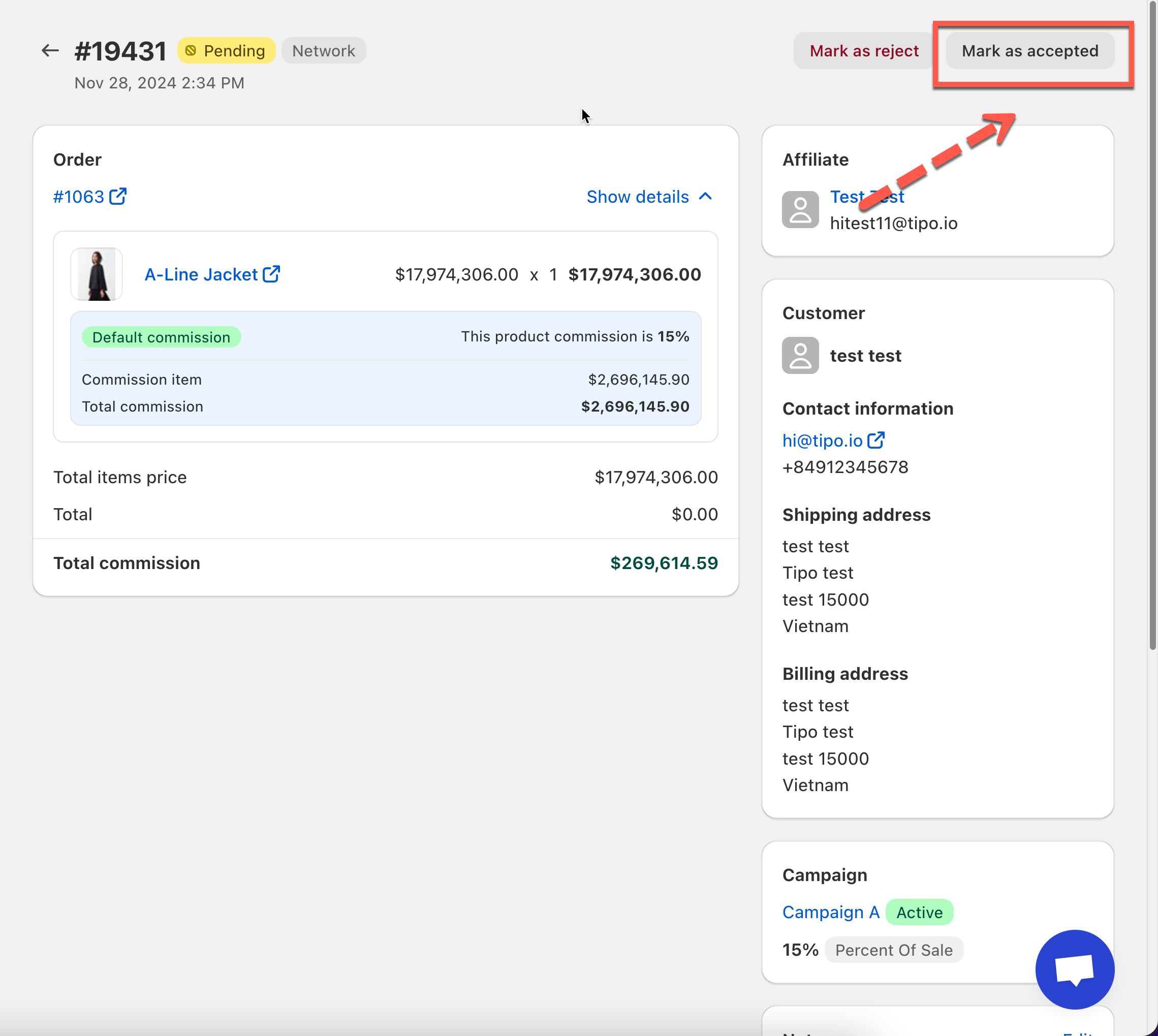
3\. Review the sale: check affiliate name, order number and total, confirm commission amount
4. Click **Mark as accepted.**
Once accepted:
* Sale status changes from **Pending → Accepted**
* Commission becomes valid
* Sale is included in payouts
#### 💡 When to use manual acceptance
* You want to review each sale
* You work with new affiliates
* You need to prevent fraud or self-referrals
***
### ⚙️ Automatically Accept a Sale
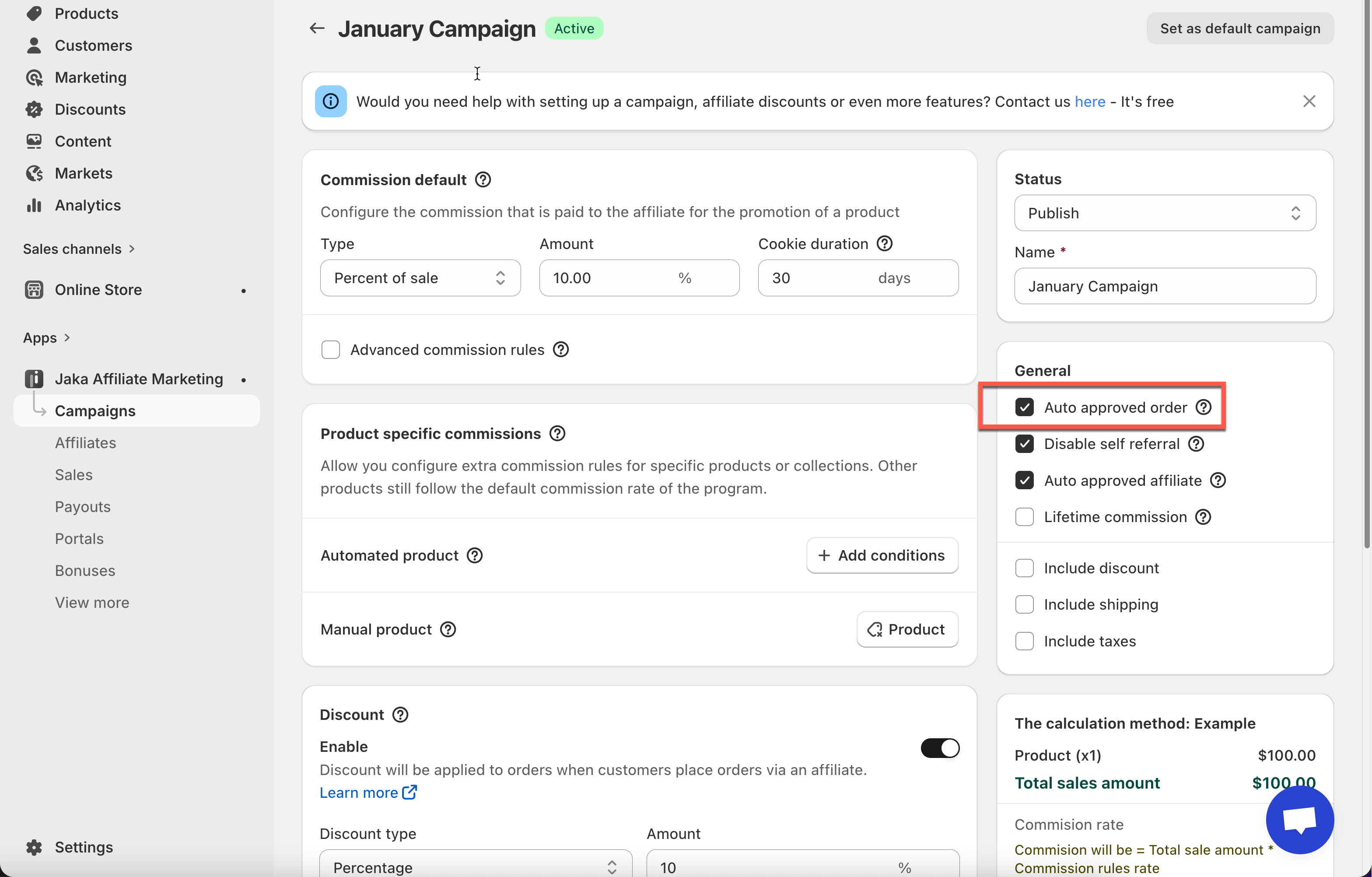
When **Auto approved order** is enabled, sales will be accepted automatically.
***
#### ⚙️ How to enable automatic sale acceptance
1. Go to the app > click **Campaigns**
2. Open a campaign
3. In **Commission rules**, enable **Auto approved order**
4. Click **Save**
Once enabled:
* New sales are accepted automatically
* No manual action is required
* Commissions are approved as soon as the order is created
***
#### ✅ What happens when auto-accept is enabled
* Sale status is set to **Accepted**
* Commission is calculated immediately when order is created
* Sale is ready for payout
***
#### 💡 When to use automatic acceptance
* You trust your affiliates
* You want to save time
* You don’t need to review orders manually