> For the complete documentation index, see [llms.txt](https://docs.jaka.app/shopify/llms.txt). Markdown versions of documentation pages are available by appending `.md` to page URLs; this page is available as [Markdown](https://docs.jaka.app/shopify/payouts/view-and-understand-a-payout.md).
# View & Understand a Payout
This guide explains how to open a payout and understand all the information shown, so you know who is being paid, for what sales, and how much.
### ⚙️ How to Open a Payout
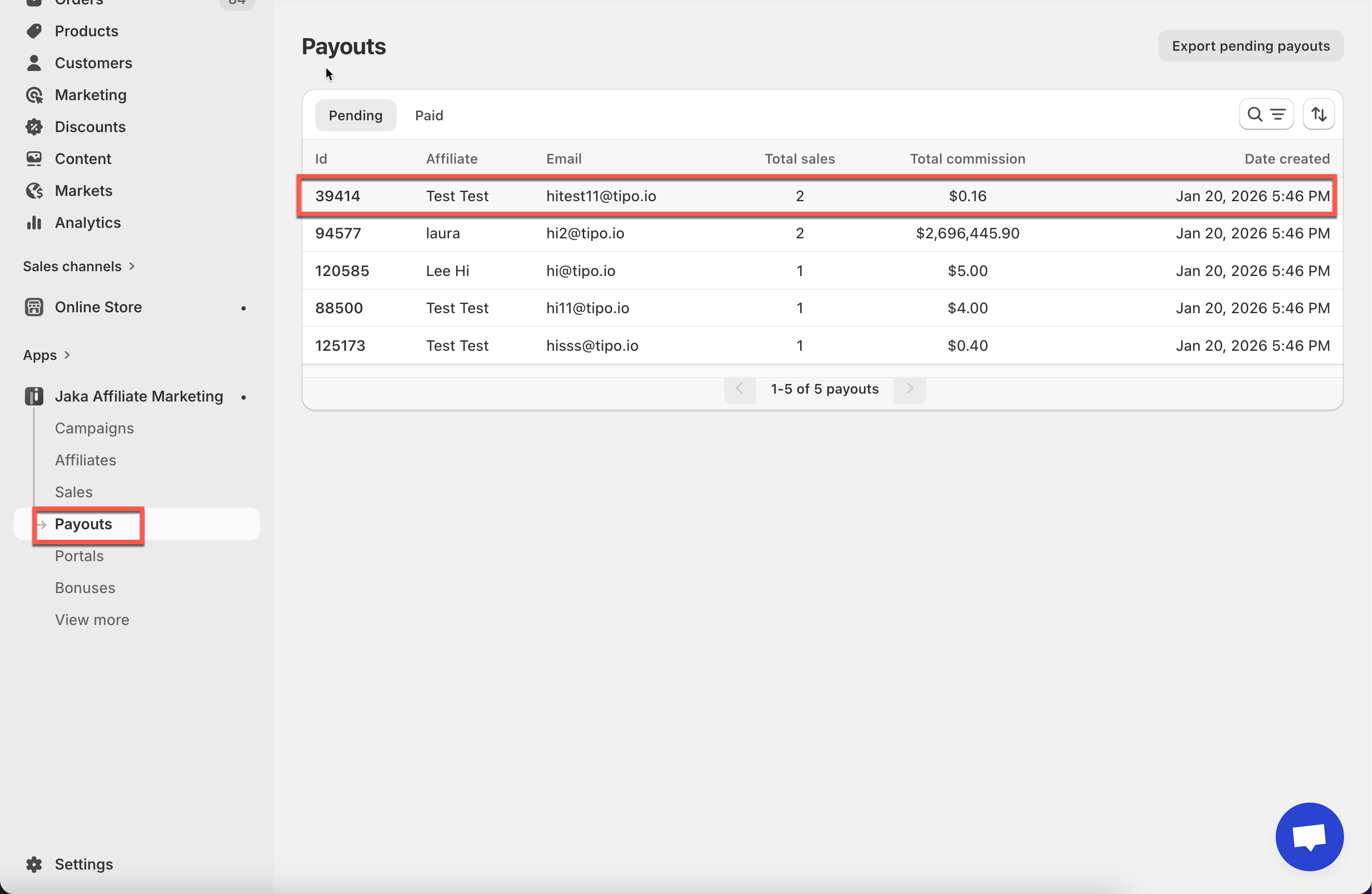
1. Go to the app > click **Payouts**
2. Click on a payout from the list
***
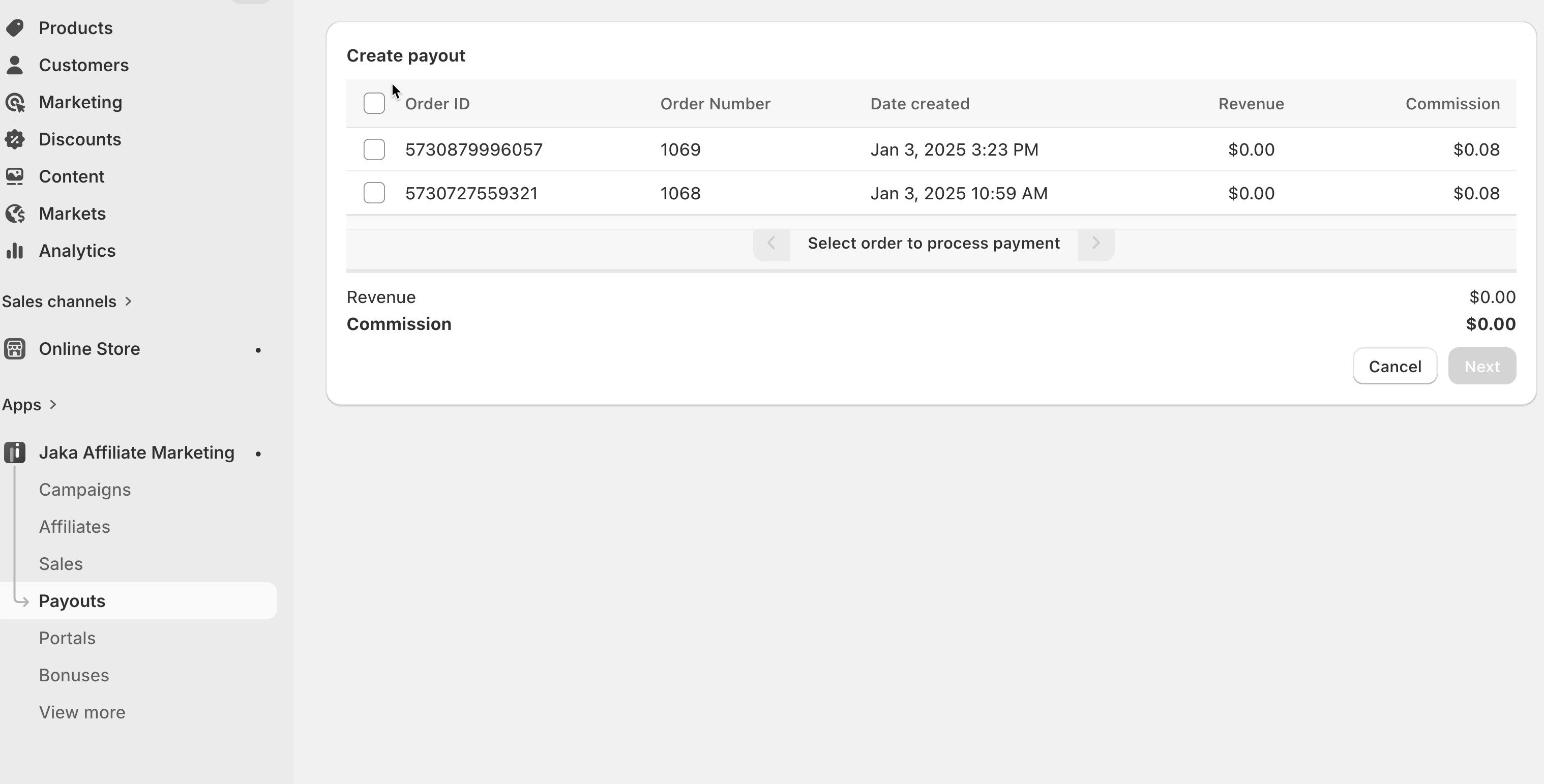
### ⭐ Sales Included in This Payout
Each payout includes one or more approved sales.
For each sale, you can see:
* Order number
* Date created
* Revenue
* Commission amount
These sales are automatically grouped when you create a payout.
***
### ⭐ Affiliate Information
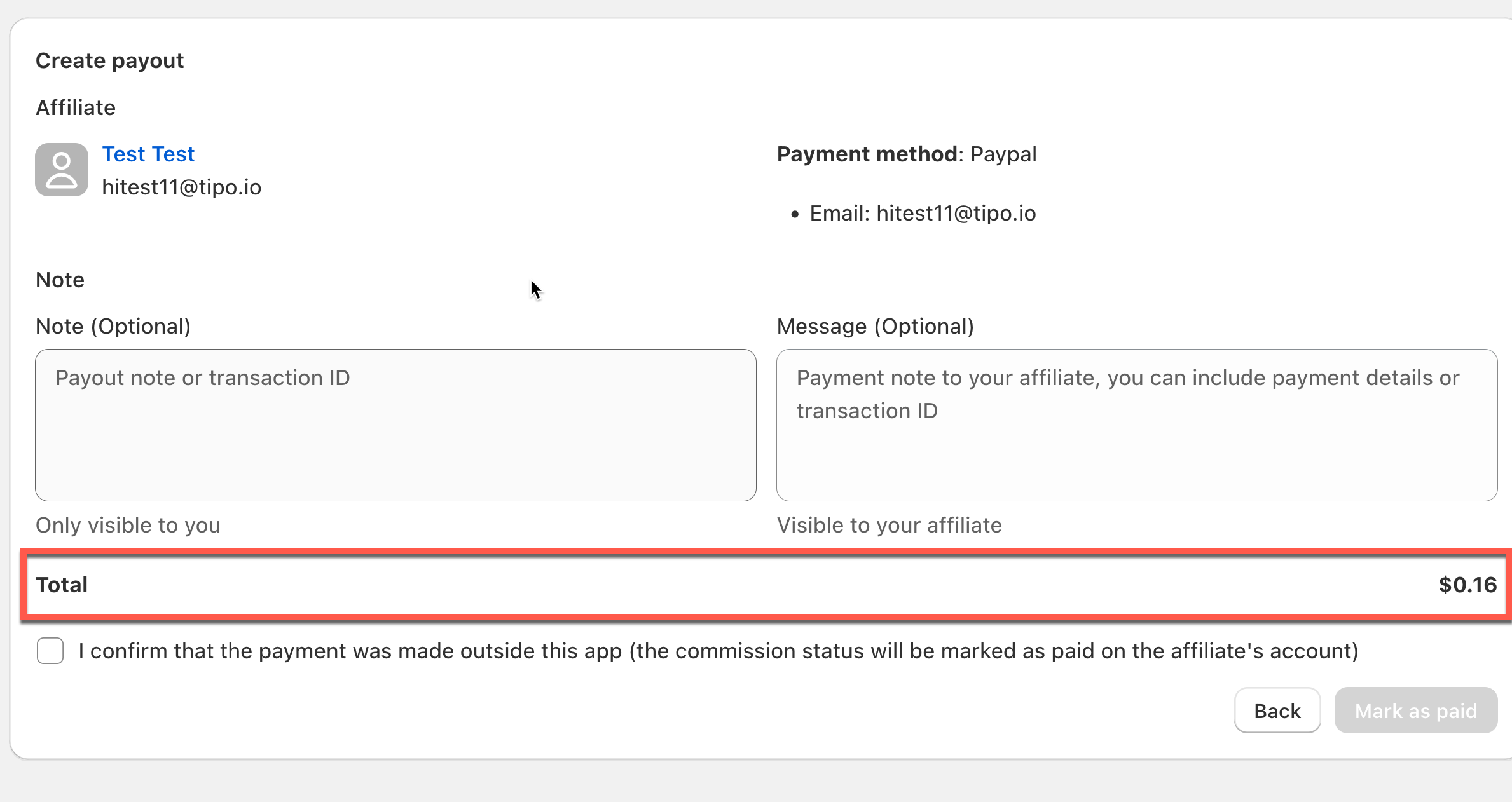
At the top of the payout, you’ll see the affiliate details:
* Affiliate name
* Affiliate email
* Payment method (for example: PayPal)
* Payment account information
This tells you **who will receive the payment**.
***
### ⭐ Commission Summary
At the bottom of the payout, you’ll see **Total commission**
This is the final amount you need to pay the affiliate.
***
### ⭐ Notes & Messages
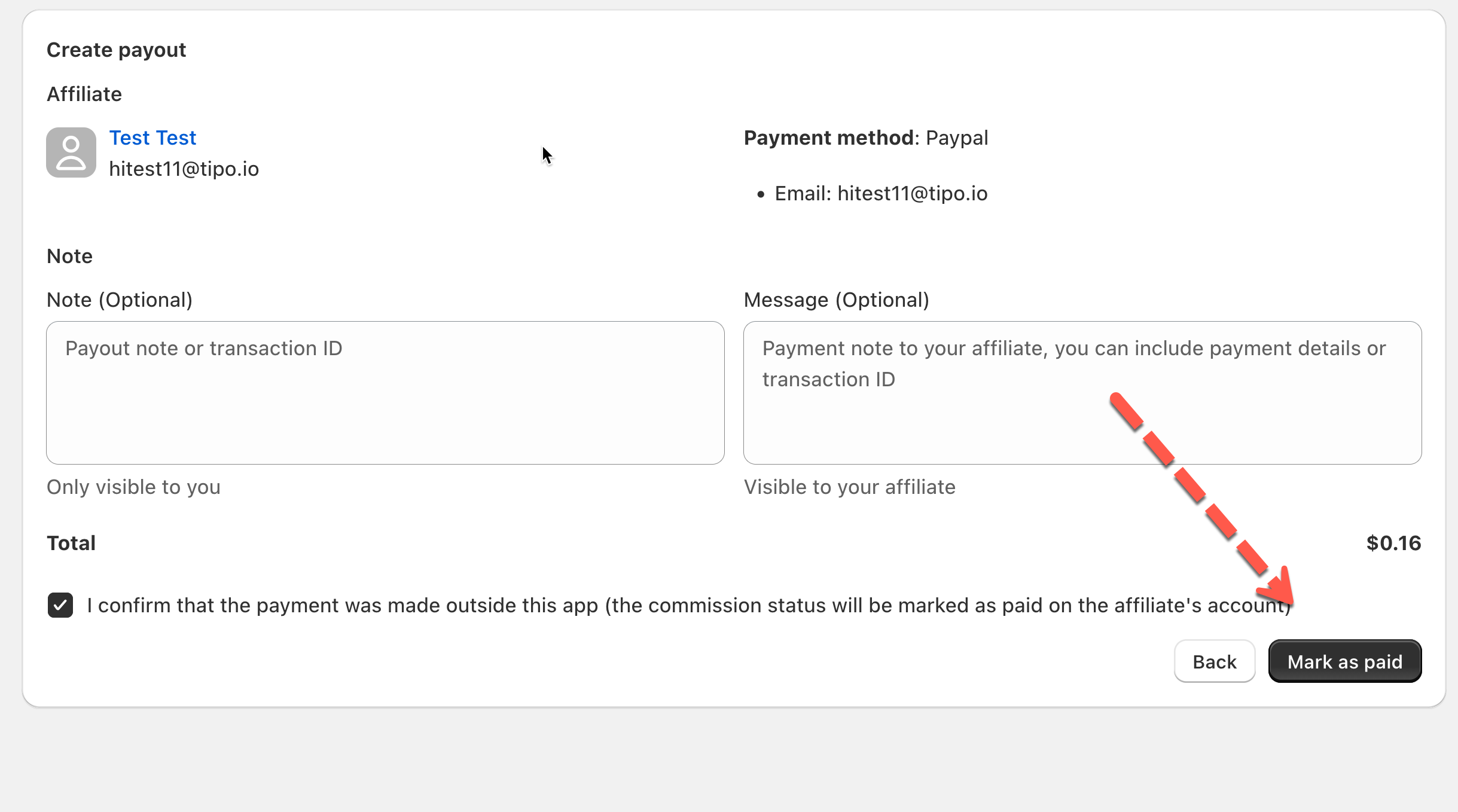
When creating or reviewing a payout, you may see:
* **Note (internal)**\
Only visible to you. Use this for transaction IDs or internal records.
* **Message to affiliate**\
Visible to the affiliate. Use this to explain payment details.
***
### ⭐ Payout Status
Each payout has a clear status:
* **Pending** – Waiting to be paid
* **Paid** – Mark it is as **Paid** if you pay the affiliate commission manually
{% hint style="info" %}
**Note**
* A payout can only include approved sales
* Payments are made outside the Jaka app
{% endhint %}