> For the complete documentation index, see [llms.txt](https://docs.jaka.app/shopify/llms.txt). Markdown versions of documentation pages are available by appending `.md` to page URLs; this page is available as [Markdown](https://docs.jaka.app/shopify/affiliate-managment/approve-affiliates.md).
# Approve Affiliates
You can choose to approve affiliates automatically or review and approve them manually before they start earning commissions.
If the option **Auto approved affiliate** is not enabled in the campaign detail, you need to manually check each request from affiliates and approve to let them register and login.
***
### ✅ How Affiliate Approval Works
When an affiliate signs up:
* If **Auto-approved affiliate** is **ON**\
→ The affiliate is approved instantly and can start promoting
* If **Auto-approved affiliate** is **OFF**\
→ The affiliate is added as **Pending** and must be approved by an admin
***
### ⚙️ How to Approve Affiliates Manually
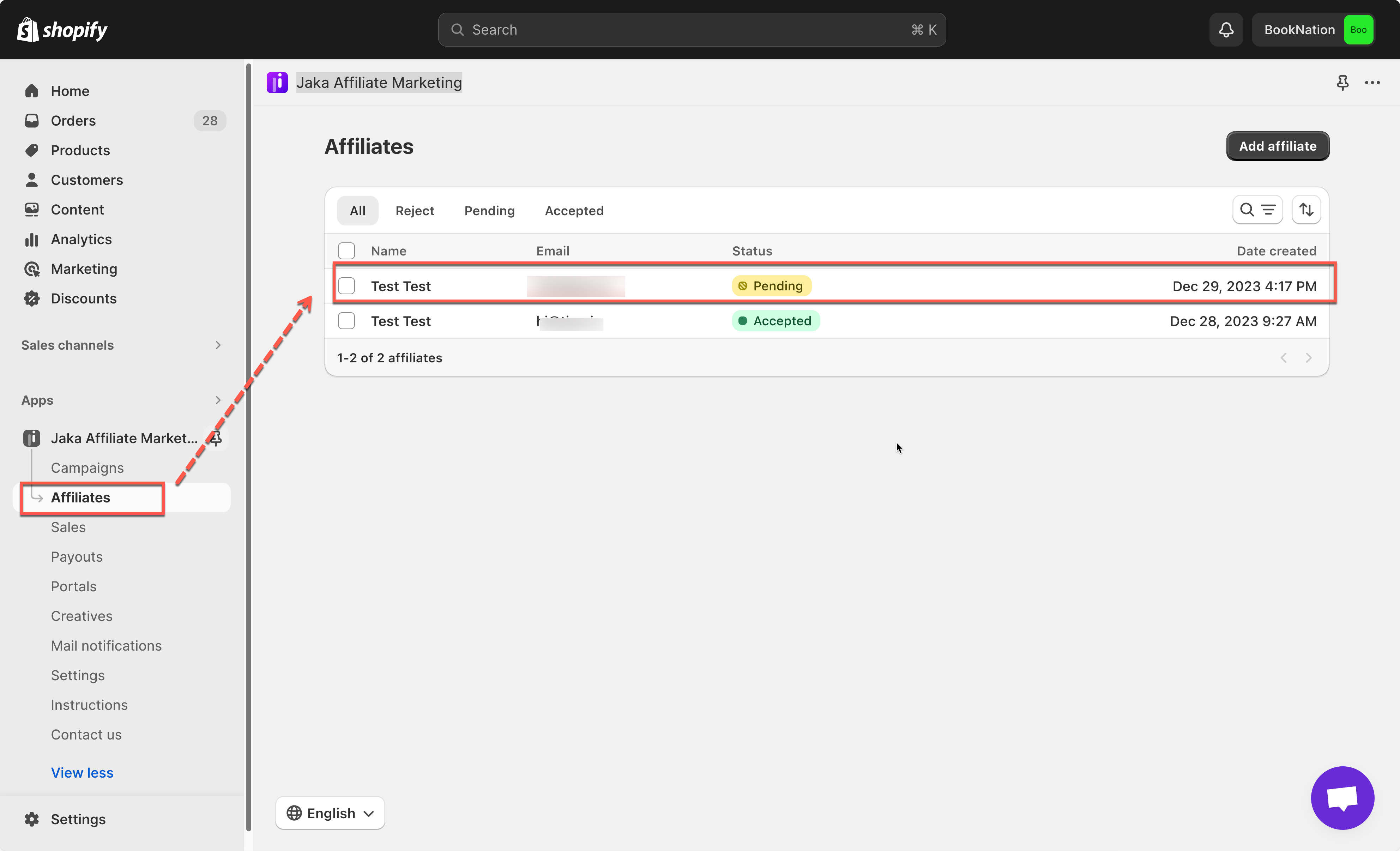
1\. Open the app -> click **Affiliate** tab
2\. Select a particular affiliate submission in pending status
3\. On the affiliate's panel, click **Approve** button to finish
Once approved, the email notification will be sent to affiliates to let them know that the account is accepted. The affiliate can:
* Reset password to login
* Access their affiliate dashboard
* Get referral links and discount codes
* Start earning commissions
> Note: You can add the forgot password page to the email so the affiliates can access it and create new password and log in.
#### 💡 Tips
* Enable **Auto-approve** if you want faster onboarding
* Disable **Auto-approve** if you want to review affiliates manually
* Manual approval is recommended for private or invite-only programs
***