> For the complete documentation index, see [llms.txt](https://docs.jaka.app/shopify/llms.txt). Markdown versions of documentation pages are available by appending `.md` to page URLs; this page is available as [Markdown](https://docs.jaka.app/shopify/sales-and-tracking/sales-overview.md).
# Sales Overview
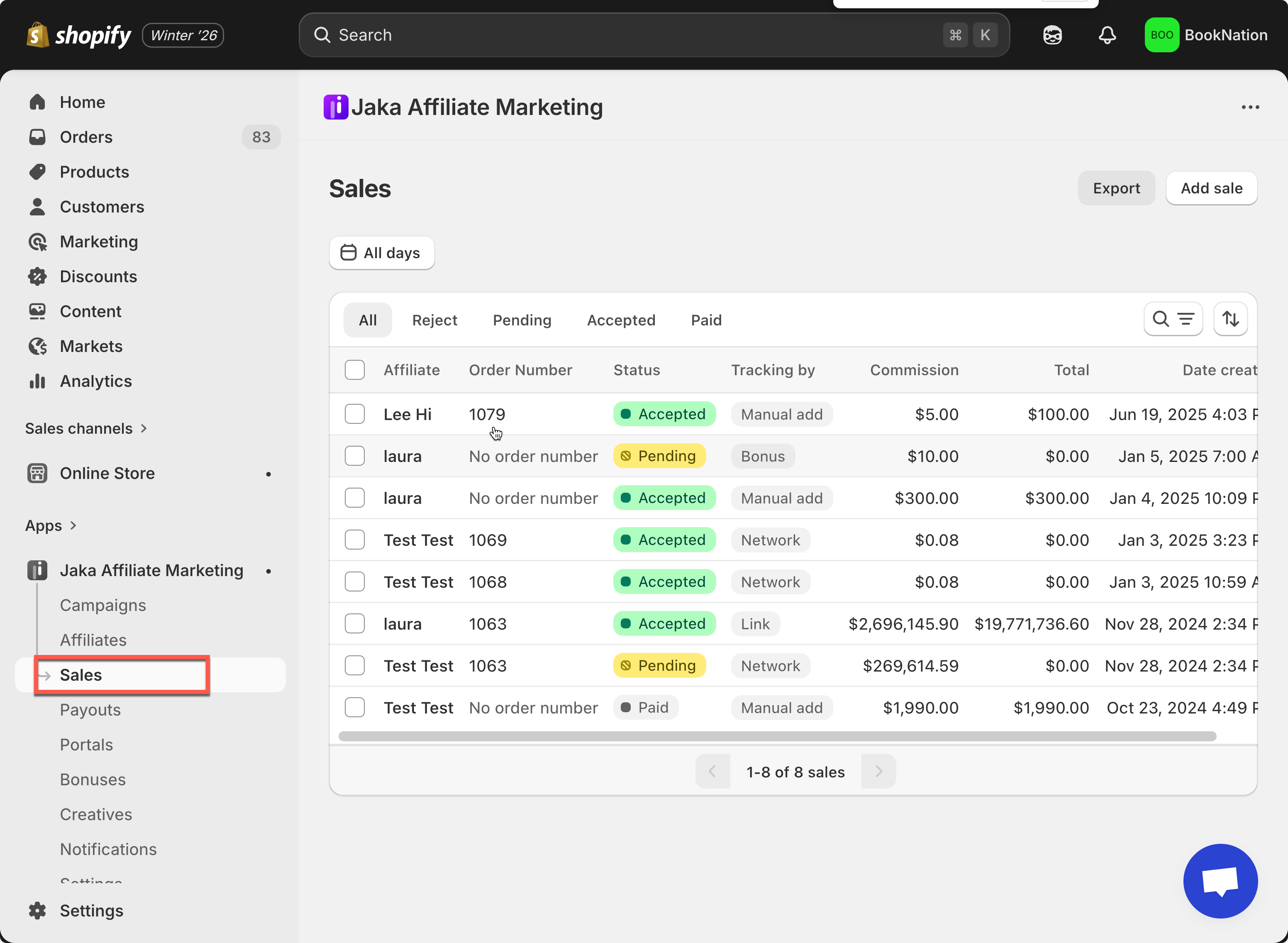
The **Sales** section shows all affiliate-related sales generated in your store.\
This is where you can review commissions, approve or reject sales, add manual sales, and export data.
Sales can be created automatically from affiliate activity or manually by admins.
***
### ✅ What you can do in the Sales section
* View all affiliate sales in one place
* Check sale status (Pending, Accepted, Rejected, Paid)
* Approve or reject sales
* Add sales manually
* Filter, search, and sort sales
* Export sales data
* View detailed commission breakdowns
***
#### Sale statuses explained
* **Pending** – Sale is waiting for review
* **Accepted** – Sale is approved and commission is valid
* **Rejected** – Sale is rejected (no commission)
* **Paid** – Commission has been paid to the affiliate
***
### ⚙️ How Sales Are Created
Sales in Jaka can be created in multiple ways, depending on how affiliates promote your store.
***
#### 1️⃣ Affiliate referral link
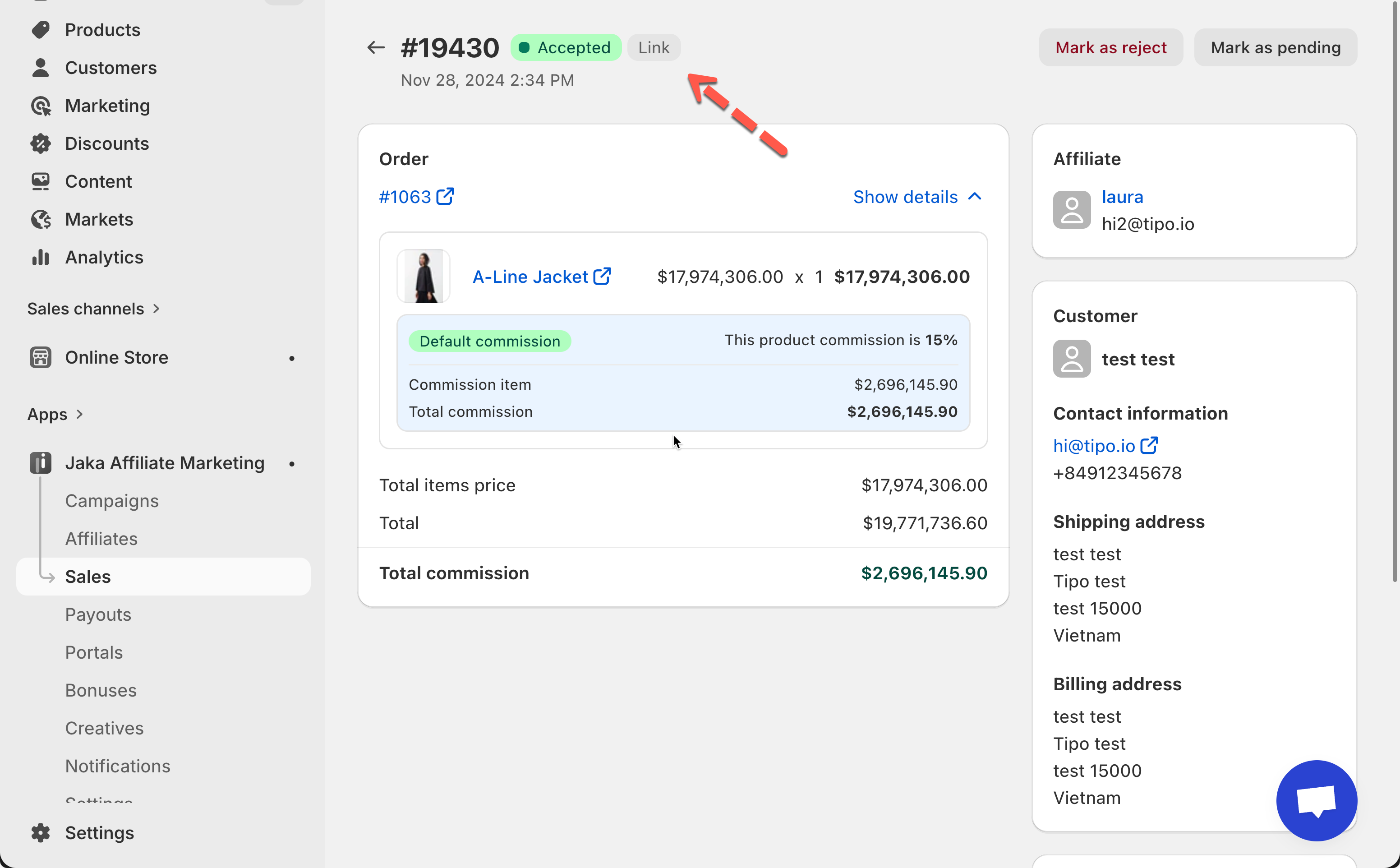
When a customer purchases through an [affiliate referral link](https://docs.jaka.app/shopify/affiliate-managment/manage-affiliates/edit-affiliate-referral-link), a sale is created automatically.
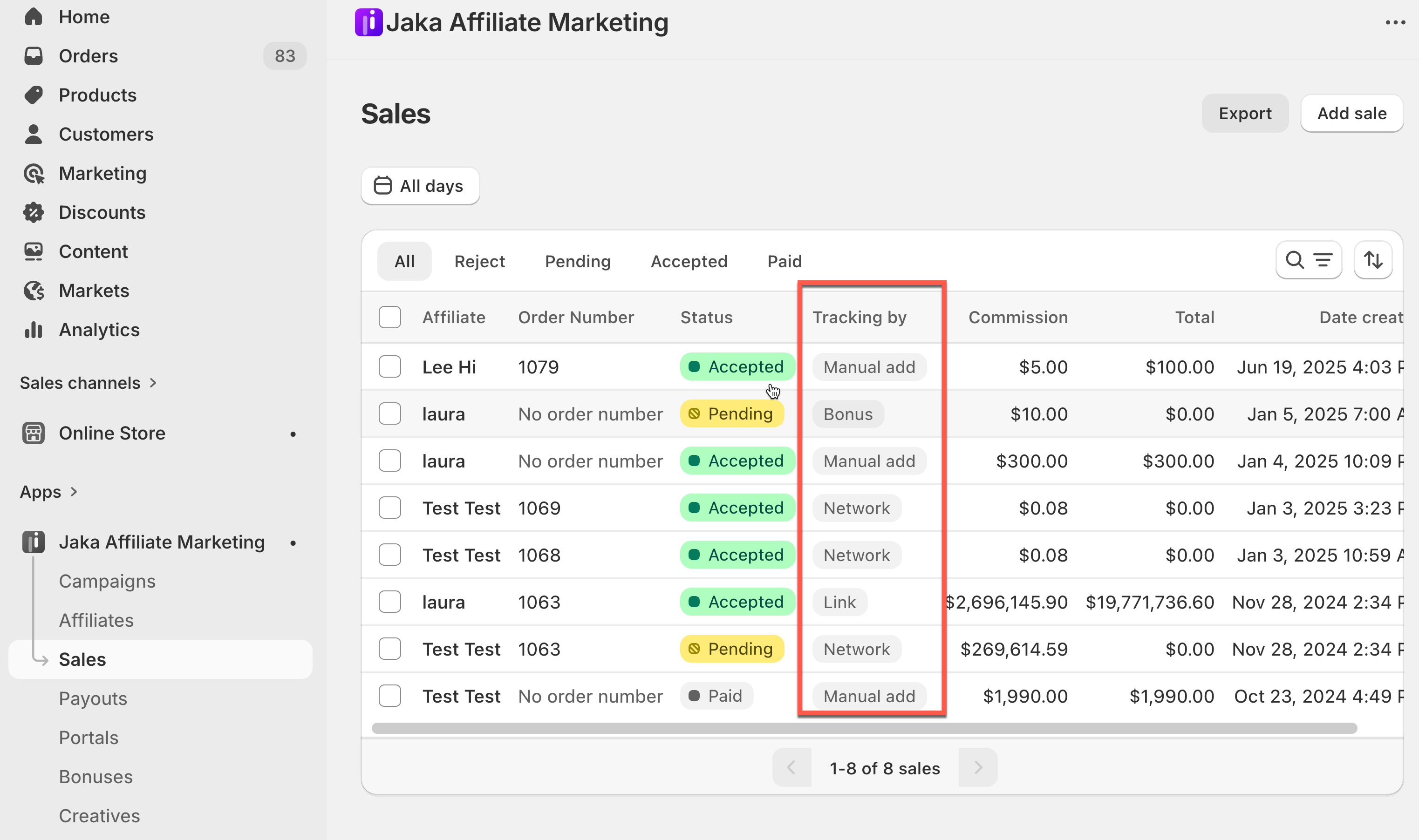
* Tracking by: **Link**
* Linked to a Shopify order
* Commission calculated based on campaign rules
***
#### 2️⃣ Affiliate discount code
When a customer uses an [affiliate’s discount cod](https://docs.jaka.app/shopify/campaign-setup/campaign-discounts#where-to-find-the-discount-code)e at checkout:
* Tracking by: **Discount**
* Sale is created automatically
* Commission is based on the order total
***
#### 3️⃣ Network (MLM) sales
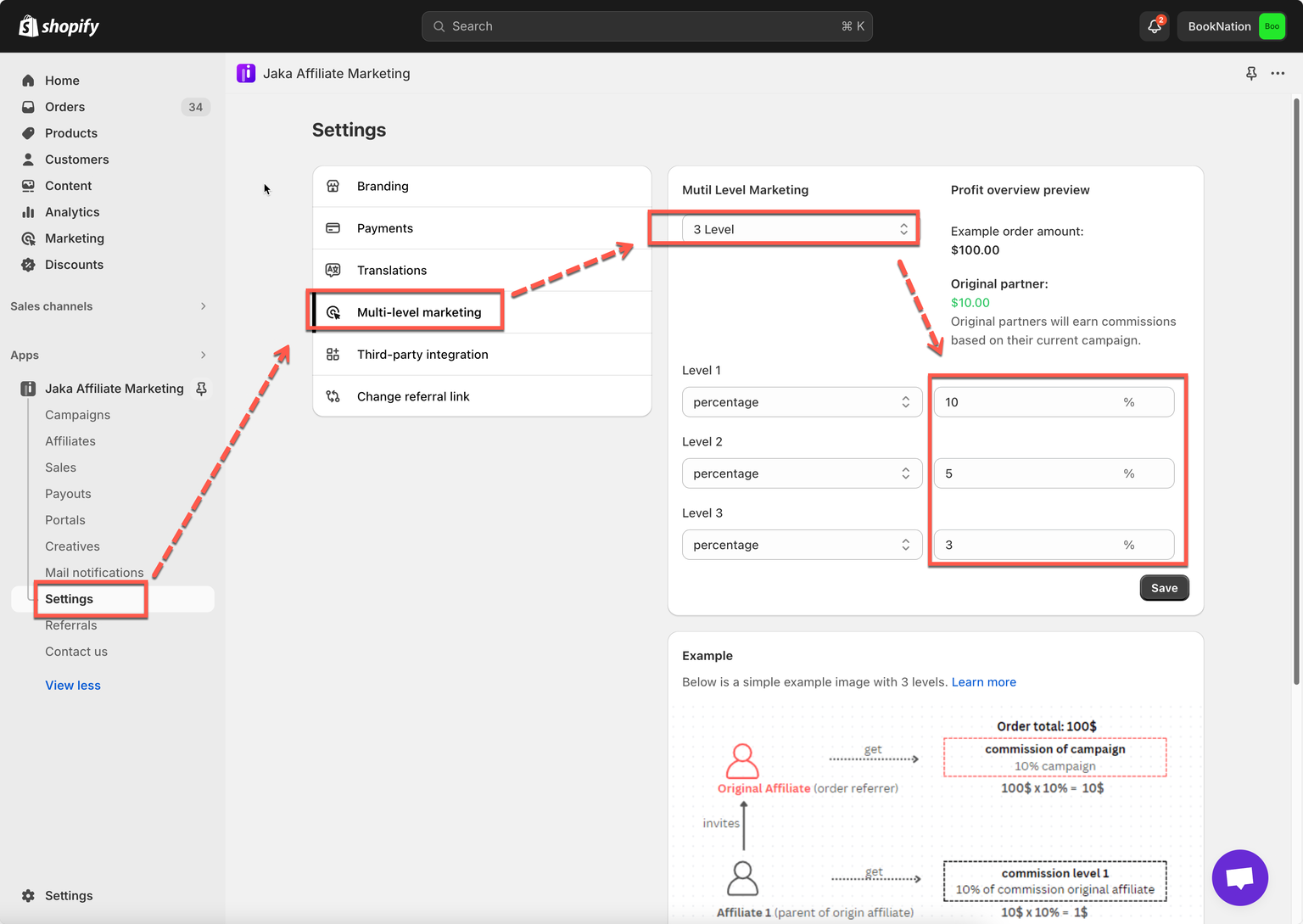
If [multi-level marketing (MLM) ](https://docs.jaka.app/shopify/campaign-setup/multiple-level-marketing-mlm#how-mlm-works)is enabled:
* Parent affiliates receive commission from sub-affiliate sales
* Tracking by: **Network**
* Commission is calculated by MLM levels
***
#### 4️⃣ Bonus sales
Admins can reward affiliates with bonus commissions.
* Tracking by: **Bonus**
* No order required
* Useful for incentives or promotions
***
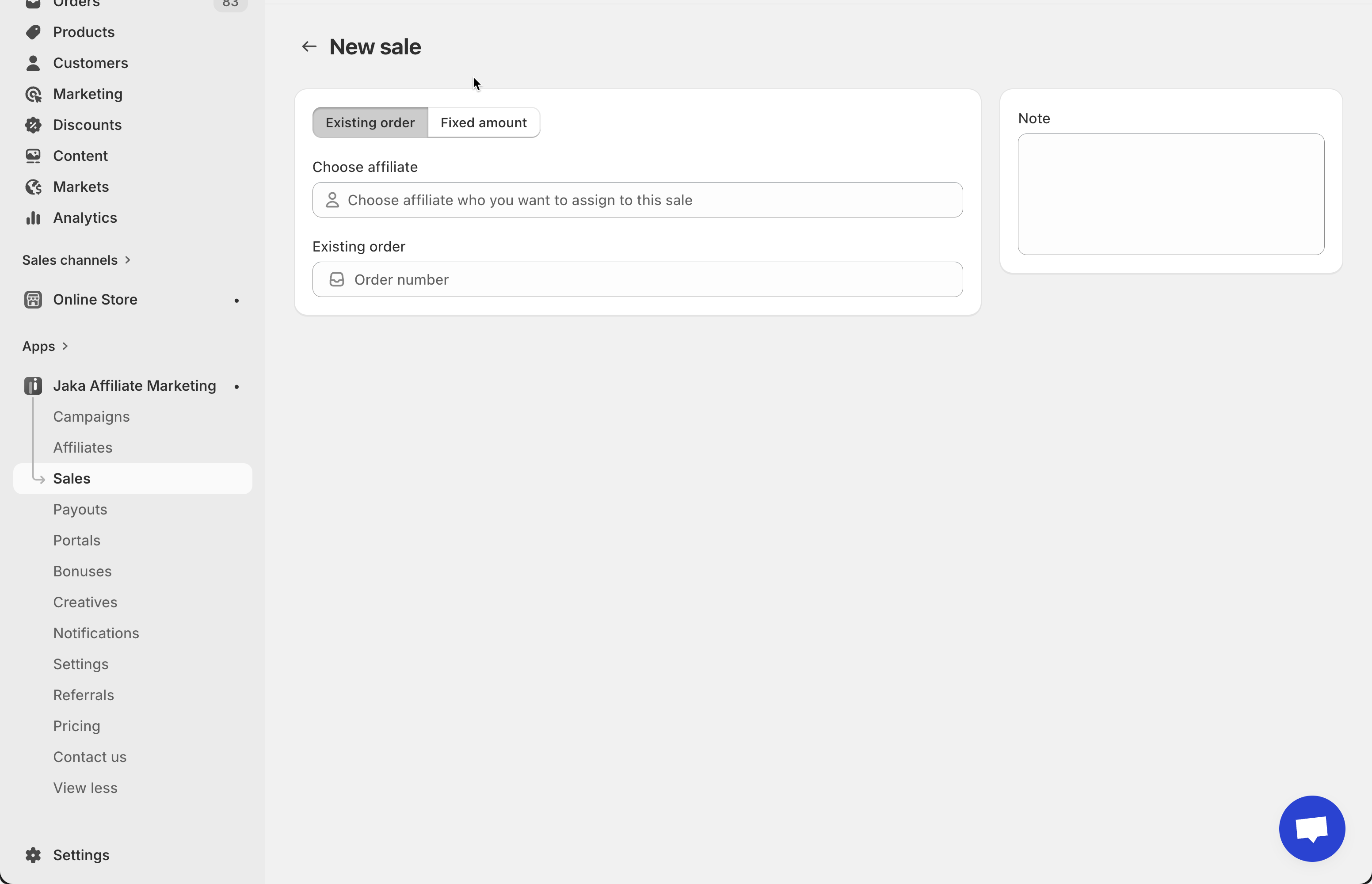
#### 5️⃣ Manual sales
Admins can manually add a sale:
* Based on an existing order **or**
* A fixed commission amount