> For the complete documentation index, see [llms.txt](https://docs.jaka.app/shopify/llms.txt). Markdown versions of documentation pages are available by appending `.md` to page URLs; this page is available as [Markdown](https://docs.jaka.app/shopify/~/revisions/rpY9mFDjQMRHRtjRdnC9/faqs/how-to-track-the-affiliate-commissions.md).
# How to track the affiliate commissions?
There are multiple ways to track commissions for affiliates.
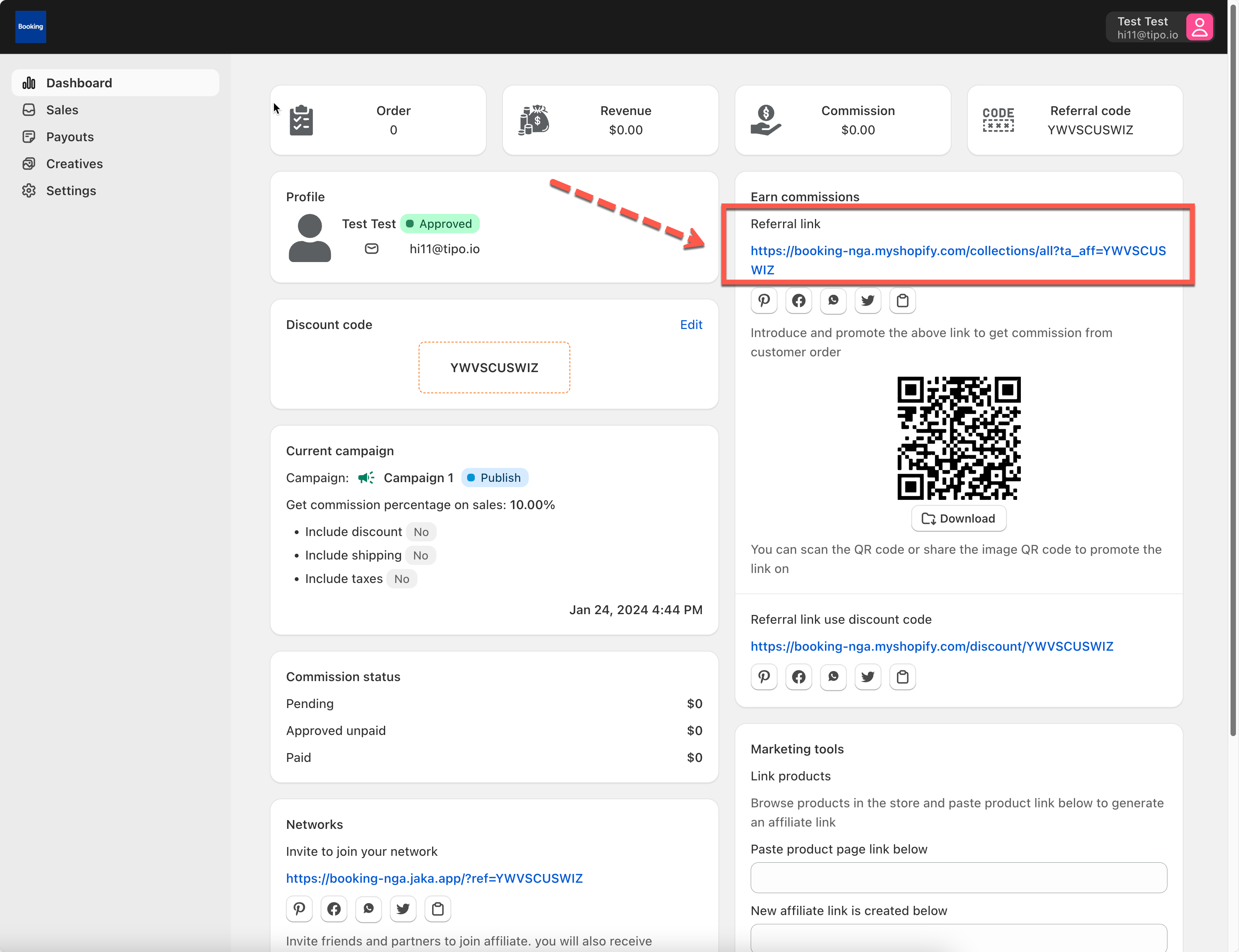
**Solution 1: affiliates provide customers with promote links**
When affiliates register, the promote link is provided in affiliate Dashboard. Affiliates can share the link with customers on their social media. If customers purchase products via that link, the comissions are earned for affiliate.
The same with ref link, you can share the QR code with customers > Customers scan the link and purchase > commissions is earned
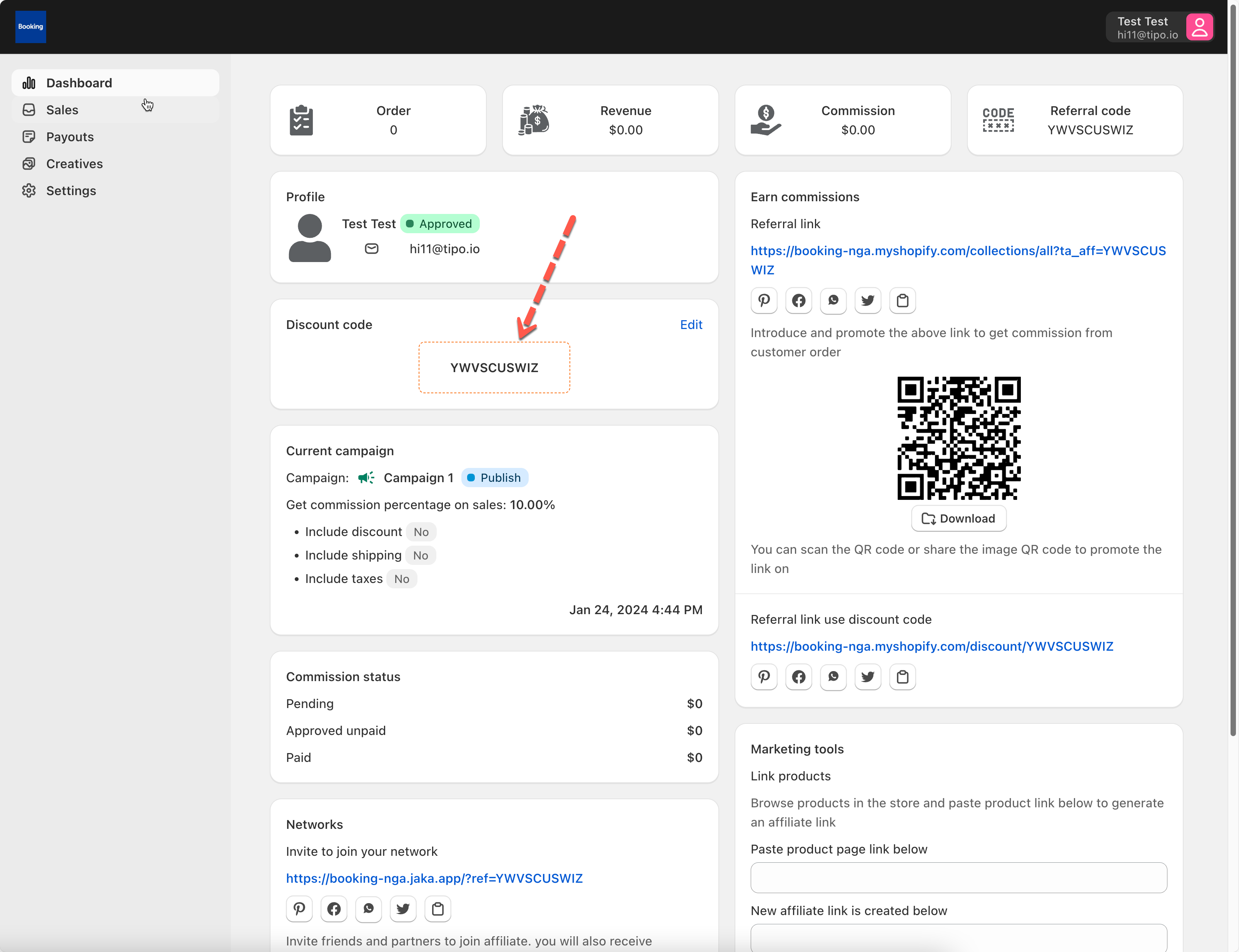
**Solution 2: Affiliates provide customers with discount code**
When affiliates register, the discount code is provided in affiliate Dashboard.
Customers use purchase the products, add this discount code at checkout > complete order > commission is earned
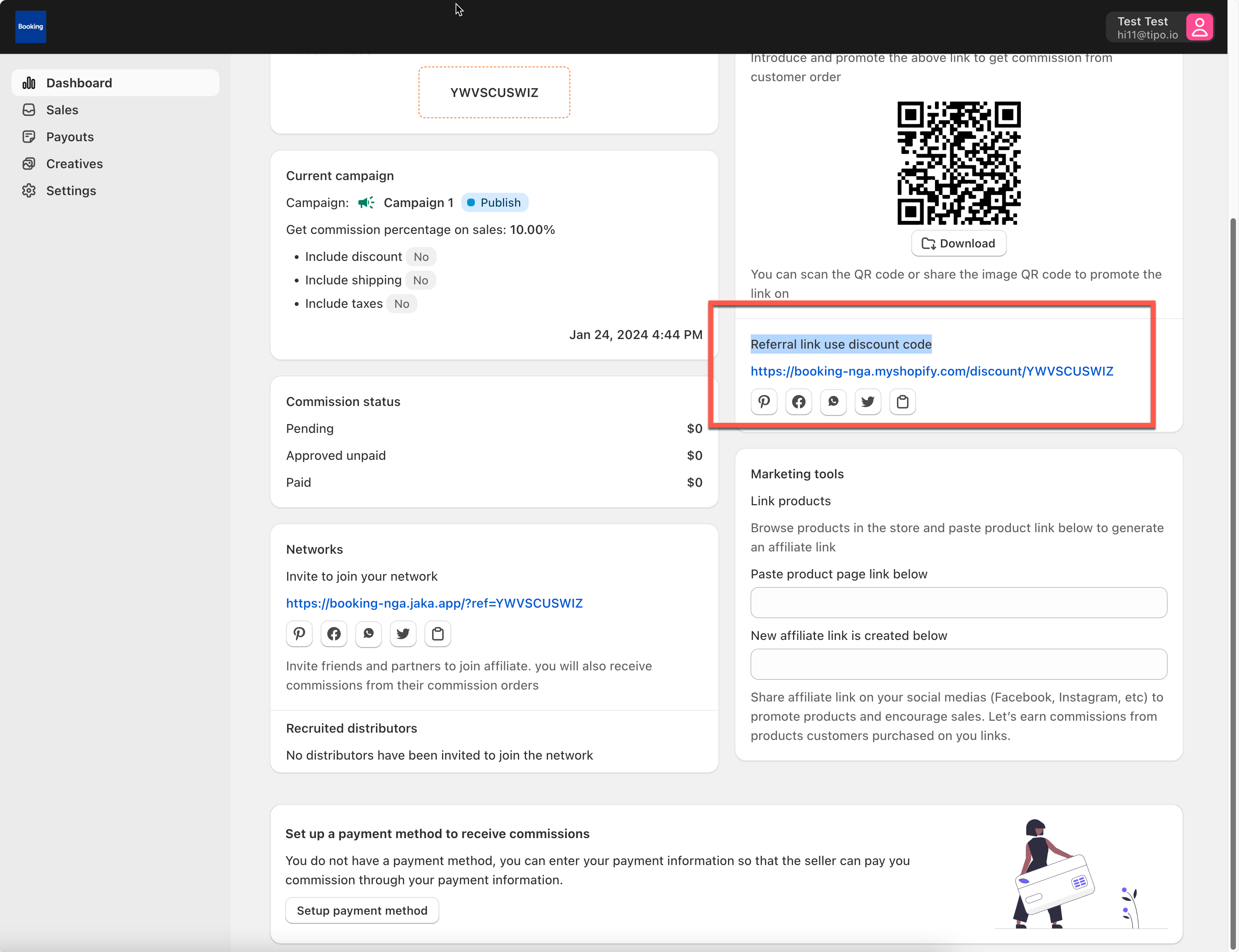
**Solution 3: Referral link use discount code**
This link is combined with ref link and discount code.
When customers open the link, the comissions are earned. Also, the discount of the campaign is automatically applied at checkout.
Affiliates do not need to share the code and customers do not need to manually add code to discount field.