> For the complete documentation index, see [llms.txt](https://docs.jaka.app/shopify/llms.txt). Markdown versions of documentation pages are available by appending `.md` to page URLs; this page is available as [Markdown](https://docs.jaka.app/shopify/~/revisions/rpY9mFDjQMRHRtjRdnC9/email-notifications/email-variables.md).
# Email variables
Steps to manage
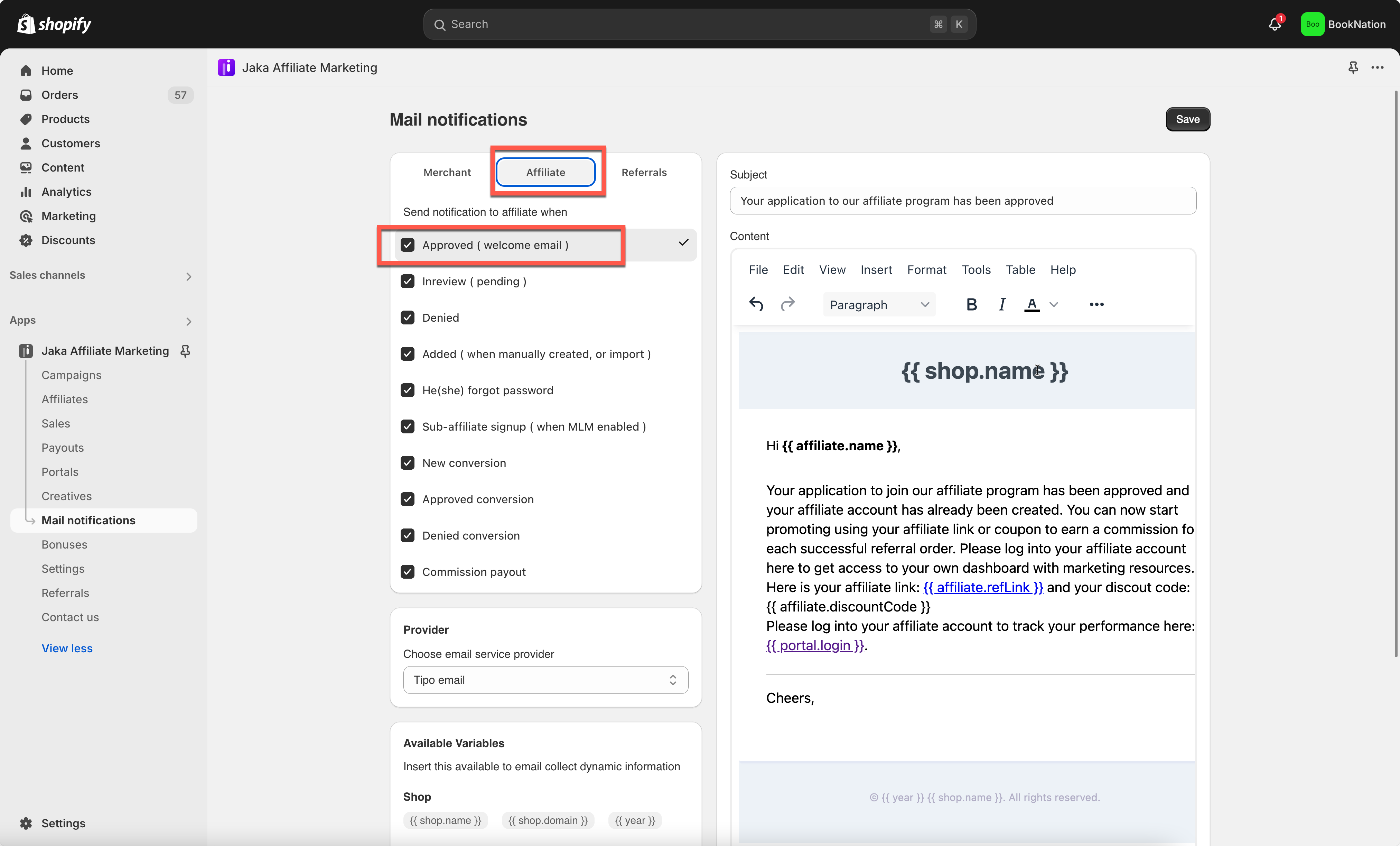
1. Open the app -> click **Mail Notifications**
2. Click **Affiliates** > select a particular template for notification email
3. Add the variable(s) to the content of the email template (see below screenshot)
4. Click **Save** to finish.
Now when someone submits the Registration form, they can receive an email with dynamic subject and content