> For the complete documentation index, see [llms.txt](https://docs.jaka.app/shopify/llms.txt). Markdown versions of documentation pages are available by appending `.md` to page URLs; this page is available as [Markdown](https://docs.jaka.app/shopify/~/revisions/rpY9mFDjQMRHRtjRdnC9/campaign-setup/campaign-discounts.md).
# Campaign Discounts
Discount will be applied to orders when customers place orders via an affiliate.
### 🧩 What is a Campaign Discount?
Campaign **Discounts** let you offer a discount to customers who purchase through an affiliate’s promotion.
A Campaign Discount is a discount that is linked to an affiliate campaign. When you turn it on:
* Jaka creates a **discount code for each affiliate** in that campaign.
* The affiliate can share:
* **Affiliate link** (tracking + attribution)
* **Discount code** (optional for the affiliate to share)
* Customers get the discount when they check out (based on your campaign discount configuration).
⇒ Best for increasing conversion because customers feel they are getting a deal.
***
### ⚙️ How to Set Up Campaign Discounts
1\. Open the app -> click **Campaigns** > open a campaign or create a new one
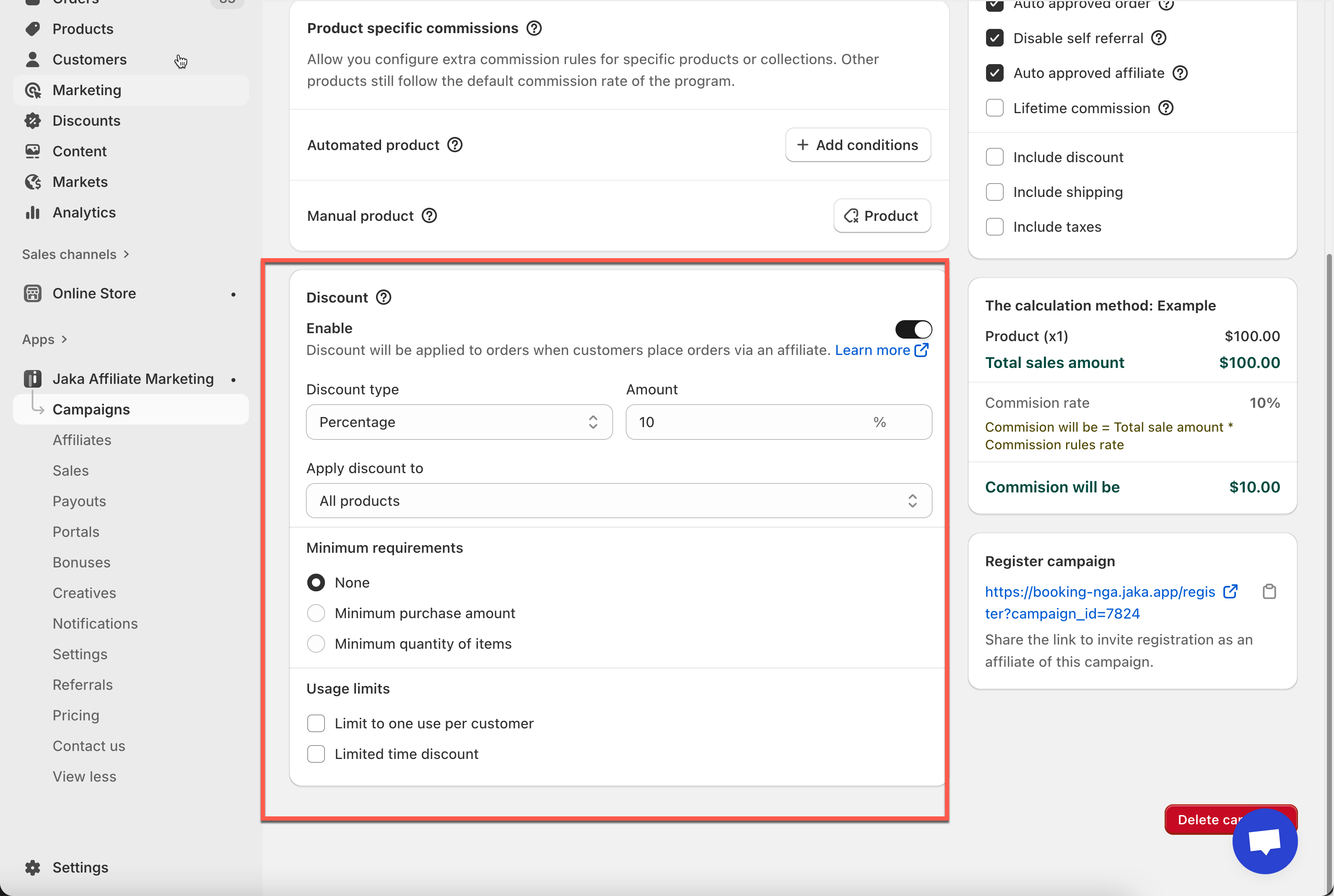
3\. In the **Discount** section, toggle **Enable**
4. Select **Discount type** and enter discount value you want
* Select your discount format:
* **Percentage** (e.g., 10% off)
* **Fixed amount** (e.g., RM5 off)
* Then enter the **Amount**.
Example:
* Percentage: **10% off**
* Fixed amount: **RM5 off**
5. Choose what the discount applies to.
Use **Apply discount to** to select scope (example: **All products**).
6. Add requirements and limits for the discount (optional)
7. Click **Save** to apply changes.
***
### ⚙️ Where to Find the Discount Code
#### In Jaka (Affiliate view)
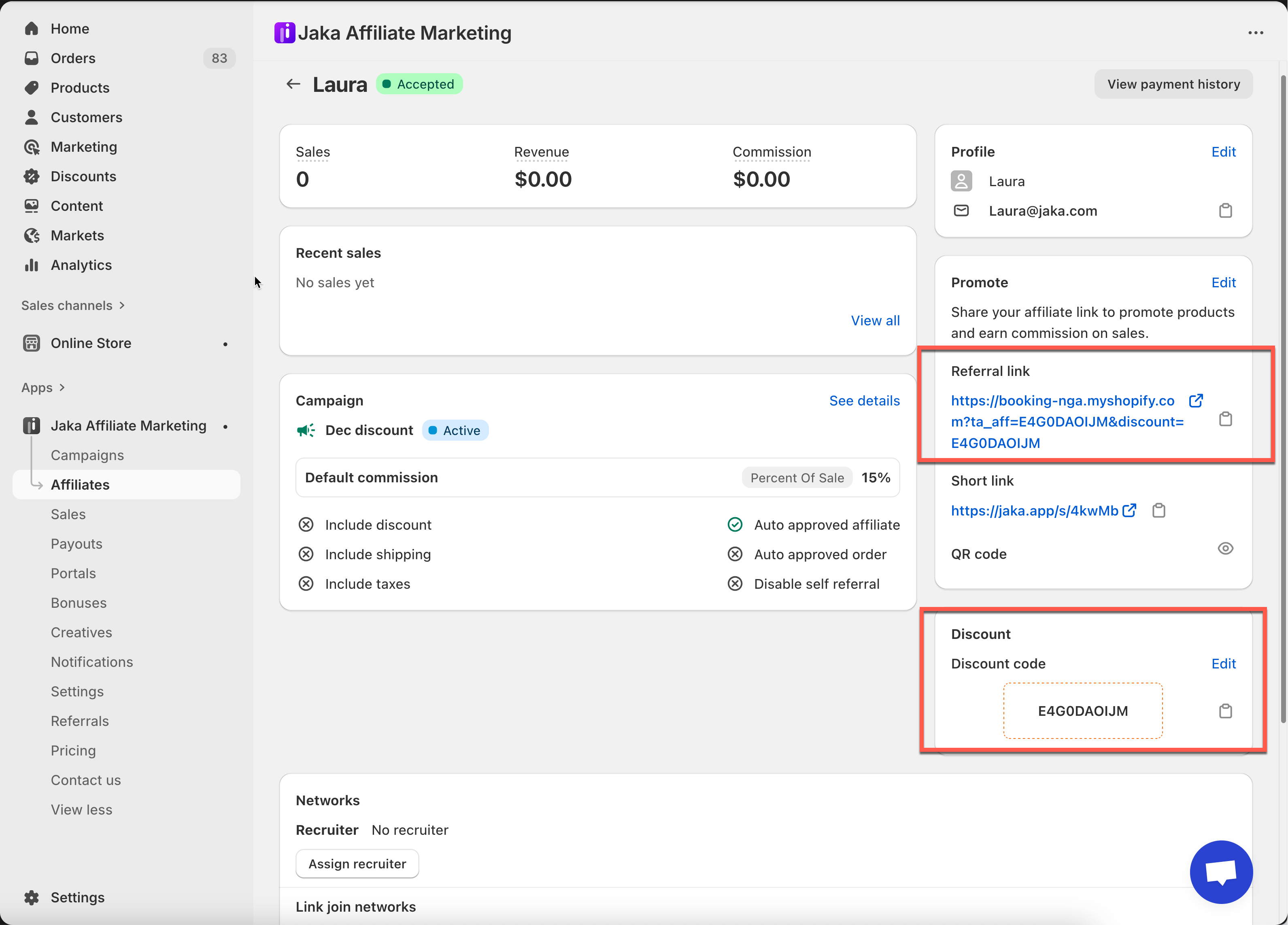
Open an affiliate profile and look at the **Discount code** section.
* You’ll see the affiliate’s **unique code**
* You’ll also see the **referral link** (the affiliate’s tracking link)
#### In Shopify Admin (Discounts)
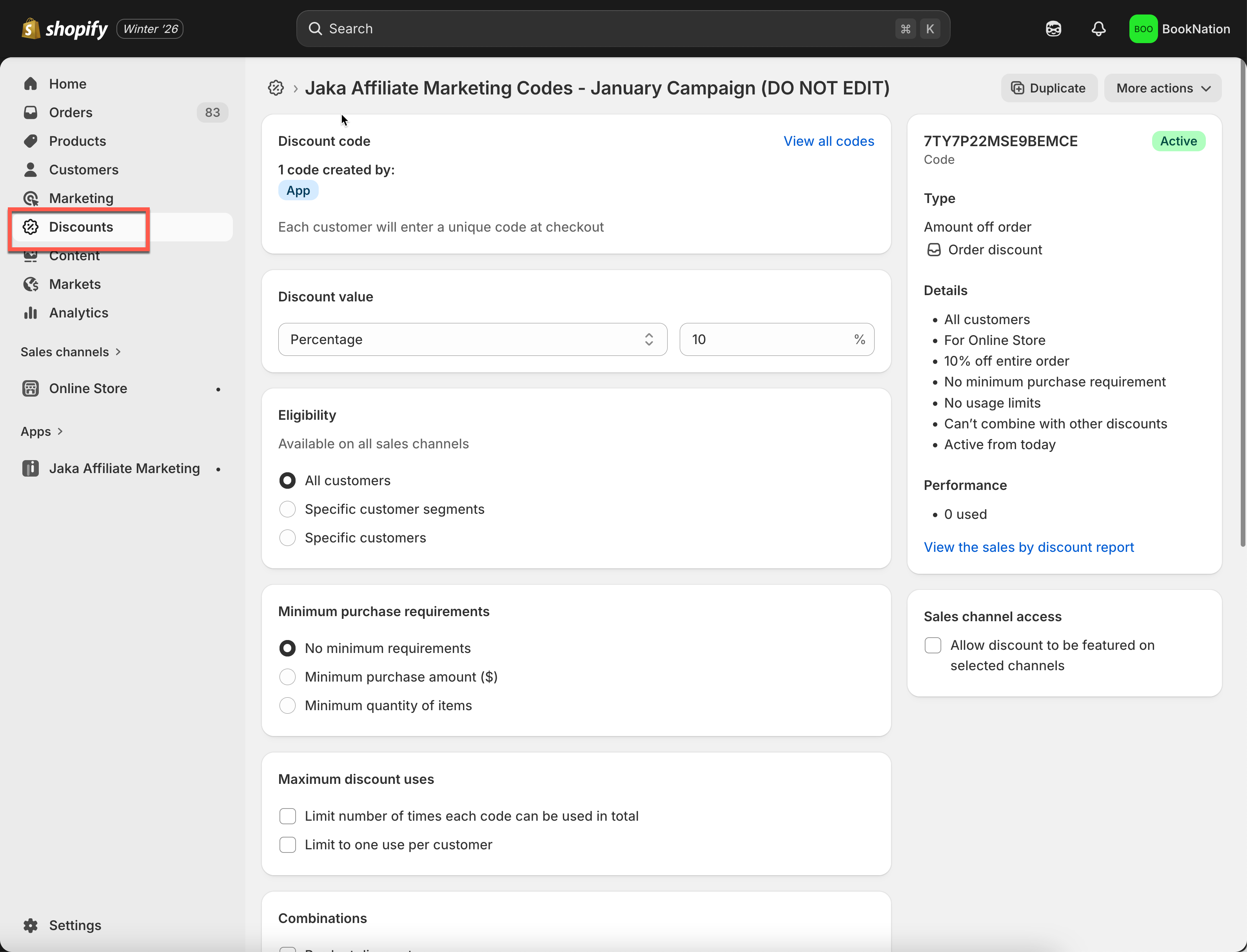
Jaka also creates the discount in Shopify, so you may see it inside:\
**Shopify Admin → Discounts**
***
### ✅ How Campaign Discounts Work
Here’s the real flow from start to finish:
1. You enable **Discount** in a campaign
2. Jaka generates a unique discount code per affiliate
3. The affiliate shares their **referral link** (and optionally their **discount code**)
4. A customer clicks the affiliate link → visits your store
5. When the customer checks out and the order is created:
* the order is tracked as an **affiliate order**
* the customer receives the **discount** (based on your settings)
6. The affiliate earns **commission**, and the sale appears in the app
***
#### **Still need support?**
If you still need help, please feel free to contact us at . We’ll be happy to assist you further.