> For the complete documentation index, see [llms.txt](https://docs.jaka.app/shopify/llms.txt). Markdown versions of documentation pages are available by appending `.md` to page URLs; this page is available as [Markdown](https://docs.jaka.app/shopify/~/revisions/rpY9mFDjQMRHRtjRdnC9/affiliate-managment/manage-affiliates.md).
# Manage Affiliates
The **Manage Affiliates** section allows admins to **view, update, and control** existing affiliates in your program.
***
### ➕ Add & Remove Affiliates
#### Add an Affiliate
You can add affiliates in two ways:
* Via **Affiliate registration (signup link)**
* Manually by clicking **Add affiliate**
[Learn more](https://docs.jaka.app/shopify/~/revisions/R18Haggoi2MZHd2Ubqsb/affiliate-managment/add-affiliates)
***
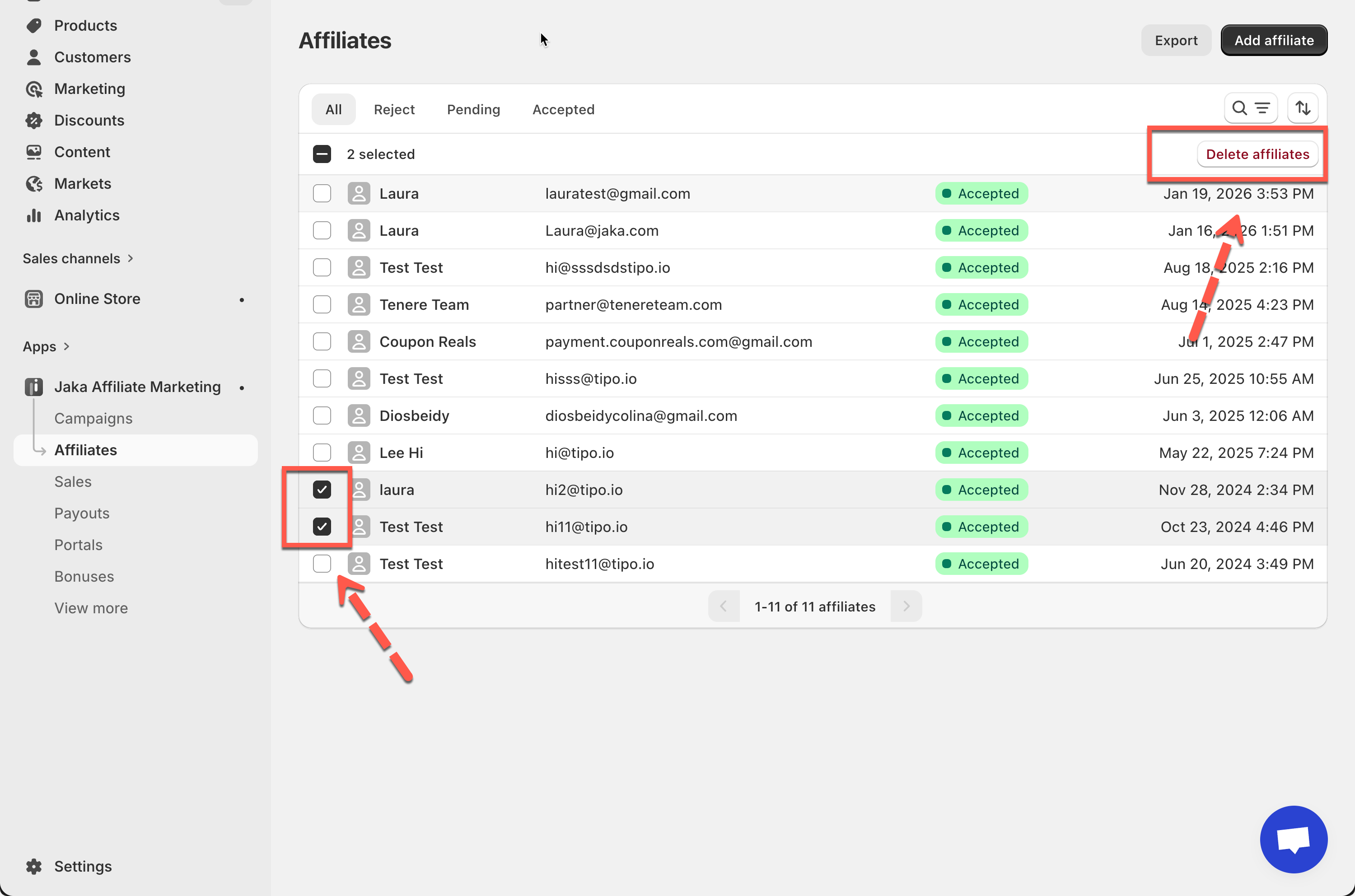
#### Delete an Affiliate
1. Select one or more affiliates using the checkbox
2. Click **Delete affiliate**
3. Confirm the action
***
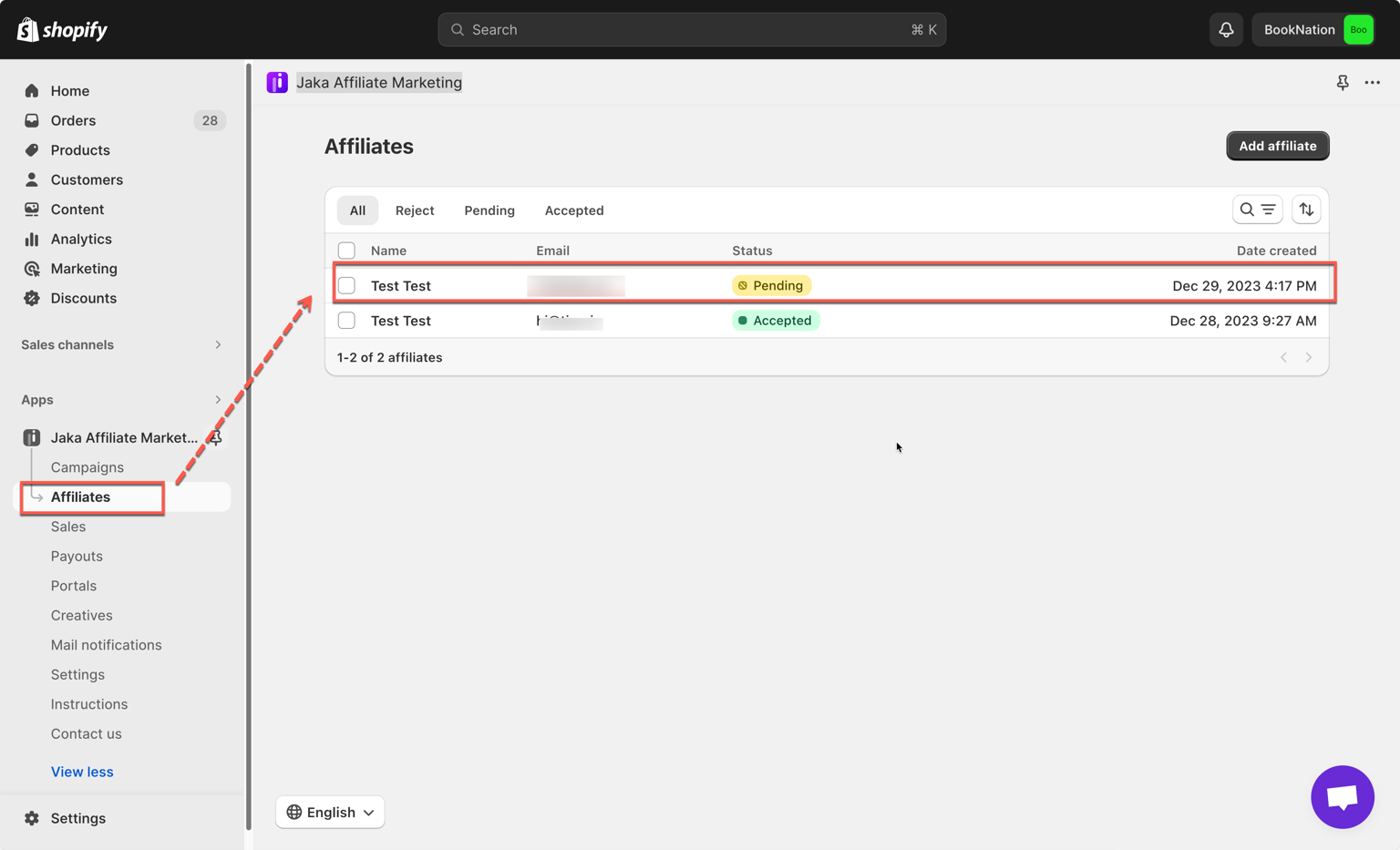
### ✅ Approve & Reject Affiliates
Affiliates who sign up via the registration link may appear with **Pending** status.
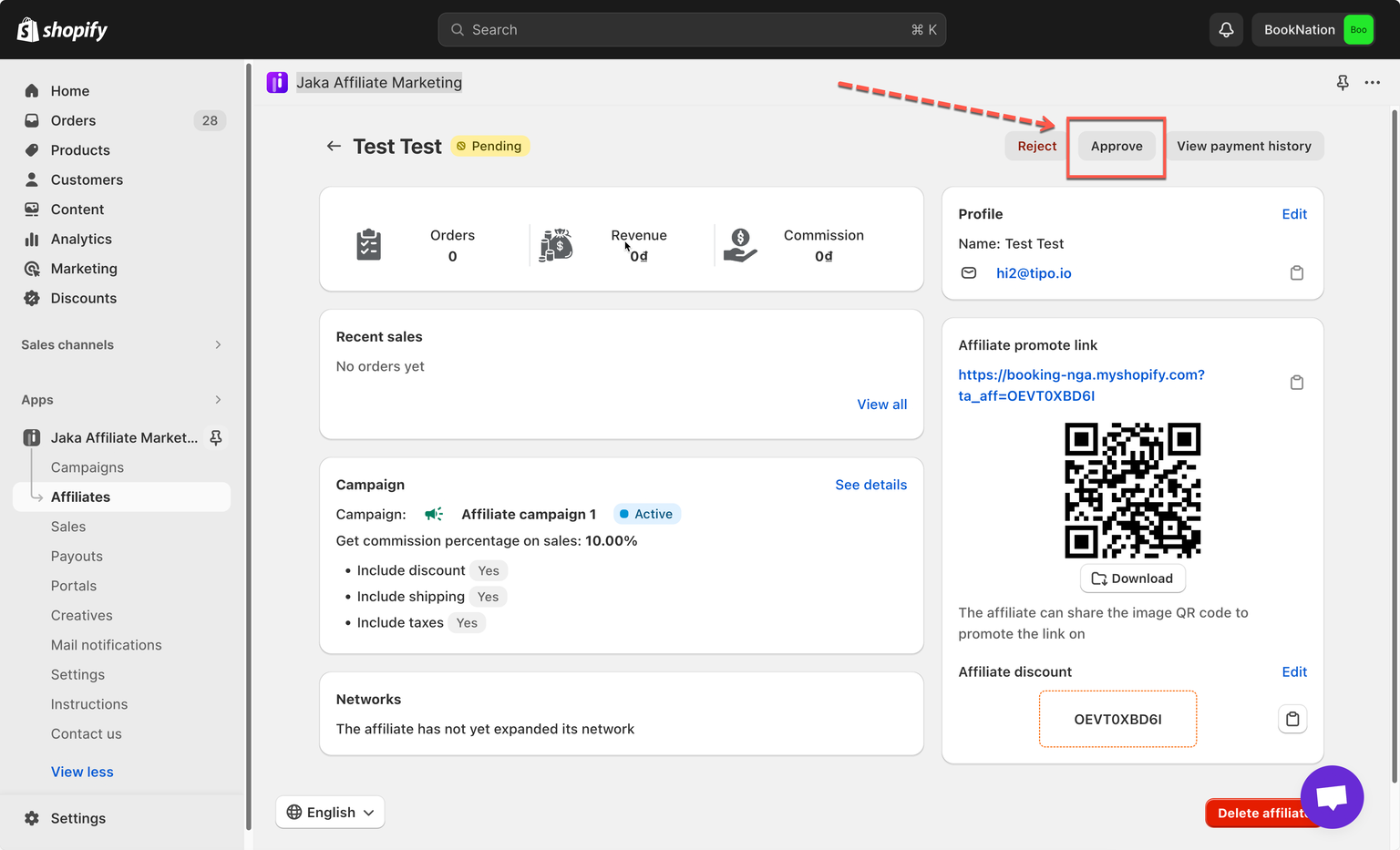
#### Approve an Affiliate
* Select the affiliate
* Click **Approve**
* The affiliate can now promote and earn commissions
#### Reject an Affiliate
* Select the affiliate
* Click **Reject**
* The affiliate will not be able to participate in campaigns
> 💡 **Tip**\
> You can approve or reject affiliates **individually or in bulk**.
***
### 🔍 Filter, Search & Sort Affiliates
Use filters to quickly find affiliates:
#### Filter by Status
* **All**
* **Accepted**
* **Pending**
* **Rejected**
#### Search
* Search by affiliate **name or email**
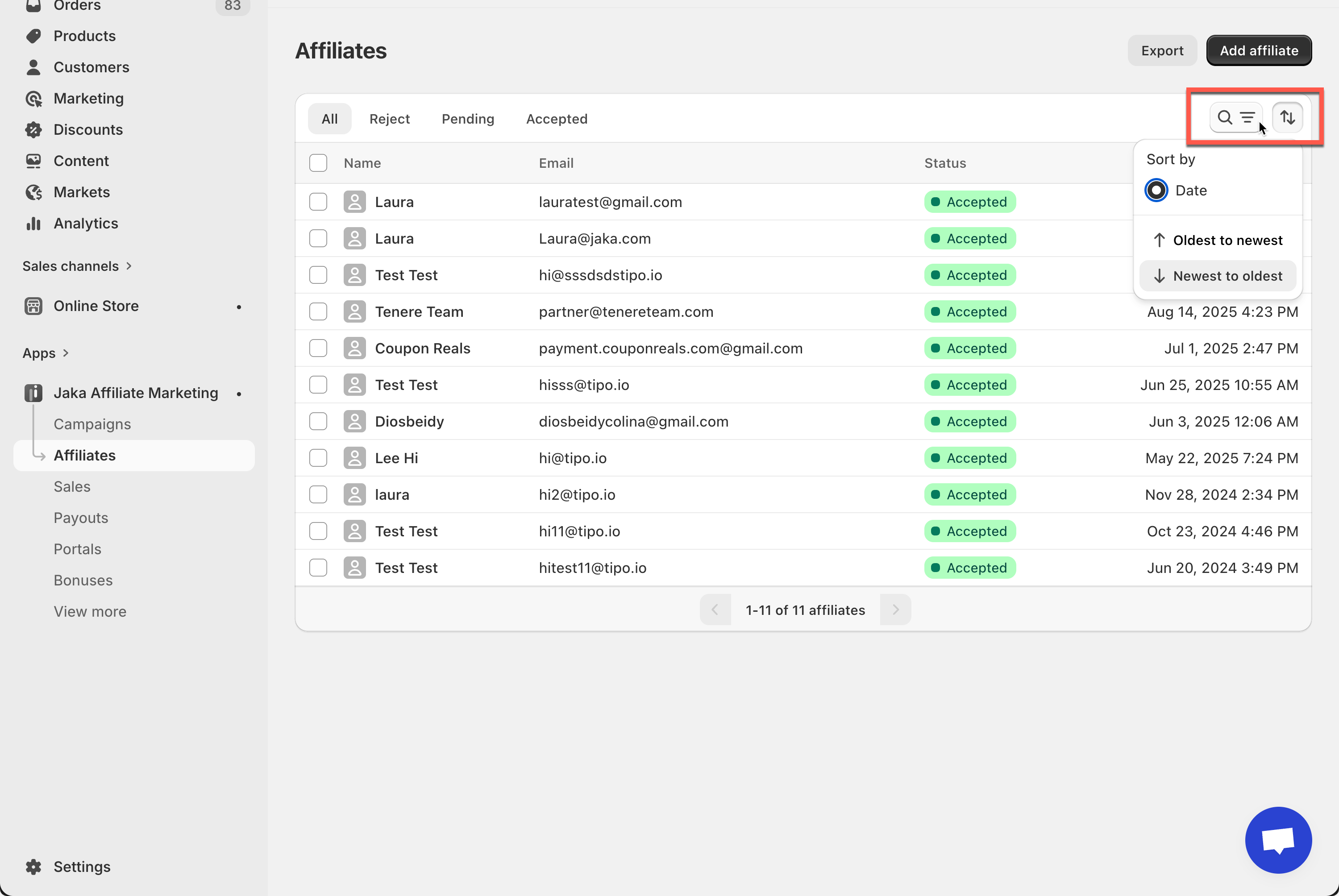
#### Sort
* Sort by **date**
* Choose **Newest → Oldest** or **Oldest → Newest**
> 💡 **Tip**\
> Filters and sorting help when managing large affiliate lists.
***
### 📤 Export Affiliates
You can export affiliate data for reporting or record-keeping.
#### How to Export
1. Click **Export**
2. Choose what to export:
* Current page
* Selected affiliates
* All affiliates
3. Export format: **CSV**
4. Click **Export affiliates**
> 📄 **Example**\
> Export all accepted affiliates to share with your finance or marketing team.

***
### 👤 View & Edit Affiliate Details
Click on any affiliate to open their affiliate detail page.
From here, you can:
#### 1) 3) View Affiliate Performance
* Total sales
* Revenue
* Commission earned
* Recent orders
#### 2) Edit Affiliate Profile
* Update name or email
#### 4) Edit Promotion Details
* Referral link
* Short link
* Discount code
#### 5) View Campaign Participation
* Active campaigns
* Commission rates
* Discount and commission rules applied
> 💡 Tip\
> Editing an affiliate’s details does not affect past commissions, only future tracking.