# View & Understand a Sale (Sale Details)
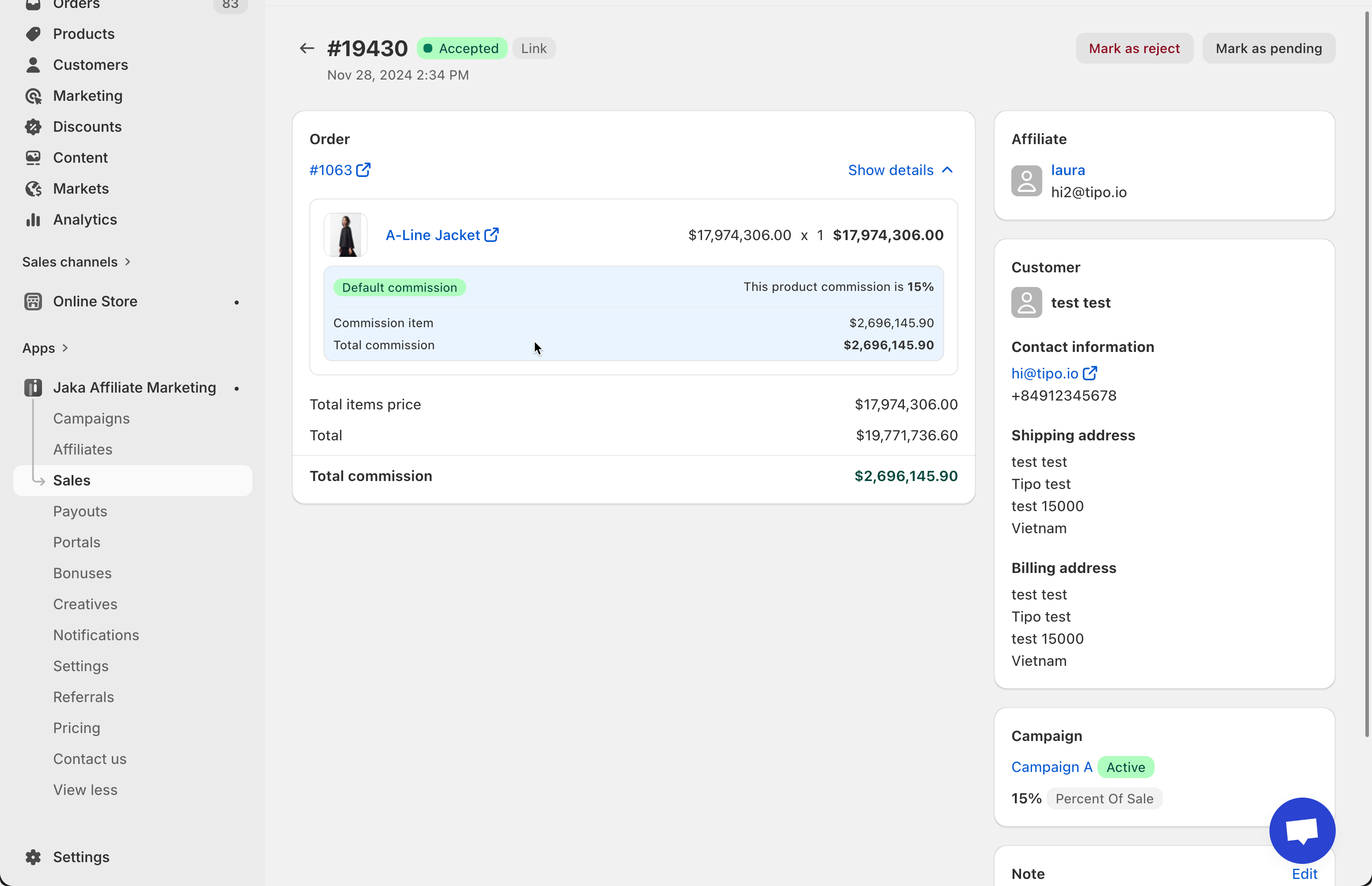
Click any sale to open the **Sale Details** page.
This page shows everything related to that sale.
***
### ⚙️ Order information
* Order number (if available)
* Purchased products
* Product price and quantity
* Order total
***
### ⚙️ Commission breakdown
* Campaign applied
* Commission type (percent or fixed)
* Commission per product
* Total commission earned
This helps you understand **exactly how the commission was calculated**.
***
### ⚙️ Affiliate information
* Affiliate name
* Email address
* Referral method (link, discount, network, manual)
***
### ⚙️ Customer information
* Customer name
* Email
* Shipping & billing address (if available)
***
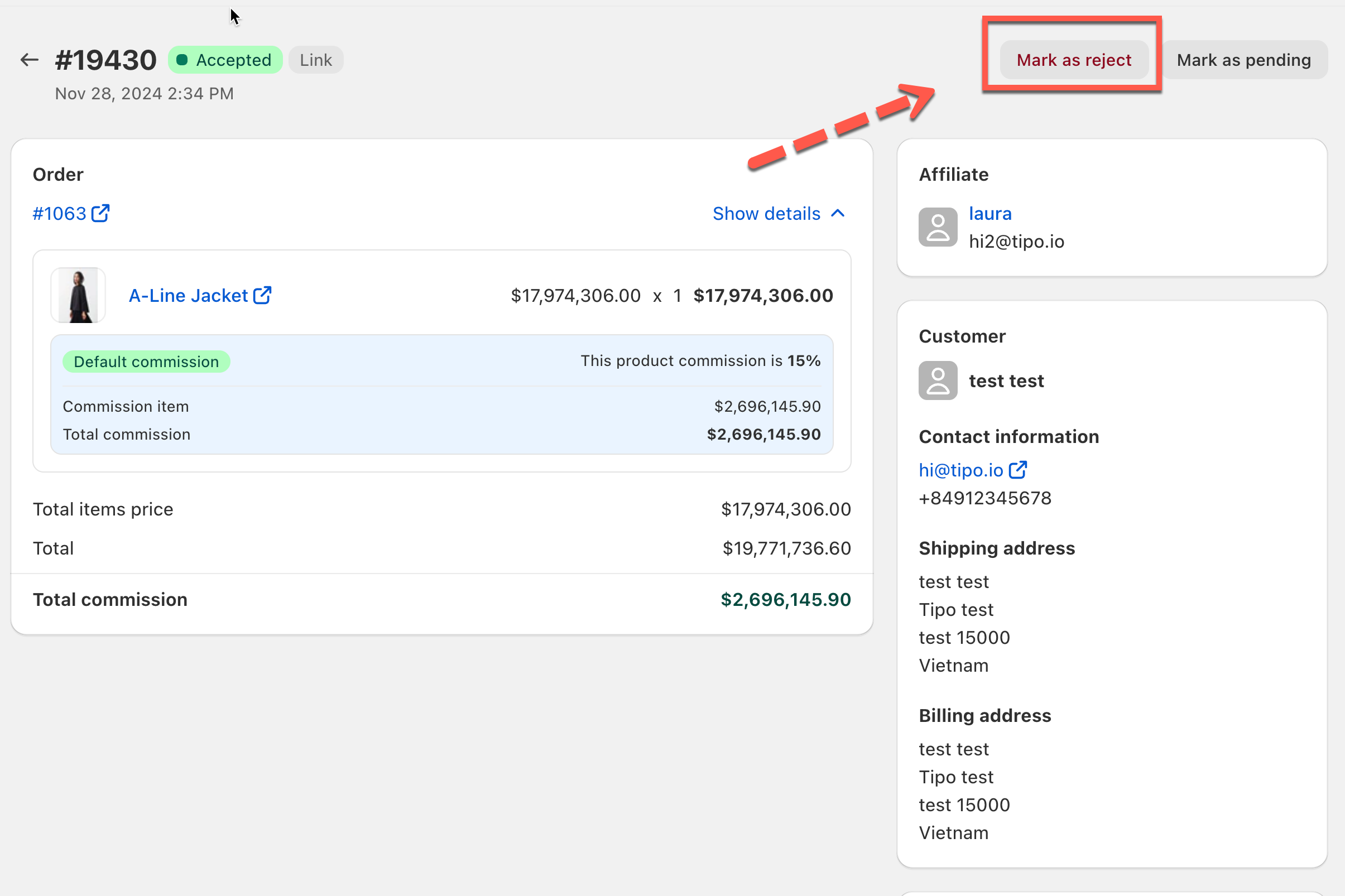
### ⚙️ Sale status controls
You can:
* Mark sale as **Accepted**
* Mark sale as **Pending**
* Mark sale as **Rejected**