> For the complete documentation index, see [llms.txt](https://docs.jaka.app/shopify/llms.txt). Markdown versions of documentation pages are available by appending `.md` to page URLs; this page is available as [Markdown](https://docs.jaka.app/shopify/payouts/paying-affiliates/pay-affiliates-in-app-with-paypal.md).
# Pay affiliates in app with PayPal
Currently Jaka app allows connect the app to your PayPal account so you can directly pay for the affiliates in the app. Integrate the PayPal account with the app and use it when you check payouts.
### ✅ How Paying Affiliates Works
Jaka does not pay affiliates automatically.
Instead:
1. Affiliates earn commissions from approved sales
2. You review pending payouts
3. You manually confirm and send payments
Using PayPal In-App payments lets you:
* Pay affiliates faster
* Keep payout records in one place
* Mark commissions as **Paid** automatically
***
### ⚙️ Step 1: Get PayPal API Credentials
To enable in-app payments, you’ll need **Client ID** and **Client Secret** from PayPal.
1. Log into your PayPal [here](https://developer.paypal.com/dashboard/) and click on **Log into Dashboard**
2. Make sure that the toggle “**Live**” is on and the option **Payouts** is selected
Note:
On the **My Account** page, scroll down to the **Permissions** section > **Payouts**. If there's a green checkmark in the "Live" column for Payouts, it means that Live Payouts has been enabled for your account.
But if there isn't, you will see the “Enable...” link to click through and provide the required information for PayPal to enable it.
3. Open **My Apps & Credentials**
4. Create a new **REST App**
Start by assigning a PayPal app name. Click on the blue “Create App” button to proceed. A short form will appear.
5. Copy the **Client ID** and **Secret Key**
> 💡 Tip: Use a **PayPal Business account** to avoid payment limits
***
### ⚙️ Step 2: Connect PayPal to Jaka
1. Open the app > click **Settings** > **Third-party integration**
2. In **Payment with PayPal** > click **Connect** button
3. Paste:
* **Client ID**
* **Client Secret**
4. Create an **App Password** (used to confirm payouts)
5. Click **Save** to complete the integration
***
### ⚙️ Step 3: Collect Affiliate Payment Information
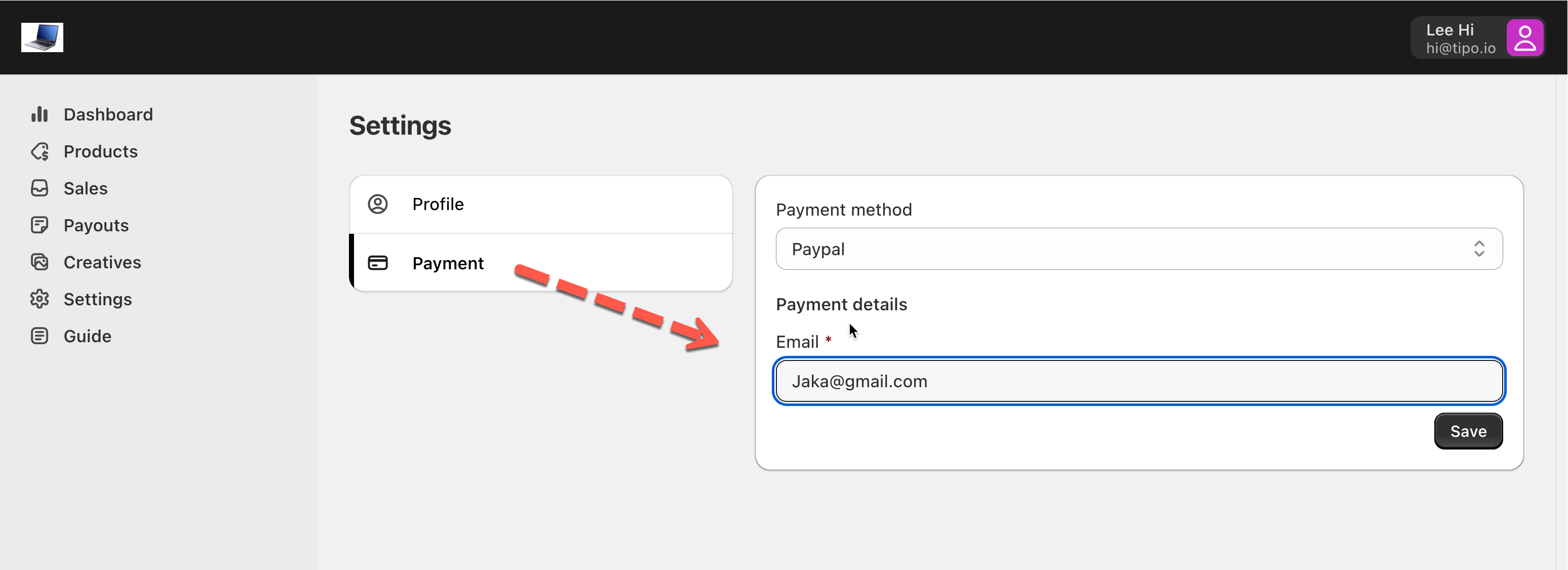
To receive payments, affiliates must provide their **PayPal email**.
This happens automatically when:
* Affiliates complete their **profile in affiliate Dashboard**
* They select **PayPal** as their payment method
You don’t need to request payment info manually.
***
### ⚙️ Step 4: Review Pending Payouts
Before paying, always review payouts:
1. Go to **Payouts** > open the **Pending** tab
2. Check:
* Affiliate name
* Total sales
* Commission amount
This ensures accuracy before sending money.
***
### ⚙️ Step 5: Pay Affiliates with PayPal
When you’re ready to pay:
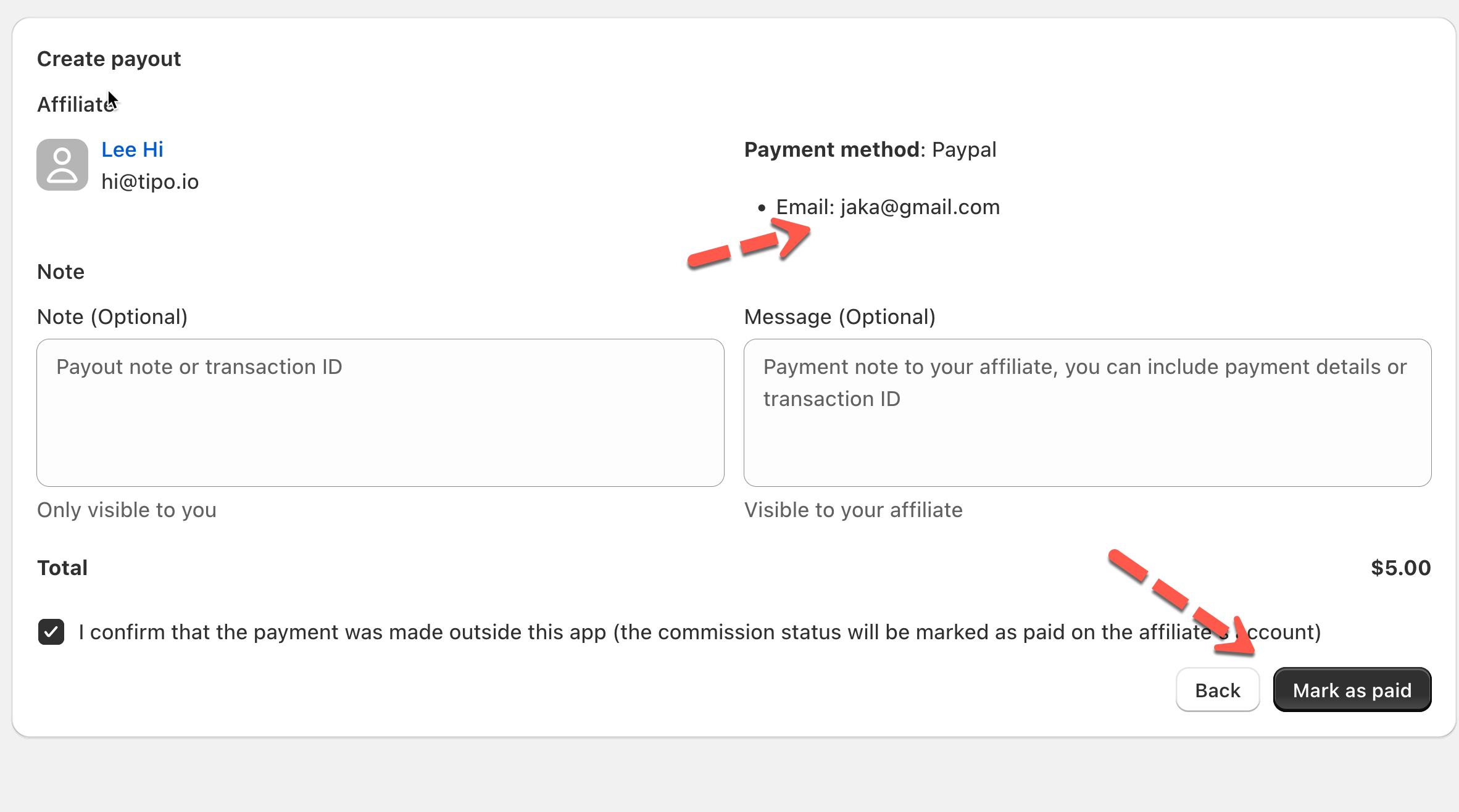
1. Select one or more pending payouts
2. Click **Mark as paid**
3. Review payment details
4. Confirm payment
Once completed:
* Payment is sent via PayPal
* Payout status changes to **Paid**
* Affiliates see the update immediately
***
### ✅ What Happens After Payment?
* Commission is marked **Paid**
* Affiliate receives PayPal funds
***
### ▶️ Tutorial video
{% embed url="" %}