> For the complete documentation index, see [llms.txt](https://docs.jaka.app/shopify/llms.txt). Markdown versions of documentation pages are available by appending `.md` to page URLs; this page is available as [Markdown](https://docs.jaka.app/shopify/payouts/paying-affiliates/pay-affiates-outside-jaka-app.md).
# Pay affiates outside Jaka app
When you choose to pay affiliates outside of Jaka, the app helps you collect payment details, track payouts, and mark commissions as paid, while the actual money transfer happens in your own payment tool (bank, PayPal, Payoneer, etc.).
Jaka does **not** automatically send money, you stay in full control.
***
### ✅ How This Flow Works
1. You set up a custom payment method in the app
2. Affiliates enter their payment details in their dashboard
3. You review payout information in the admin panel
4. You pay affiliates externally (bank, PayPal, etc.)
5. You mark the payout as **paid** in Jaka
This keeps your records accurate without forcing any payment provider.
***
### ⚙️ Step 1: Add a Custom Payment Method (Admin)
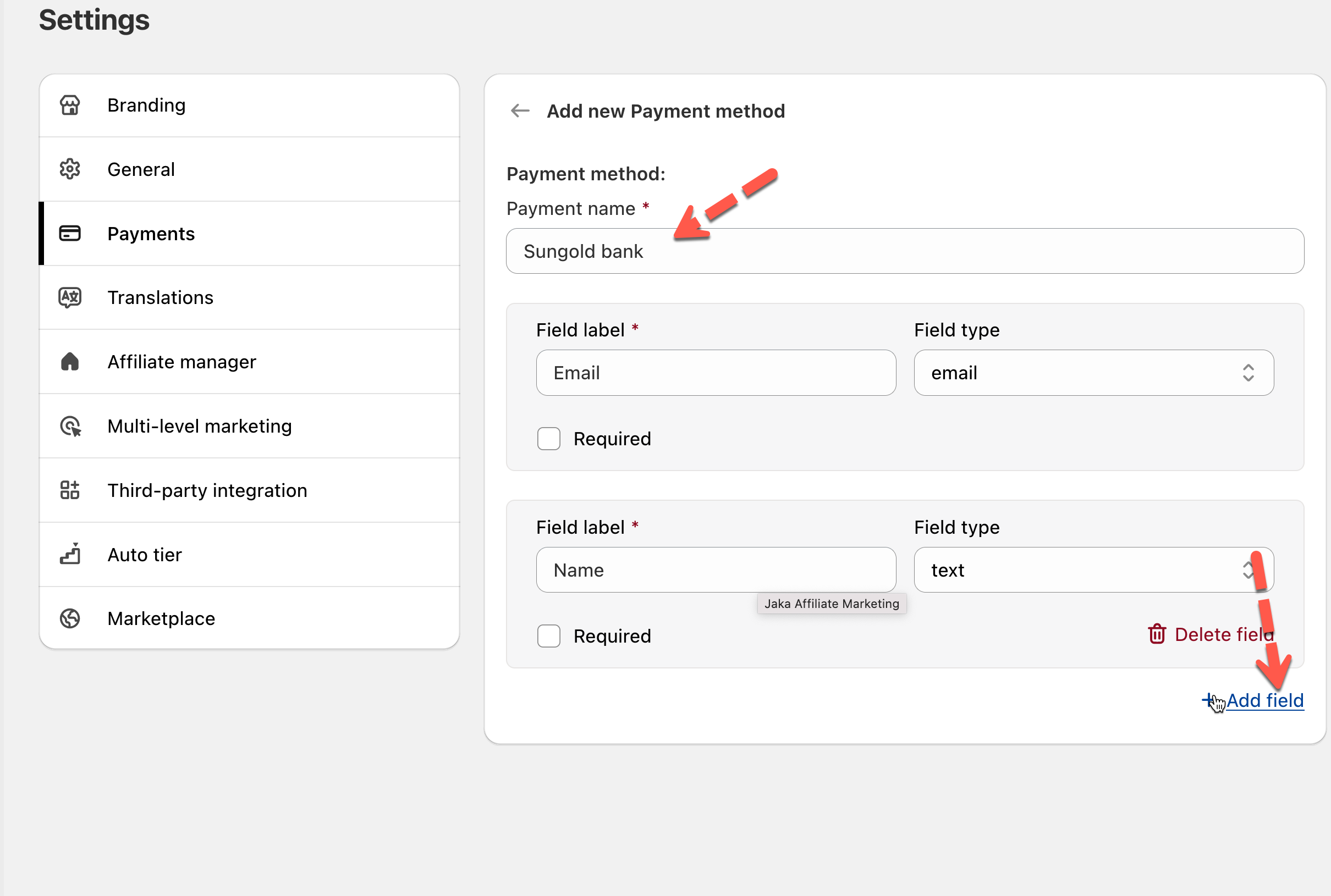
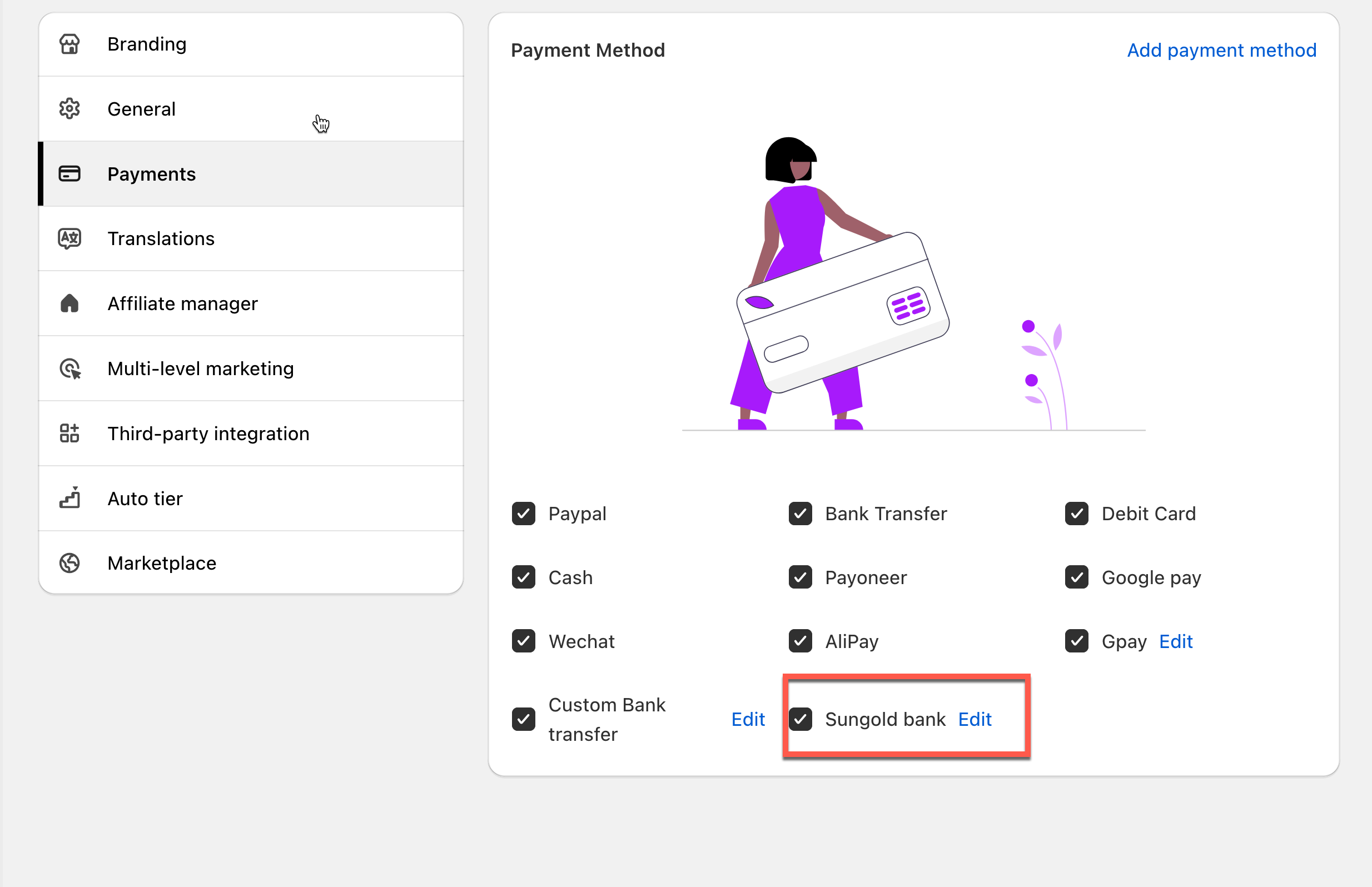
Create the payment method you want to use (for example: **Sungold bank account**).
You decide:
* Payment method name (e.g. *Bank Transfer*)
* What information affiliates must provide
* Email
* Bank name
* Account number
* Phone number, etc.
⇒ These fields become a form affiliates must fill in.
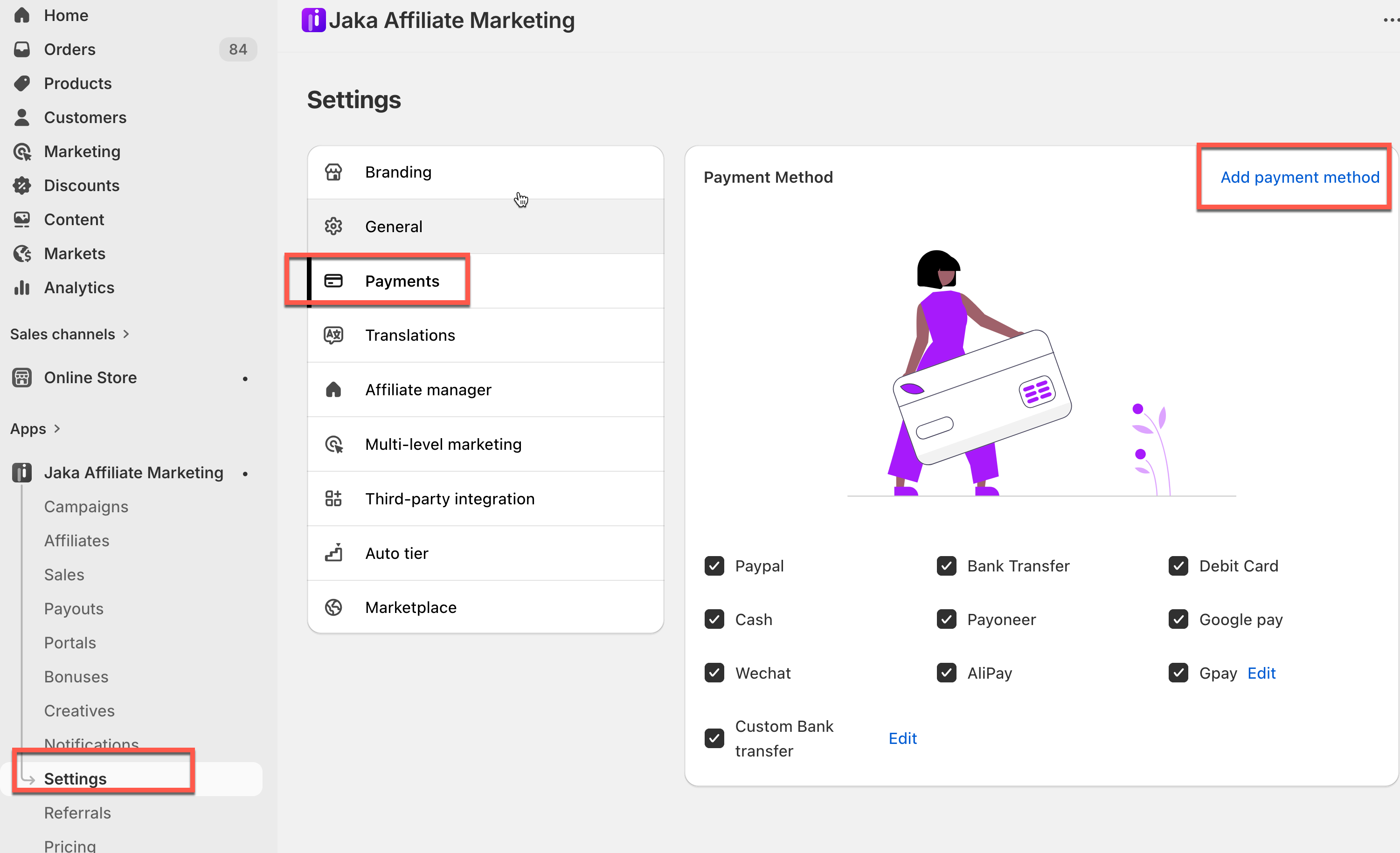
1. Go to the app > click **Settings** > **Payment**
2. Click **Add custom payment method**
3. Add fields to collect payment details from affiliates
4. Click **Save**
The payment method will be option of the options affiliate can select to receive commission.
***
### ⚙️ Step 2: Affiliates Enter Their Payment Information
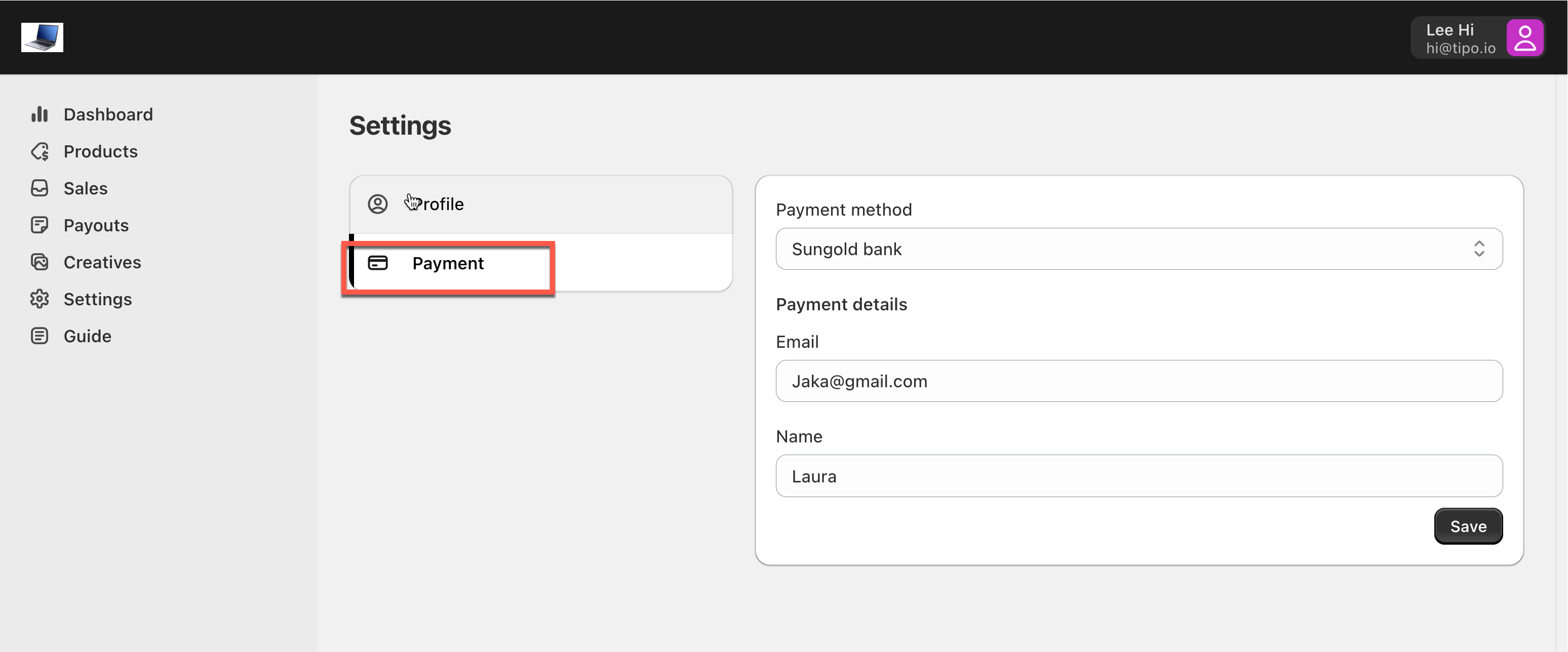
Where to set: **Affiliate dashboard → Settings → Payment**
Affiliates:
* Select the payment method you created
* Fill in their payment details (exactly the fields you defined)
* Save their information
This ensures you always see the correct payout details before paying.
***
### ⚙️ Step 3: Review Payout Details in Admin
Where to set: Admin dashboard → **Payouts**
When a payout is created, you can see:
* Affiliate name
* Total commission
* Selected payment method
* All payment details provided by the affiliate
***
### ⚙️ Step 4: Pay the Affiliate Outside Jaka
Use your own payment tool, such as Sungold bank and pay them manually outside the app.
{% hint style="info" %}
Jaka does **not** process the payment, it only tracks it.
{% endhint %}
Example:
> You send $100 to the affiliate via your bank to affiliate back account.
***
### ⚙️Step 5: Mark the Payout as Paid
After you’ve completed the payment:
1. Open the payout in Jaka
2. Confirm that the payment was made outside the app
3. Click **Mark as paid**
This:
* Updates the payout status
* Marks commissions as paid
* Keeps your records clean and accurate
***