> For the complete documentation index, see [llms.txt](https://docs.jaka.app/shopify/llms.txt). Markdown versions of documentation pages are available by appending `.md` to page URLs; this page is available as [Markdown](https://docs.jaka.app/shopify/campaign-setup/multiple-level-marketing-mlm/view-affiliate-network.md).
# View Affiliate Network
### ℹ️ What Is the Affiliate Network?
The **Affiliate** **Network** shows how affiliates are connected to each other in your program.\
It helps you understand who invited whom, and how your multi-level marketing (MLM) structure is built.
The affiliate network is a **visual hierarchy** that shows:
* The **recruiter (parent affiliate)**
* The **recruited affiliates (child affiliates)**
* The **relationship between affiliates** created through invite links
This network is used to calculate **multi-level commissions** automatically.
***
#### 🔄 How the Affiliate Network Is Created
The affiliate network is created **automatically** when affiliates join using invite links.
#### How it works:
1. An affiliate shares their **network invite link**
2. A new affiliate signs up using that link
3. The new affiliate is linked as a **child** of the inviter
4. The system builds the network structure automatically
***
### ⚙️ Where to View the Affiliate Network
#### From the Admin (Merchant) side:
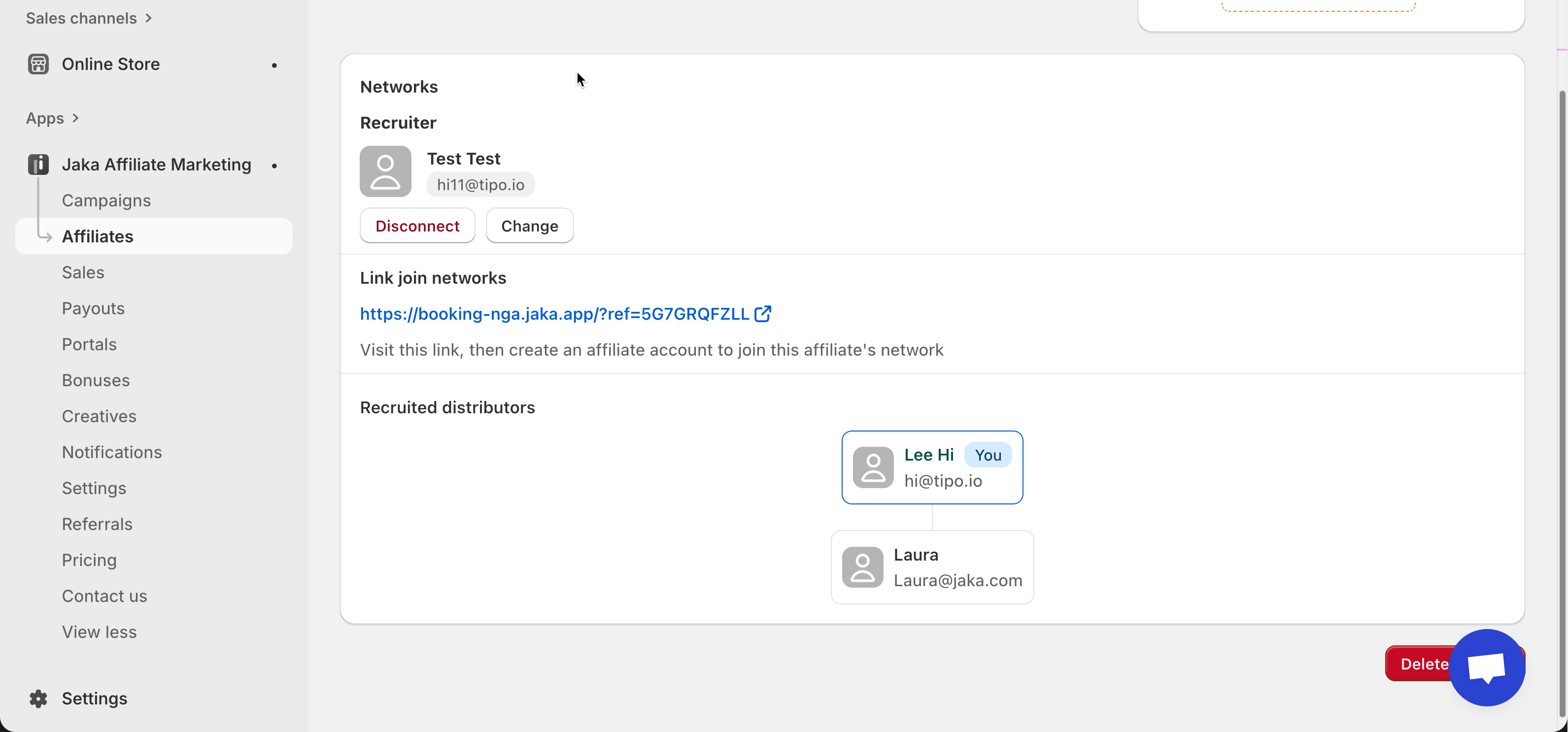
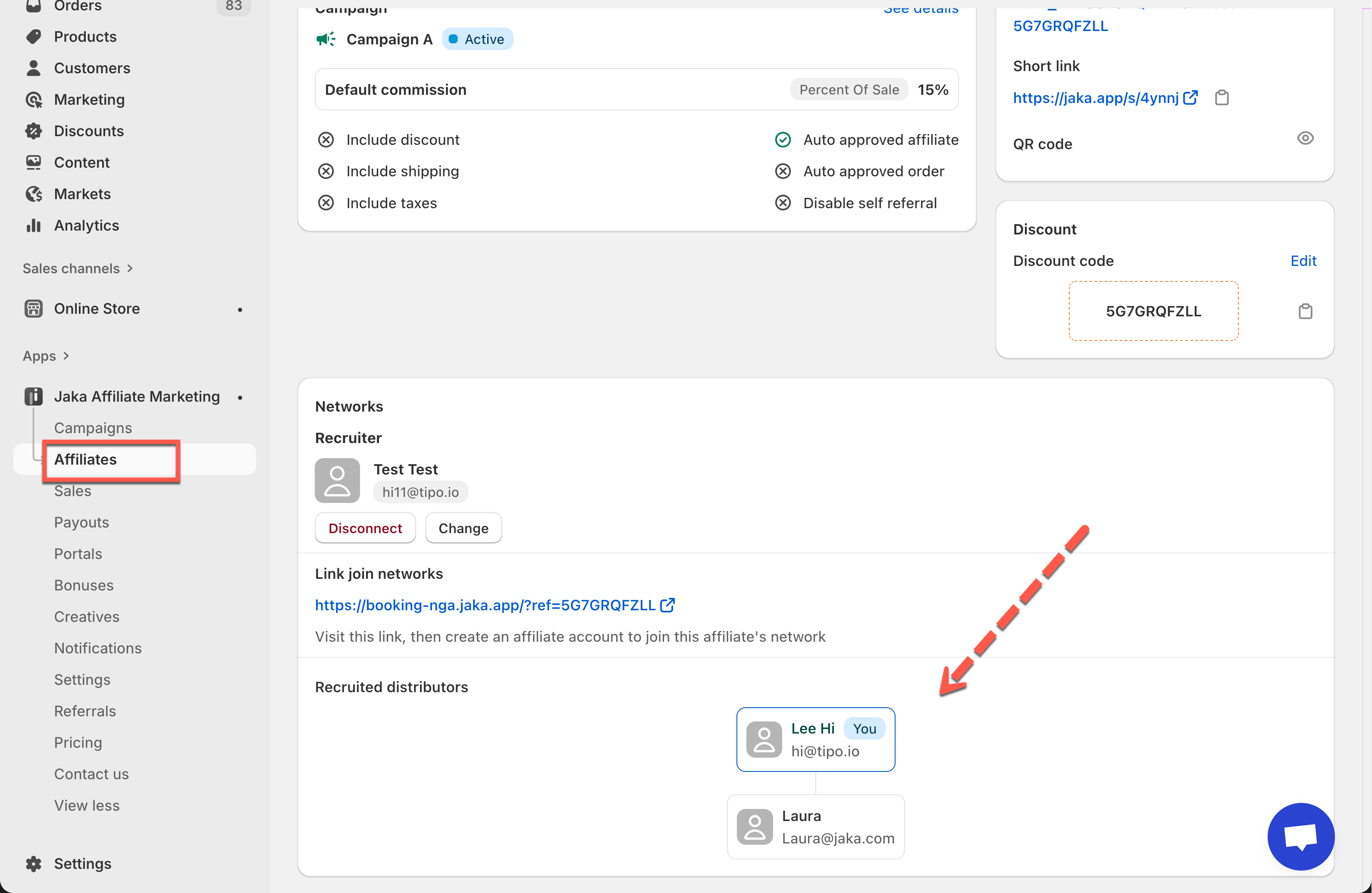
1. Open **Jaka Affiliate Marketing app** > go to **Affiliates**
2. Select an affiliate
3. Scroll to the **Networks** section
You will see:
* **Recruiter** (parent affiliate)
* **Recruited distributors** (child affiliates)
* A visual tree of the affiliate network
***
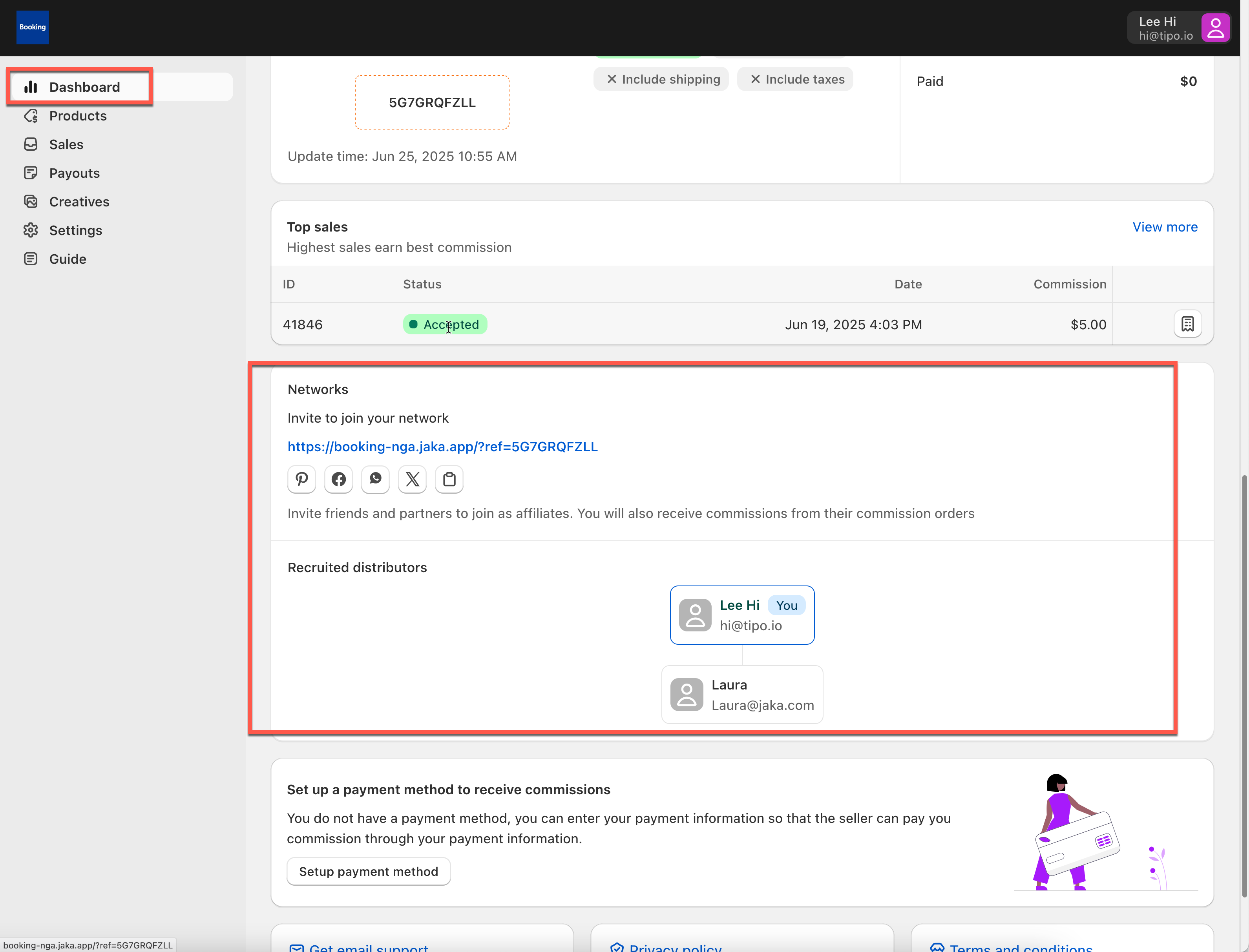
#### From Affiliate Dashboard (Affiliate) side:
1. Affiliate log in Affiliate **Dashboard**
2. Scroll to the **Networks** section
***
### 🧑🤝🧑 Network Structure Explained
Let’s look at a simple example:
* **Lee Hi** (top affiliate) - Invited **Laura**
* Laura may invite others later
The network will look like this:
```
Lee Hi (You)
└── Laura
```
* Lee Hi is the **recruiter**
* Laura is the **recruited affiliate**
* This relationship is used to calculate MLM commissions
***
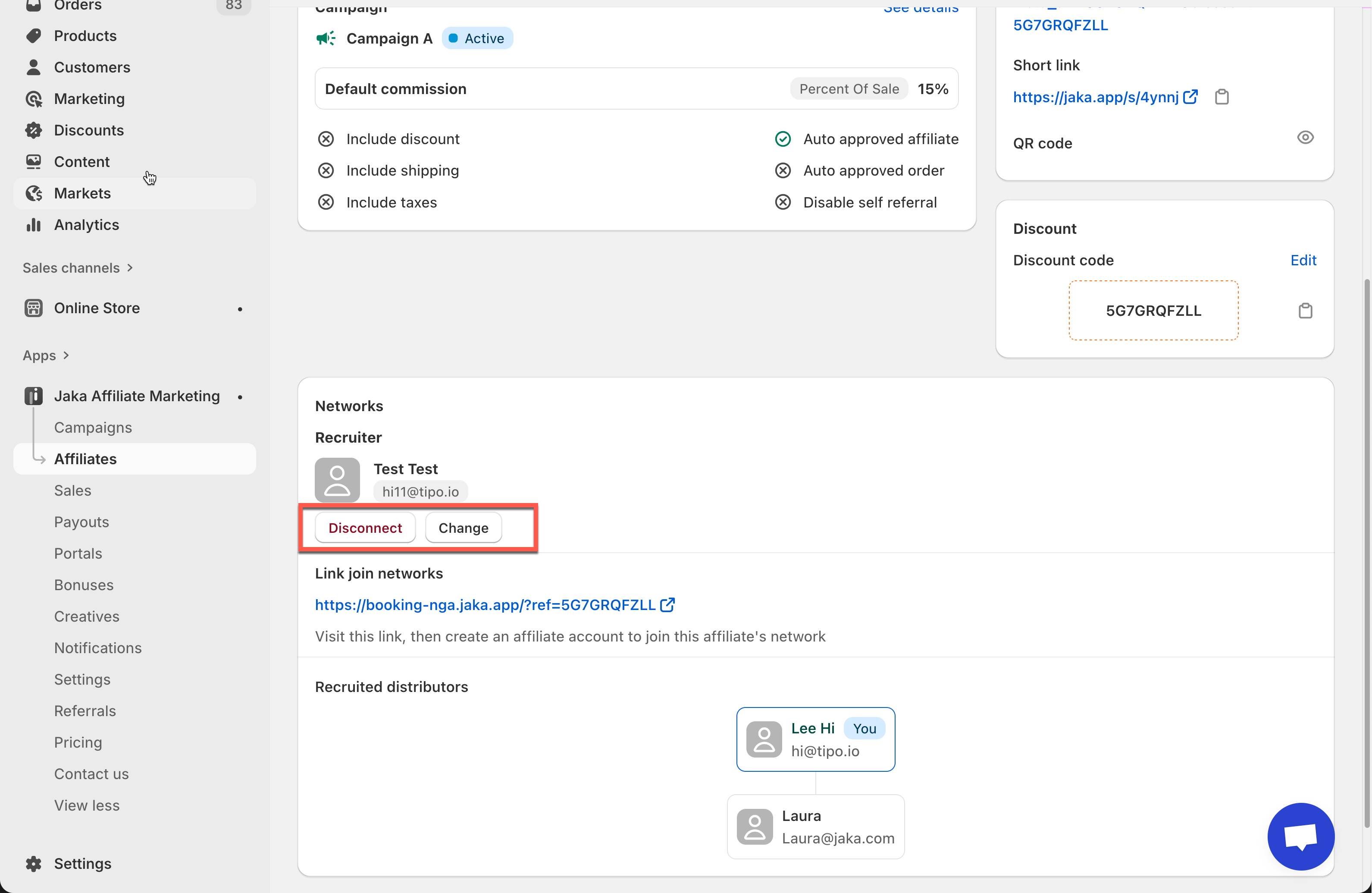
### 🔧 Assign or Change Recruiter (Admin Only)
By default, networks are created automatically.\
However, store admins can manually manage recruiters.
#### Admin actions available:
* **Assign recruiter**
* **Change recruiter**
* **Disconnect recruiter**
***
> ⚠️ **Please note:**
* The affiliate network is read-only for affiliates. Affiliates cannot edit or change their network.
* Networks are created automatically via invite links
* Only admins can change recruiter relationships in the app
***
#### 🔗 Related Guides
* [How Affiliates Invite Other Affiliates](https://docs.jaka.app/shopify/~/revisions/MgzmZWIzuRe5GD2XI9v3/campaign-setup/multiple-level-marketing-mlm/how-affiliates-invite-other-affiliates)
* [Multiple-Level Marketing (MLM) Overview](https://docs.jaka.app/shopify/~/revisions/MgzmZWIzuRe5GD2XI9v3/campaign-setup/multiple-level-marketing-mlm)
***