> For the complete documentation index, see [llms.txt](https://docs.jaka.app/shopify/llms.txt). Markdown versions of documentation pages are available by appending `.md` to page URLs; this page is available as [Markdown](https://docs.jaka.app/shopify/affiliate-managment/manage-affiliates/edit-affiliate-referral-link.md).
# Edit affiliate referral link
### 🔗 What is an Affiliate Referral Link?
An **affiliate referral link** is the unique URL an affiliate shares to promote your store.\
When a customer clicks this link and places an order, the affiliate earns a commission.
***
### ✏️ How to Edit an Affiliate Referral Link
#### Steps
1. Open **Affiliates** from the left menu
2. Click on the affiliate you want to edit
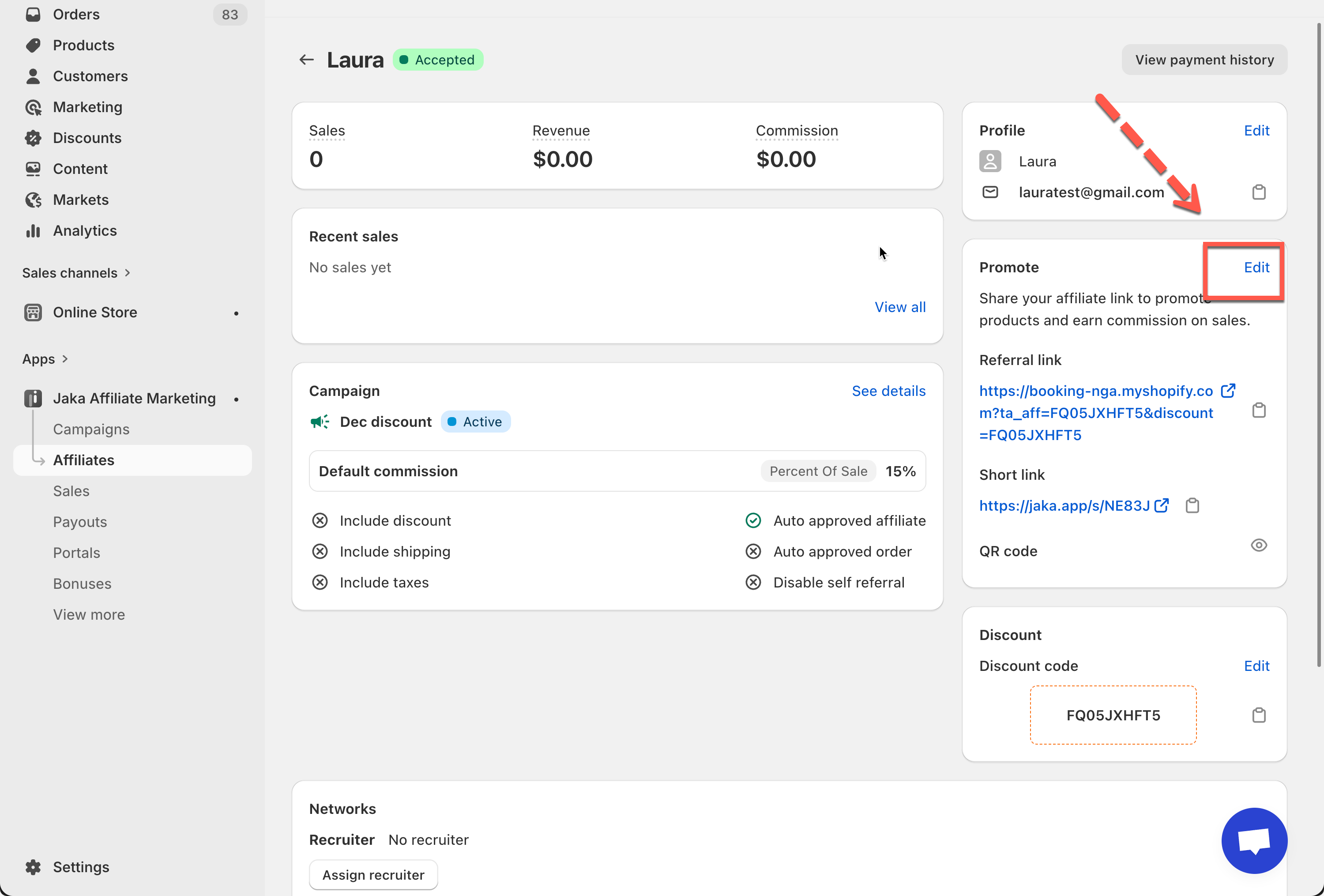
3. Go to the **Promote** section
4. Click **Edit**
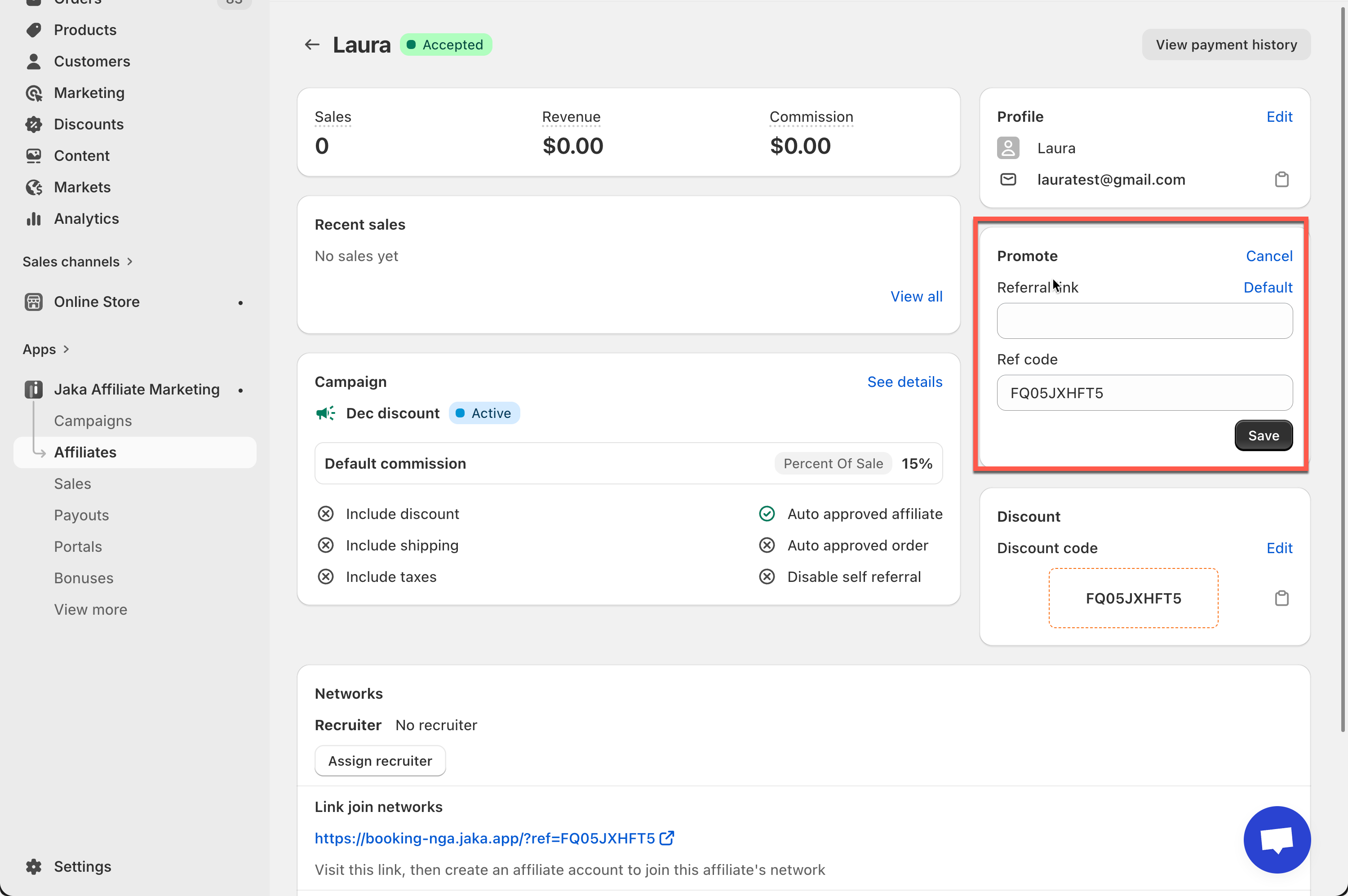
5. Update the referral link (or regenerate it if available)
6. Click **Save**
***
### ✏️ How to Customize an Affiliate Referral Link (Example)
An affiliate referral link consists of:
* Your **store or page URL**
* An affiliate **referral code** (`ta_aff`)
> You cannot change the store **domain**\
> You can change the page **path** (product or collection page)\
> You can edit the referral code text
#### Example
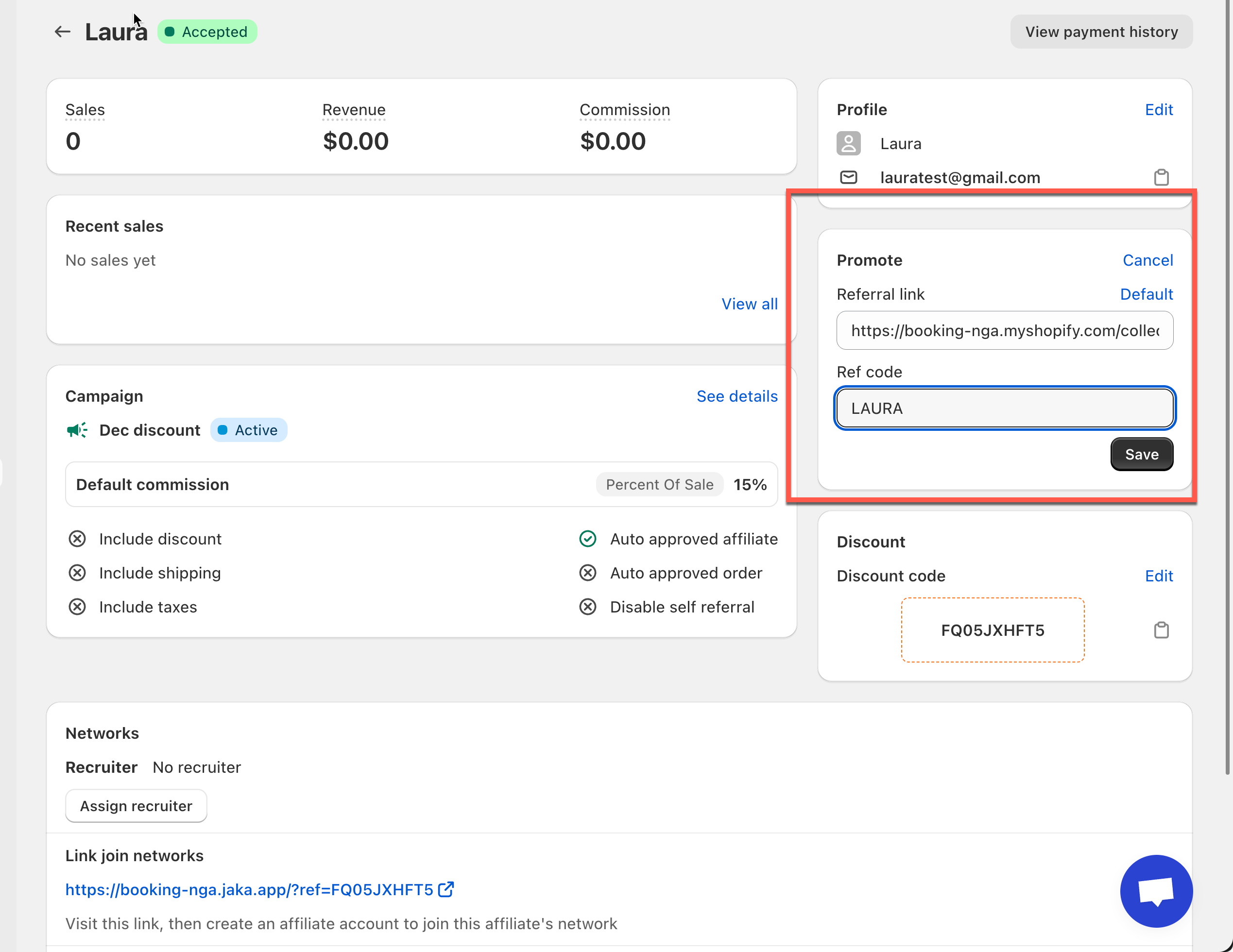
Base page:
```
https://booking-nga.myshopify.com/collections/diamond
```
Referral code:
```
LAURA
```
Final referral link:
```
https://booking-nga.myshopify.com/collections/diamond?ta_aff=LAURA
```
#### What Happens After Editing
* The updated link is used for future clicks only
* Past orders and commissions are not affected
* Tracking continues automatically
***