> For the complete documentation index, see [llms.txt](https://docs.jaka.app/shopify/llms.txt). Markdown versions of documentation pages are available by appending `.md` to page URLs; this page is available as [Markdown](https://docs.jaka.app/shopify/affiliate-managment/add-affiliates/create-affiliate-manually.md).
# Create Affiliate manually
Creating an affiliate manually allows **store admins** to add affiliates directly from the Shopify admin, without requiring the affiliate to sign up themselves.
This method is useful when you already have a partner, influencer, or internal staff member you want to add to your affiliate program.
***
### 👥 Who Should Use This Method?
* You already know the affiliate’s email
* You want to skip the signup form
* You are adding:
* Influencers
* Business partners
* Internal team members
* You want full control over affiliate details from the start
***
### 📝 Steps to Create an Affiliate Manually
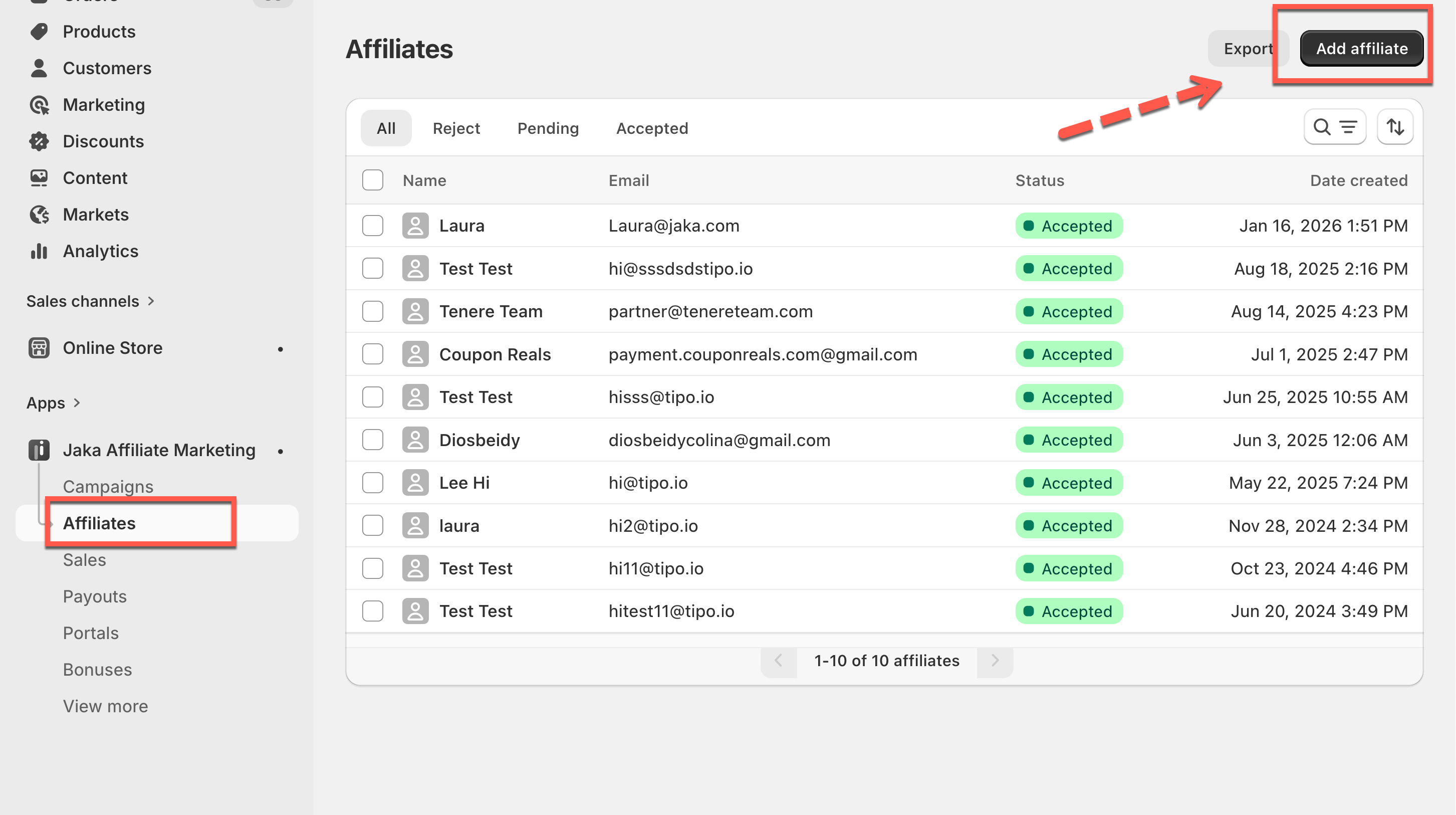
1. Go to **Jaka Affiliate Marketing** app > **Affiliates**
2. Click **Add affiliate**
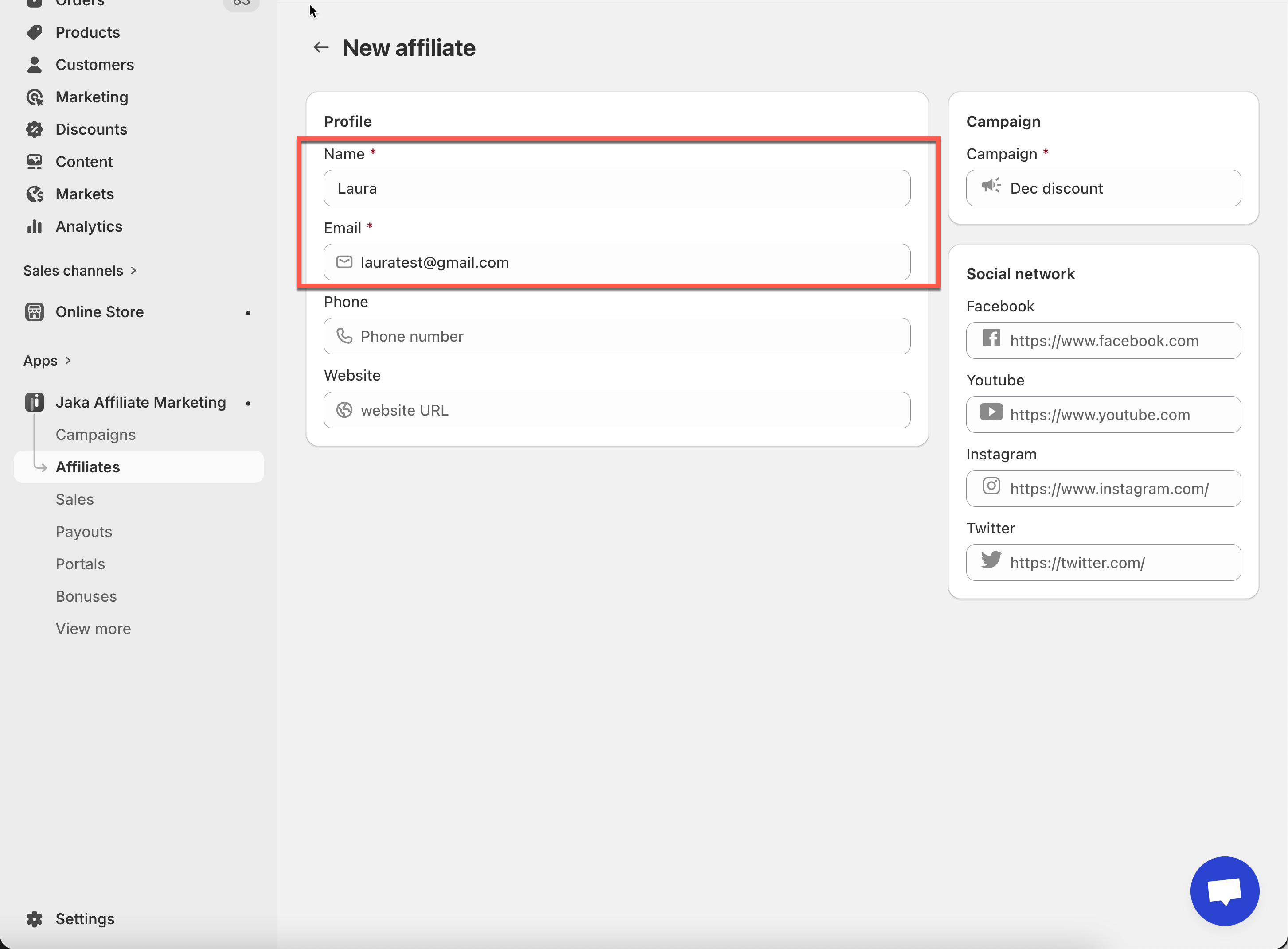
3. Enter Affiliate Information
Fill in the required details:
* **Name**
* **Email address** (used as the affiliate’s login)
* (Optional) Additional information if available
> 📌 The email must be unique and not already registered as an affiliate.
***
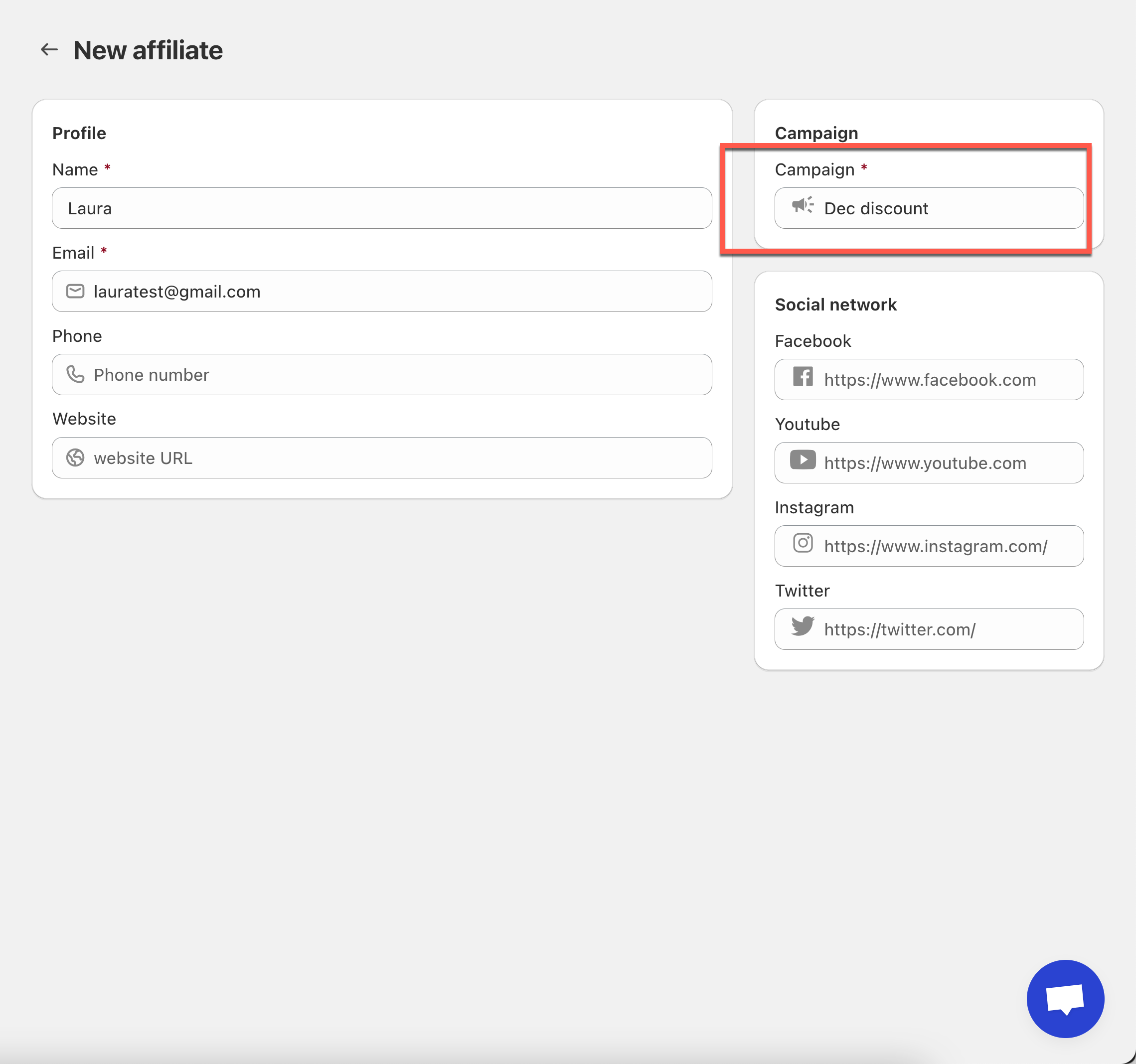
4\. Assign Campaign
* Select the campaign you want the affiliate to join
* The affiliate will receive:
* Commission rules from that campaign
* Referral links
* Discount codes (if enabled)
***
5\. Save the Affiliate
The affiliate account is now created successfully.
***
### ✅ What Happens After Creation?
Once created:
* The affiliate appears in your **Affiliate list**
* Email notification will be sent to affiliates with login link
* They can:
* Reset password and log in to the affiliate portal
* Access referral links
* View commissions and sales
* Discount codes and tracking links are generated automatically (if enabled)
> 📧 You can share the affiliate login link with them manually.
***
### 🔄 Manual Creation vs Affiliate Registration