> For the complete documentation index, see [llms.txt](https://docs.jaka.app/shopify/llms.txt). Markdown versions of documentation pages are available by appending `.md` to page URLs; this page is available as [Markdown](https://docs.jaka.app/shopify/affiliate-dashboard-and-guides/quick-guide-for-affiliates/find-your-referral-links.md).
# Find your referral links
Your referral links are how sales and commissions are tracked. Every time someone clicks your link and makes a purchase, you earn commission.
You can find your referral link in two main places in the Affiliate Portal.
### 🔗 Option 1: From the Dashboard
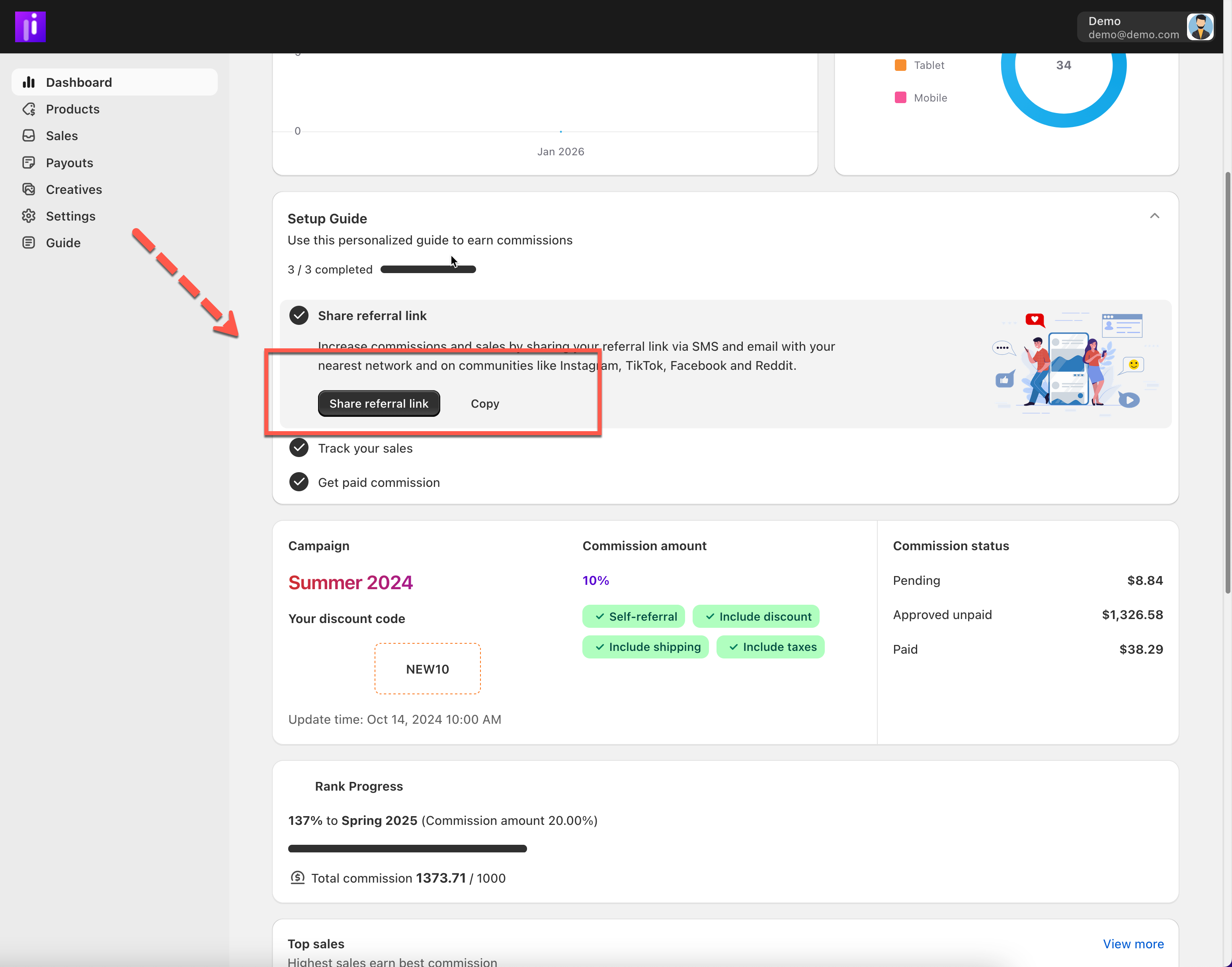
1. Go to **Dashboard**
2. Look for the **Share referral link** section
3. Click **Copy** to copy your link
This is the fastest way to start promoting.
***
### 🔗 Option 2: From the Products Page (Per Product Link)
Use this option if you want to promote **specific products**.
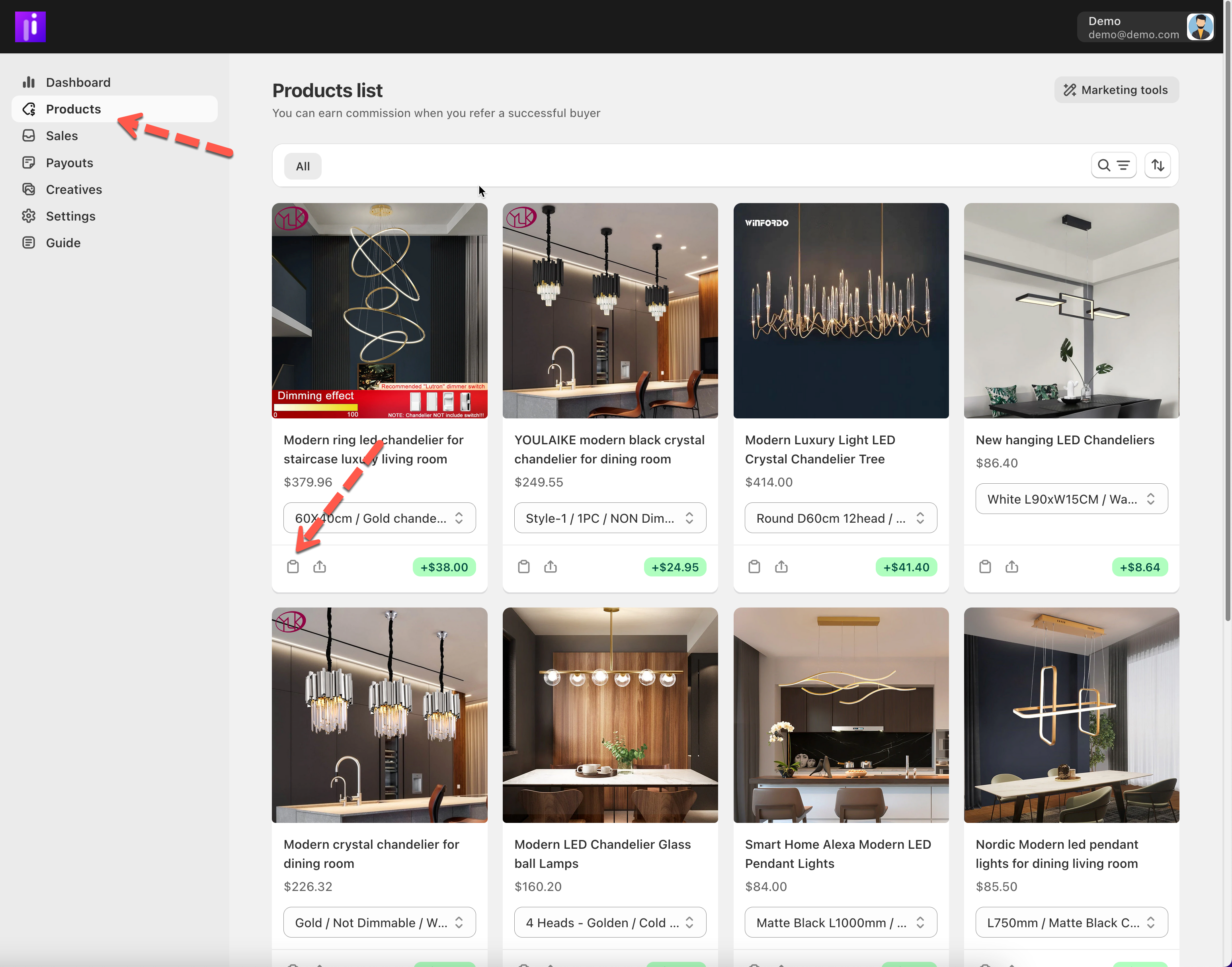
1. Go to **Products**
2. Choose a product you want to promote
3. Copy the **product referral link**
This link tracks sales for that specific product.
***
### 🔄 How Referral Links Work
* Each link is unique to your account
* Sales made through your link are tracked automatically
* You don’t need to set up anything manually
💡 Always use your referral link when sharing products.
***
### ⚙️ Where You Can Share Your Referral Link
You can share your referral link on:
* Social media (Instagram, TikTok, Facebook, X)
* Blogs or websites
* Email newsletters
* Messaging apps (WhatsApp, Messenger, Telegram)
* Online communities
📸 *Optional screenshot: Share icons or link example*
***
### ⚠️ Important Notes
* Do not edit or shorten the link unless allowed by the merchant
* Always follow the program’s promotion rules
* Only sales through your referral link earn commission