> For the complete documentation index, see [llms.txt](https://docs.jaka.app/shopify/llms.txt). Markdown versions of documentation pages are available by appending `.md` to page URLs; this page is available as [Markdown](https://docs.jaka.app/shopify/affiliate-dashboard-and-guides/affiliate-portal/affiliate-portal-dashboard.md).
# Affiliate Portal - Dashboard
The **Dashboard** is the first page affiliates see after logging in. It provides a quick overview of performance, earnings, and next steps.
***
### 📊 Performance Overview
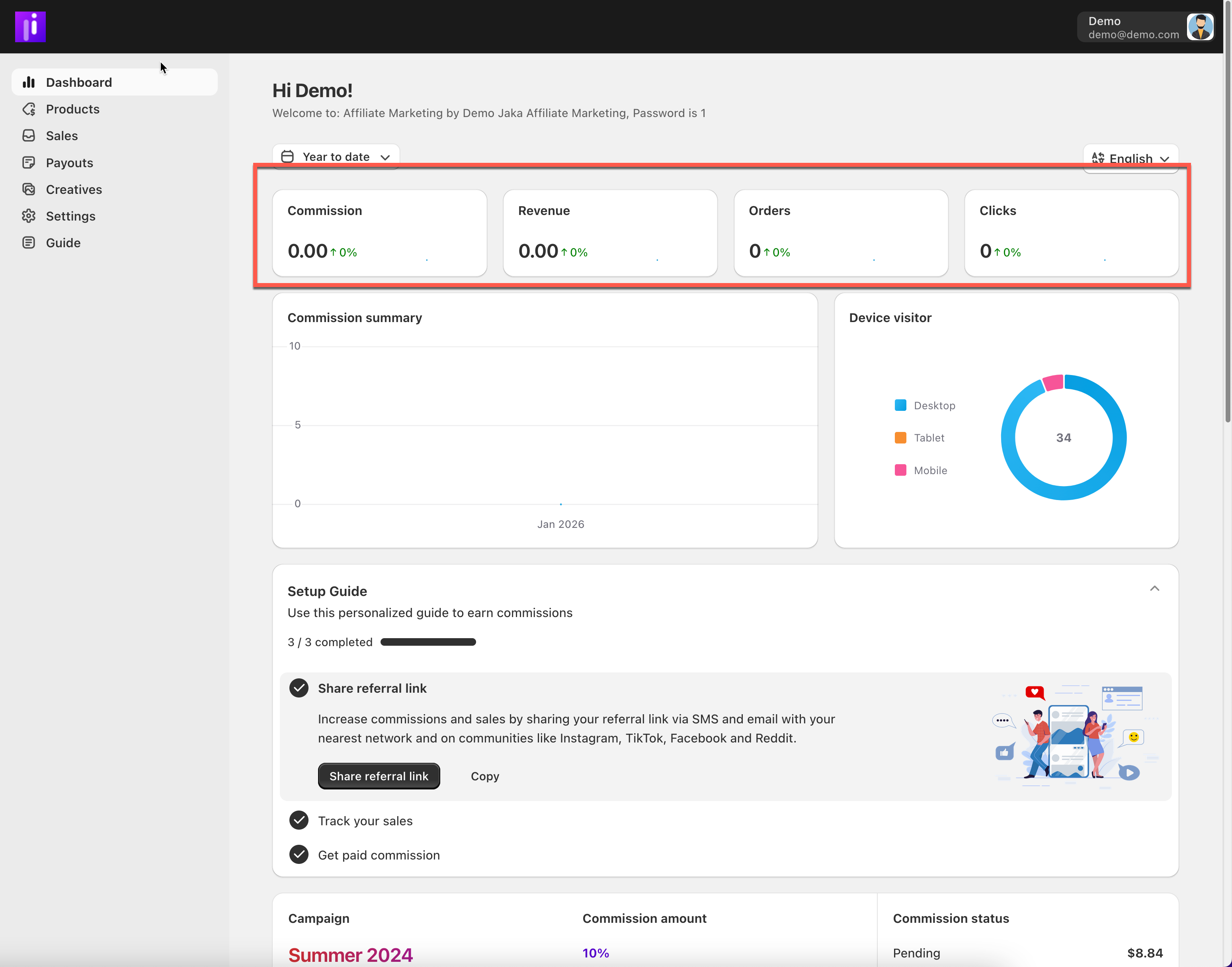
At the top of the dashboard, affiliates can see key metrics:
* **Commission** – total earnings
* **Revenue** – total sales generated
* **Orders** – number of referred orders
* **Clicks** – total referral link clicks
These metrics update automatically based on tracked activity.
***
### 📈 Charts & Insights
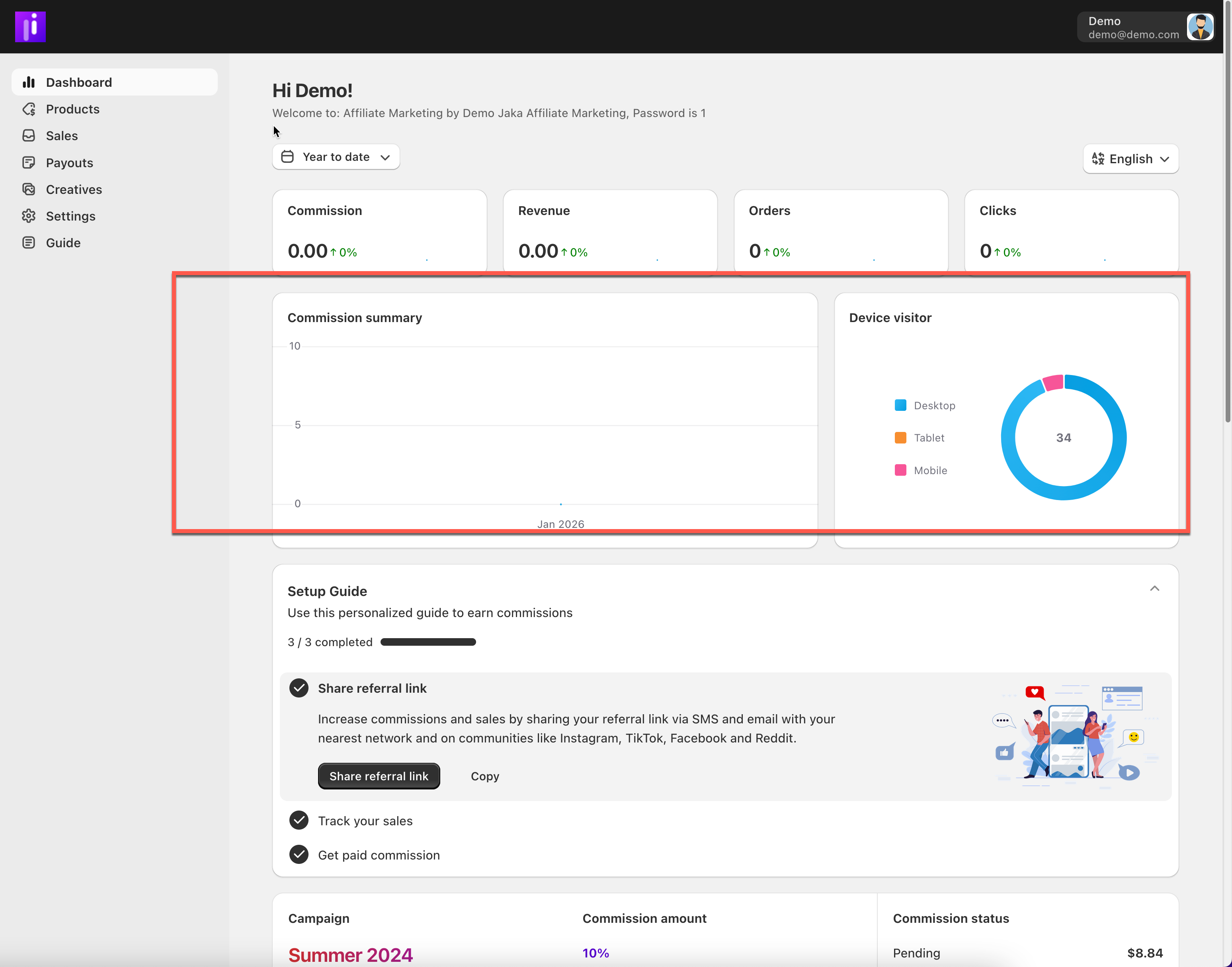
The dashboard includes visual charts that help affiliates understand:
* Commission trends over time
* Visitor device breakdown (desktop, tablet, mobile)
***
### ✅ Setup Guide
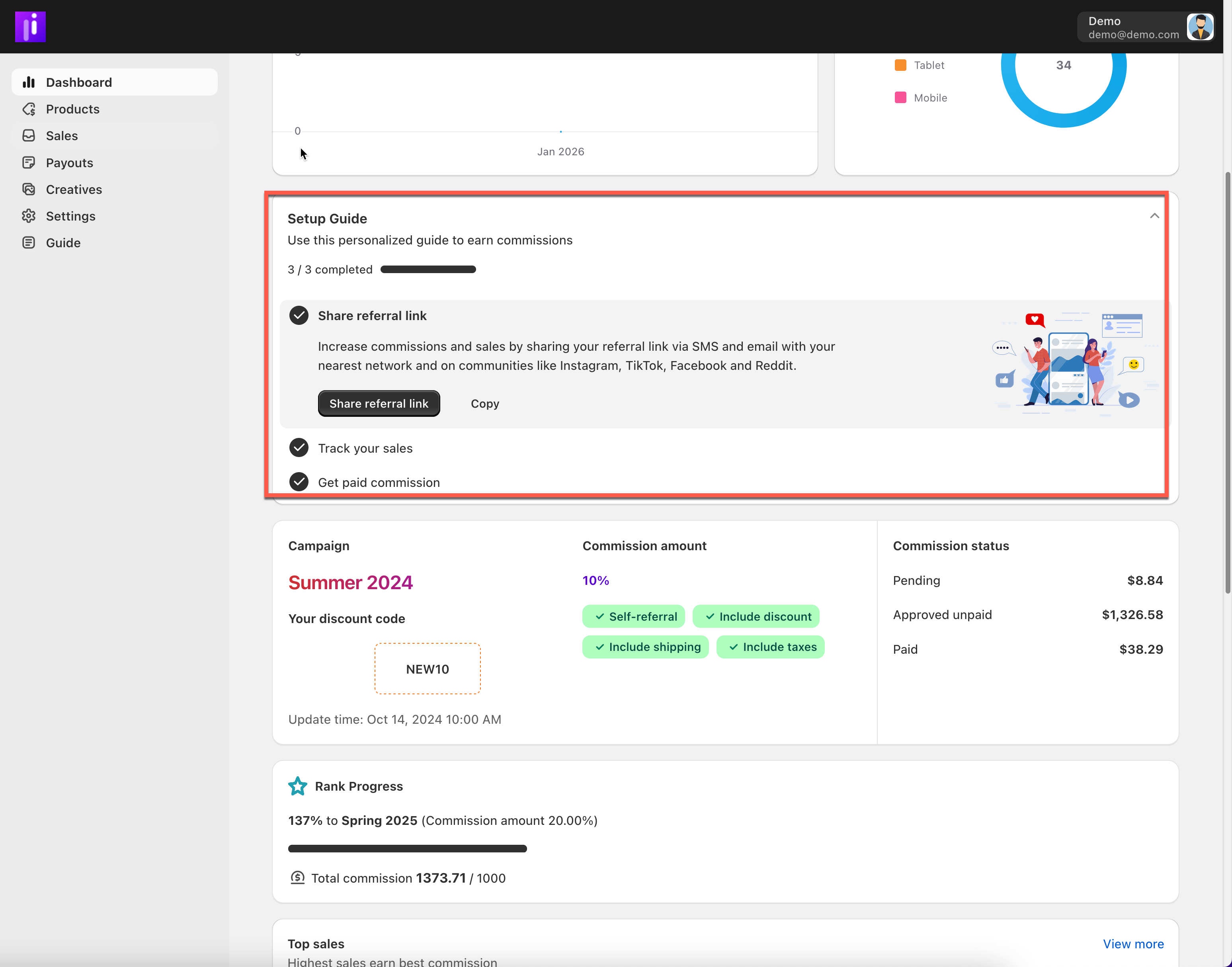
The **Setup Guide** helps new affiliates get started quickly. It shows required steps such as:
* Sharing a referral link
* Tracking sales
* Completing payout setup
Progress is saved automatically as steps are completed.
### 📢 Campaign & Commission Overview
At the top of the dashboard, affiliates can see:
* **Active campaign name** (e.g. *Summer 2024*)
* **Commission rate** (example: 10%)
* **Discount code** assigned to the affiliate
* Commission rules applied:
* Self-referral allowed
* Discount included
* Shipping included
* Taxes included
On the right, commission totals are grouped by status:
* **Pending** – commissions waiting for approval
* **Approved unpaid** – ready to be paid
* **Paid** – commissions already paid
***
### 🏆 Rank Progress & Tier Growth
This section shows how close the affiliate is to reaching the **next commission tier**.
Affiliates can see:
* Current progress percentage
* Target tier (e.g. *Spring 2025 – 20% commission*)
* Total commission earned vs required amount
This motivates affiliates to increase sales to unlock higher commission rates.
***
### 🔝 Top Sales Performance
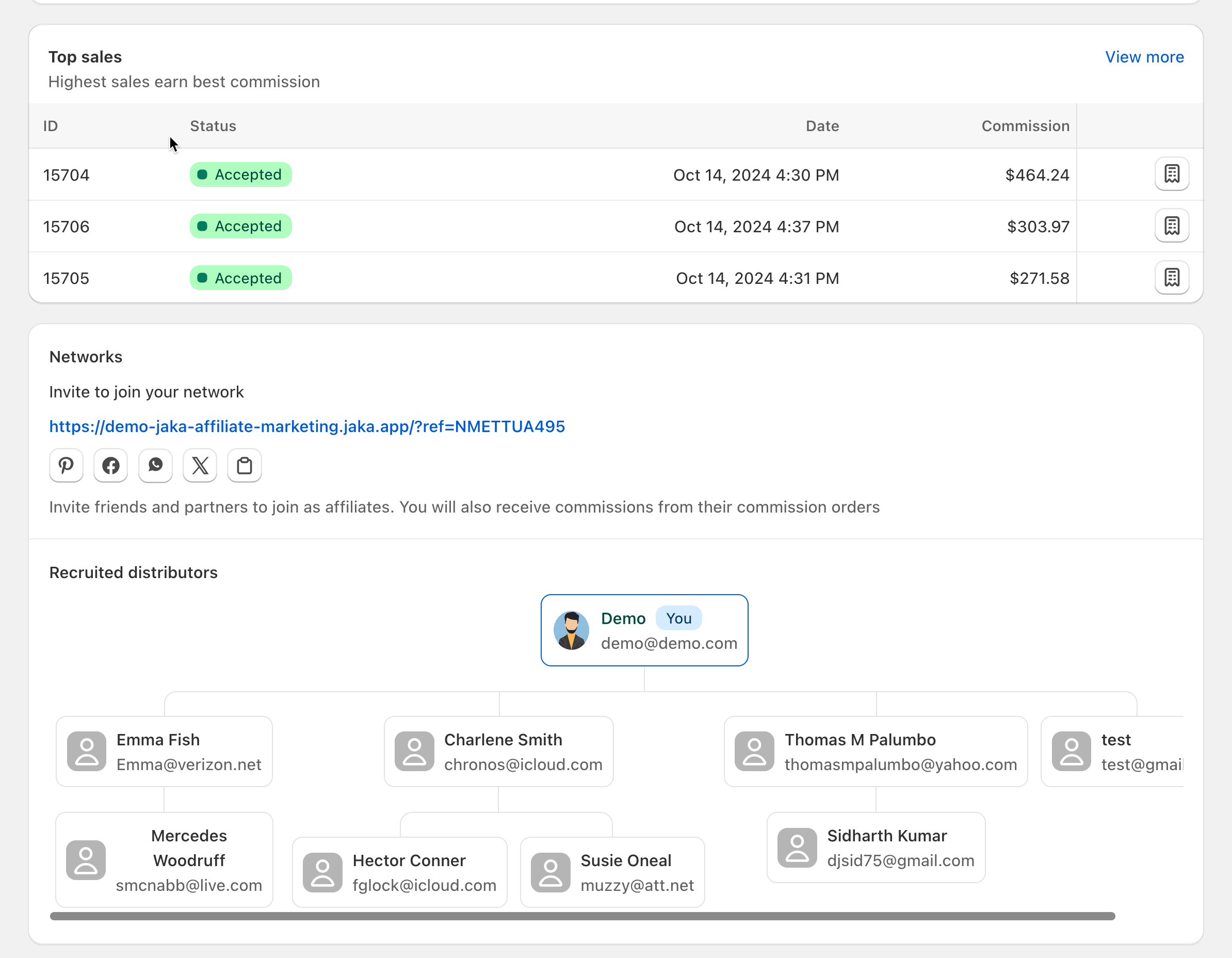
The **Top Sales** section highlights the affiliate’s highest-earning orders.
Each row includes:
* Sale ID
* Sale status (e.g. Accepted)
* Order date
* Commission earned
Affiliates can click **View more** to see the full sales list.
***
### 🌐 Network & Referral Sharing
Affiliates can grow their earnings by inviting others to join the program.
This section includes:
* A **network referral link**
* Quick-share buttons for social platforms
* A short explanation of network commissions
Affiliates earn additional commissions from sales made by affiliates they recruit.
***
### 👥 Recruited Distributors
This area shows:
* Affiliates recruited into the network
* Their name and email
* Relationship level (e.g. “You” for direct recruits)
It helps affiliates track and grow their referral network.